Hi Ann,
Unfortunately, the Adobe Camera Raw plug-in for Adobe Photoshop Elements' interface was changed in version 12.0 and one downside was that you can no longer Save New Camera Raw Defaults as you could in earlier versions.
Adobe Photoshop Elements 2021 is officially currently up to version 13.0 of the Camera Raw plug-in, but you can retrograde back to version 11.4.1 by following the instructions in this Adobe Knowledge Base article:
Update the Camera Raw version on your Mac or Windows machine
I've just double-checked and everything seems OK running this version of the Camera Raw plug-in in Photoshop Elements 2021:
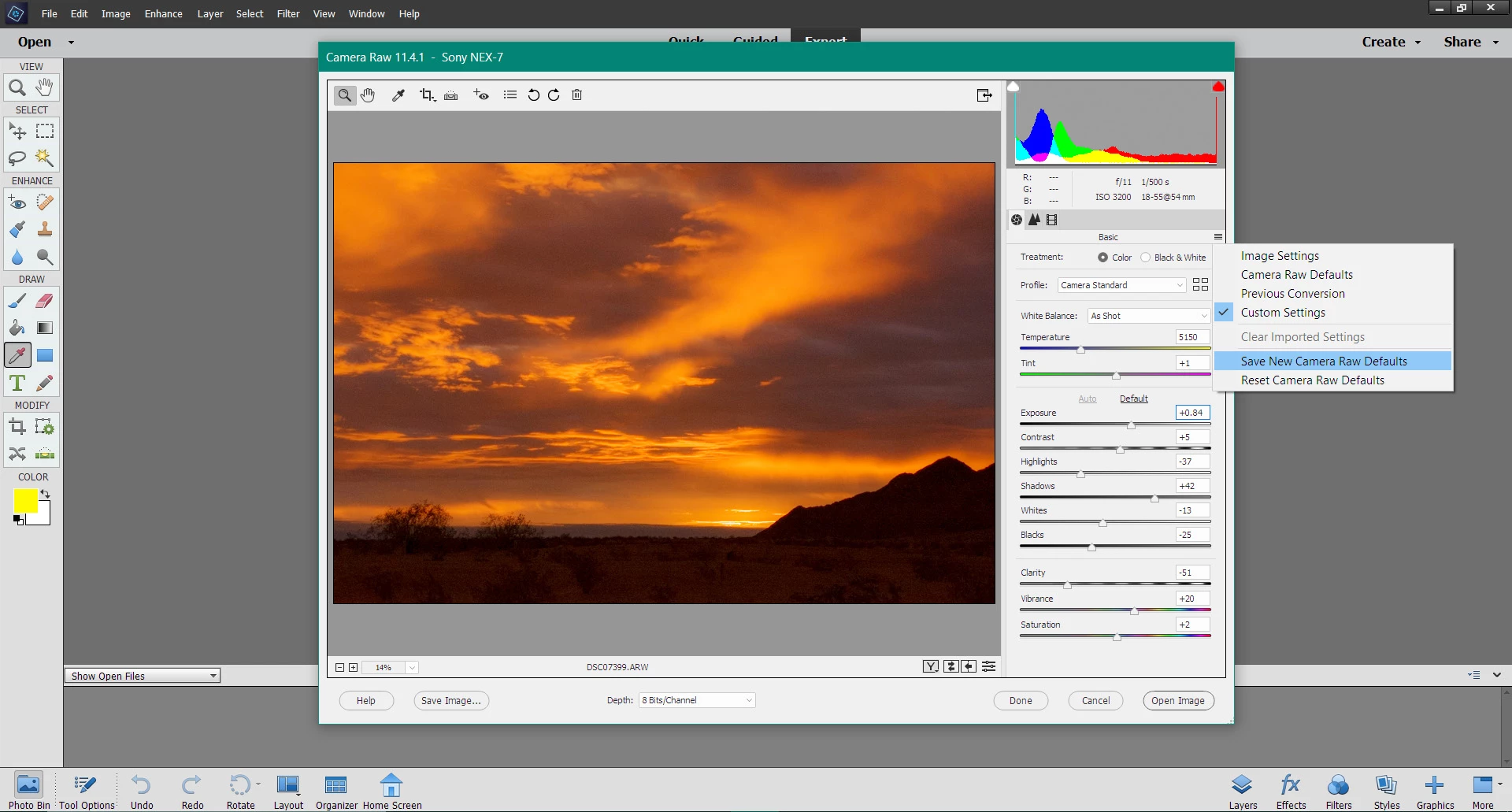
And if you really have to (I like the Home screen... 🙂 ), here's how to bypass it in Windows 10:
- In File Explorer, navigate to C: Program Files > Adobe > Photoshop Elements 2021 > PhotoshopElementsEditor.exe
- Right-click on PhotoshopElementsEditor.exe and choose Pin to taskbar
Hope that helps 🙂

 AdChoices