ManyOldPhotos
Participant
November 8, 2021
Answered

Rescue old red photos

  • November 8, 2021
  • 1 reply
  • 642 views

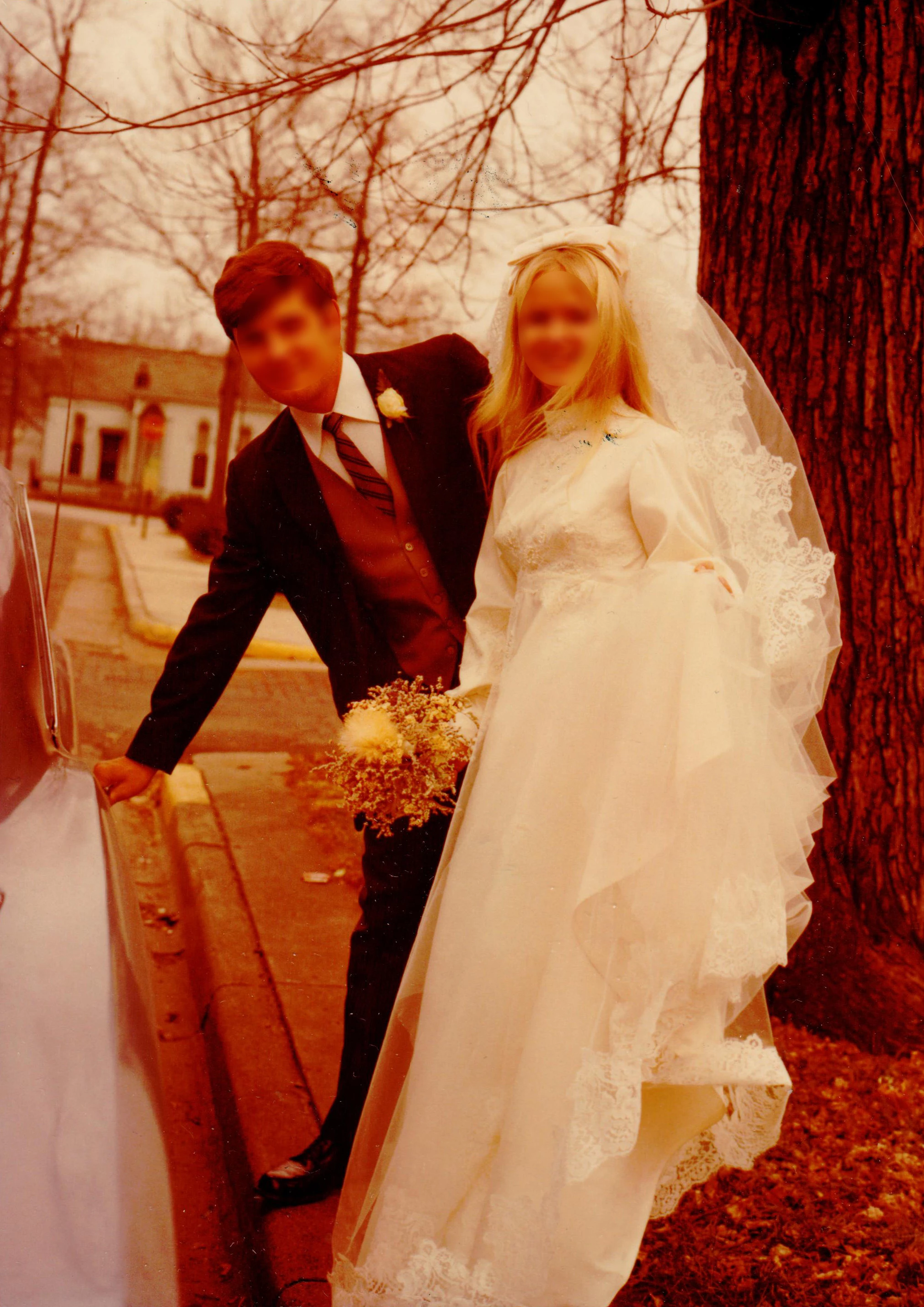
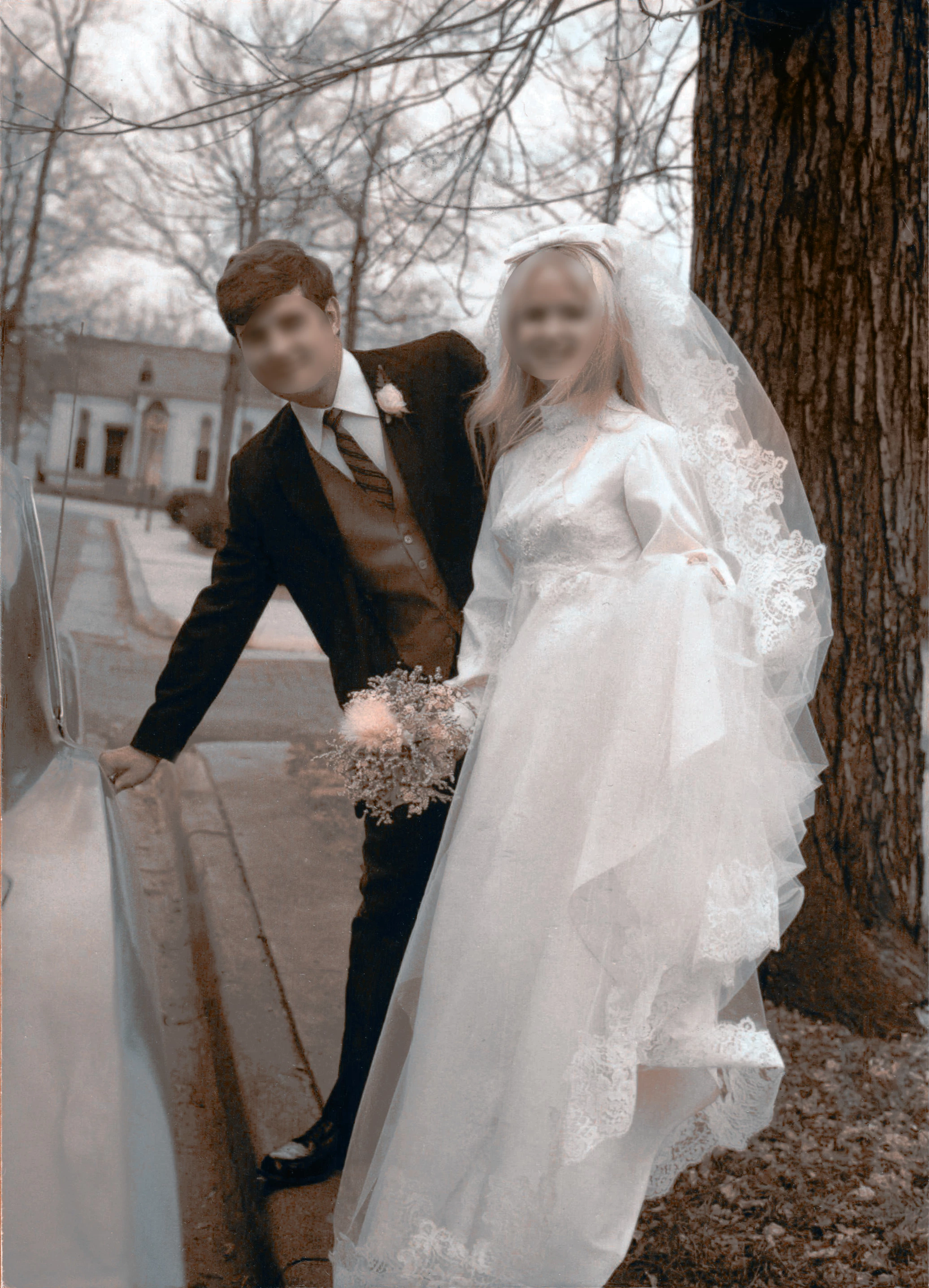
I've scanned a photo for a friend and it has a distinctive red color to it. I'd like to restore it to natural color but all of the automatic tools are insufficient. I'd love to know what steps I can take to correct the color. I'm not very savvy when it comes to the different brush modes. I fiddled with one of them but now I see pink streaks in her hair, as seen in the second photo. Also, I've forgotten what I used to decrease the red. I think I painted over with some bruch. ? ? (It's been a long day!)
This topic has been closed for replies.
Correct answer Greg_S.

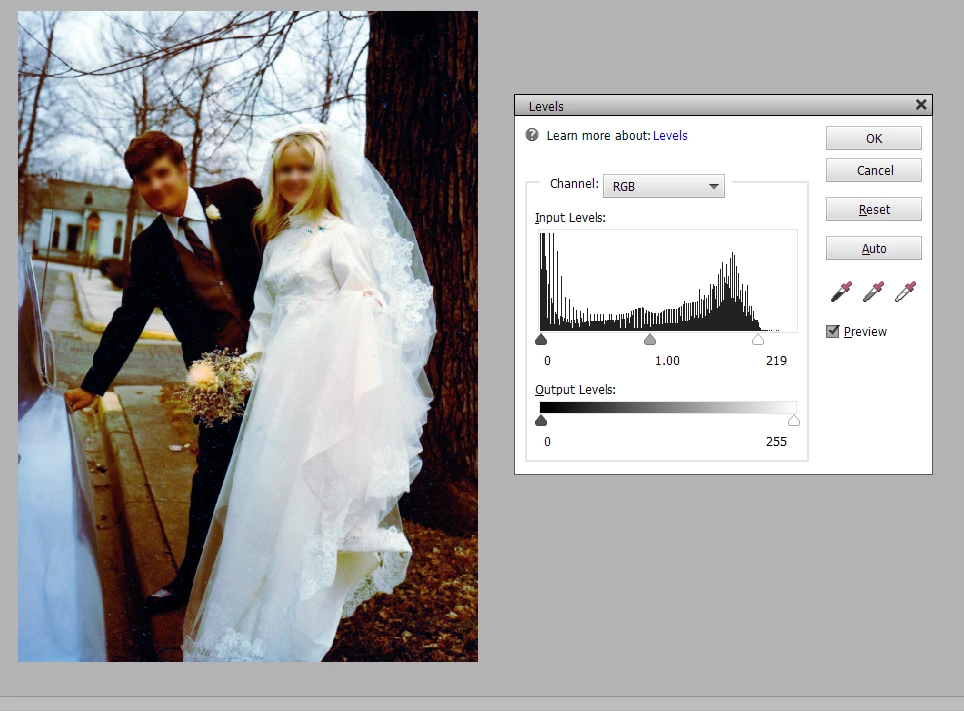
Usually, the best tool to remove a color cast is Levels (Ctrl+L).  In your example, I used the grey (middle) eye-dropper tool and clicked on the sidewalk.  I also lowered the white point setting.  So, one click and one slider adjustment gets the following result:


1 reply

Greg_S.
Community Expert
Greg_S.Community ExpertCorrect answer
Community Expert
November 8, 2021

Usually, the best tool to remove a color cast is Levels (Ctrl+L).  In your example, I used the grey (middle) eye-dropper tool and clicked on the sidewalk.  I also lowered the white point setting.  So, one click and one slider adjustment gets the following result: