
Stylus not working on canvas in Photoshop Elements 9
Since fiddling around to try and find a pixel-like tool yesterday, I've been unable to draw with the stylus on the file canvas. I can click everything else and I've reset all my tools but it still isn't working.
I'm yet to restart my laptop since this started, and I'll update this if it works, but I doubt that'll be it.
My laptop is quite old, but my stylus works on other programs like MS Paint and Excel. The stylus is a simple one and I draw directly onto the screen. (picture below of the type). The 'lead' is removable so I tried replacing it and flipping it around, but nothing seems to be working.
If i try to draw, the canvas scrolls up and down as if it thinks its my finger.
I don't need Photoshop for any projects soon, but it is a bit annoying.
My laptop is a clunky Lenovo ThinkPad X1 i think (specific type is covered by a Donnie Darko sticker) and I use it for school. 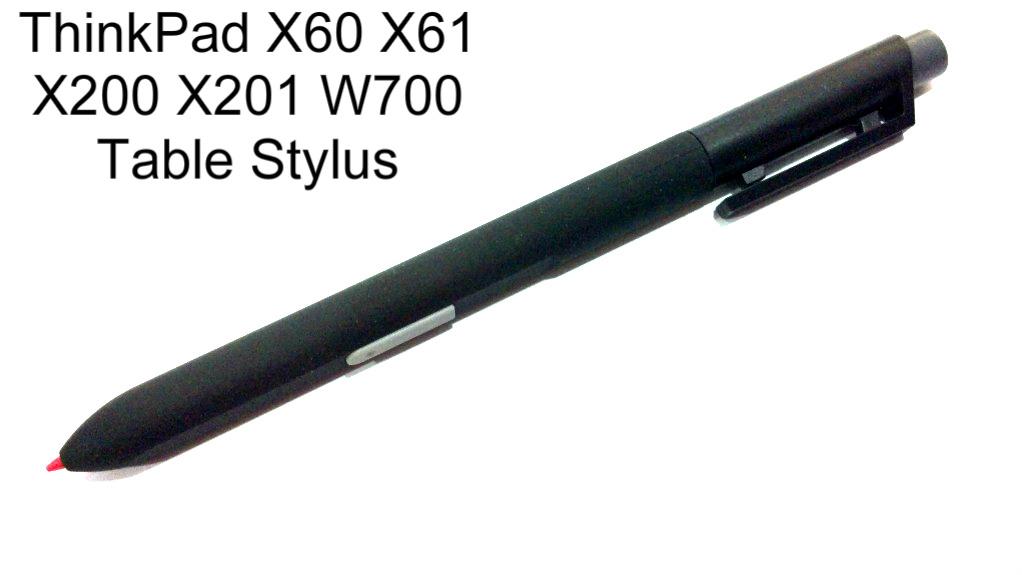
 AdChoices