
Participating Frequently
October 7, 2019
Question

Surface Detach and Auto Creations 2020

  • October 7, 2019
  • 6 replies
  • 853 views

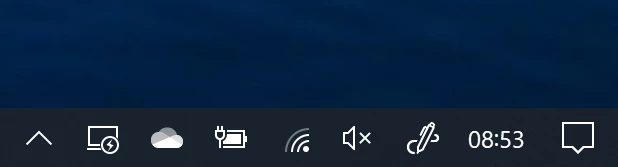
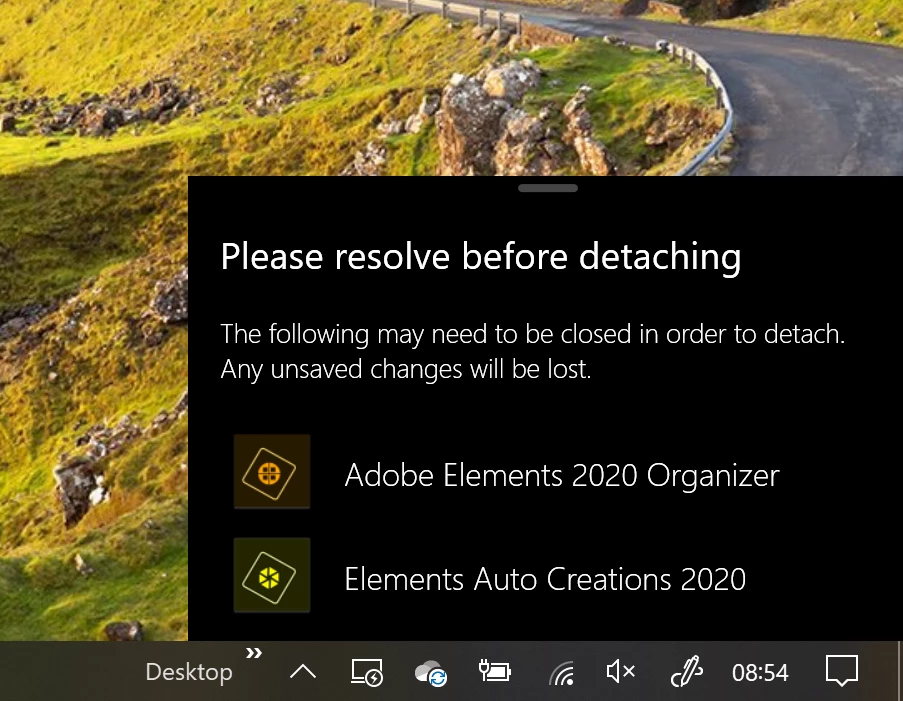
When I started Adobe Photoshop Elements 2020, auto Creations was started in the background and this had a strange effect on my Surface Book 2 laptop. The software detach button showed action was required, and when I clicked on the button I saw that there was an outstanding issue with AutoCreations, and I could not detach my screen using either the software or hardware buttons. Once I killed the process "Adobe Auto Creations", everything went back to normal. Have had to turn off all auto creations content in Adobe Organizer, otherwise I got the problem every time I start PhotoShop. Has anyone got any ideas?
    This topic has been closed for replies.

    6 replies

    Participating Frequently
    October 15, 2019

    Screen shots now added to original post. But attached again here for convenience:

    Medha_Sharma
    Adobe Employee
    Adobe Employee
    October 8, 2019

    Hello,

    We apologise for the inconvenience you had to face. Could you please share the screenshots/screen recording of this issue? This would help us in addressing your concern in a better manner.

    Thanks,

    Medha

    Participating Frequently
    October 9, 2019
    Hi, Apologies for not getting back to you sooner, am attaching some screenshots now
    Greg_S.
    Community Expert
    Community Expert
    October 7, 2019

    I have no idea how the Surface Detach operates.  All I can tell you is that the Elements Auto Creations 2020 process can take up a lot of CPU cycles.  This process governs several actions in the program.  I'm assuming that you have turned off all Media Analysis boxes in Preferences and, when you do, your problem (a popup message?) is resolved.  If you can give us more detail about exactly what you want to do, I can perhaps report this to the appropriate Adobe staff.  A screenshot of the message would be helpful.

    Participating Frequently
    October 9, 2019
    Hi, thanks for your response. Once I turn off all Media Analysis boxes in Preferences I don't see the problem any more. Thanks for your assistance with this issue
    Chuck Uebele
    Community Expert
    Community Expert
    October 7, 2019

    Moved to Photoshop Elements forum. 

    Kevin Stohlmeyer
    Community Expert
    Community Expert
    October 7, 2019

    If you meant Adobe Elements 2020, what OS are you running on your Surface 2?

    Participating Frequently
    October 7, 2019
    Sorry about that - I use Windows 10 Pro
    Kevin Stohlmeyer
    Community Expert
    Community Expert
    October 7, 2019

    Adobe Photoshop 2020 is not released yet. If you are a part of the beta testing you should be posting on that forum not here.

    Participating Frequently
    October 7, 2019
    Hmm, well, OK yes its Photoshop elements, and I run Windows 10