
Participant
August 28, 2018
Respondido

Transparent Gradient in a shape Photoshop Elements 2018

  • August 28, 2018
  • 1 resposta
  • 4184 Visualizações

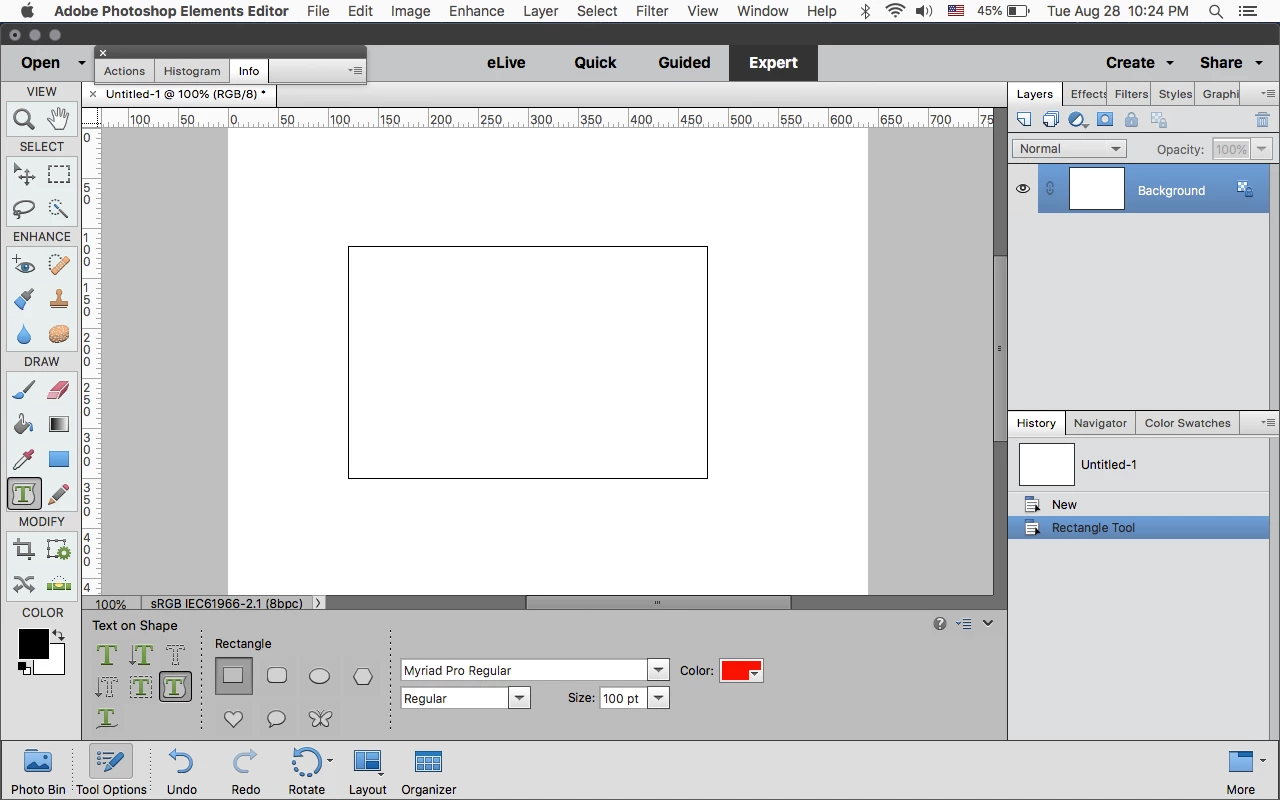
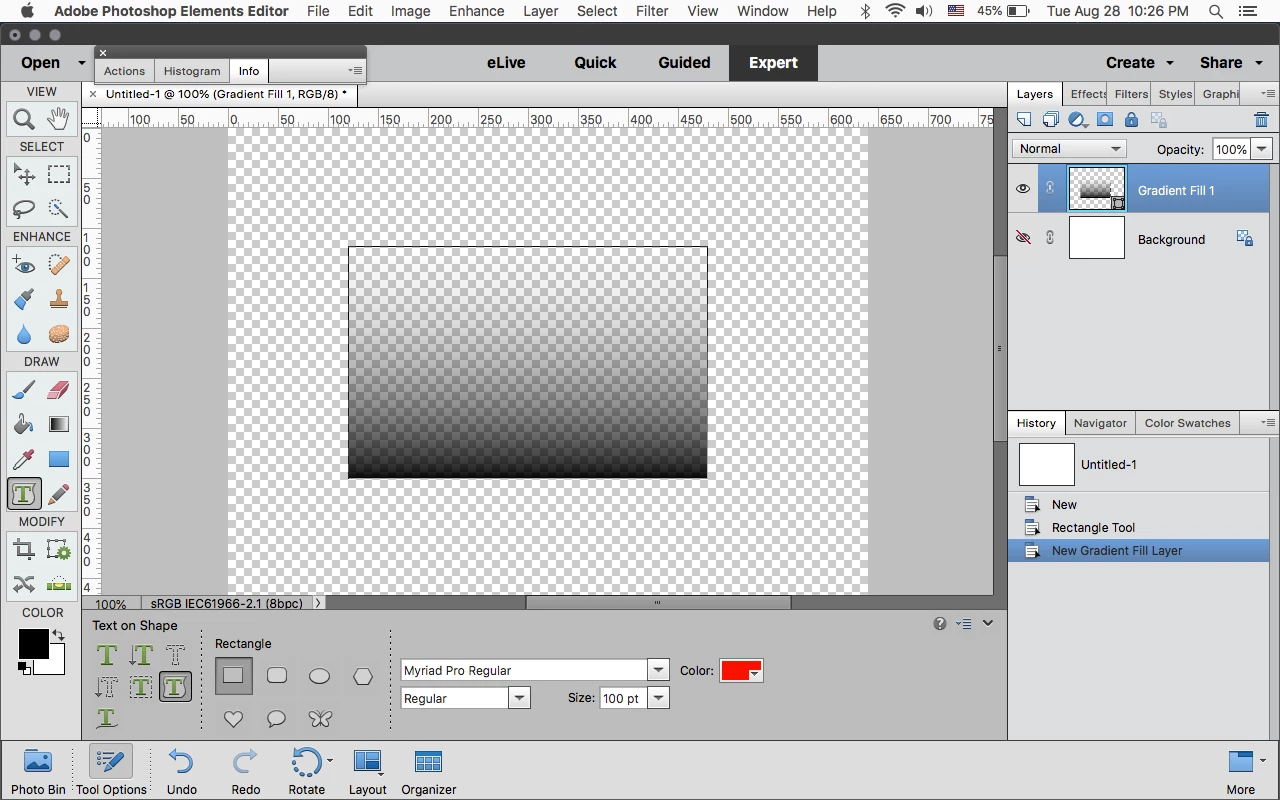
I'm trying to create a rectangle with a transparent gradient. I can create a shape with a gradient just not a transparent gradient. If I select the transparent gradient it applies it to the entire layer. Thanks.
    Este tópico foi fechado para respostas.
    Melhor resposta por Jeff Arola

    Select the Text on Shape Tool, draw a rectangle, go to Layer>New Fill Layer>Gradient and pick a transparent gradient.

    1 Resposta

    Jeff Arola
    Community Expert
    Jeff ArolaCommunity ExpertResposta
    Community Expert
    August 29, 2018

    Select the Text on Shape Tool, draw a rectangle, go to Layer>New Fill Layer>Gradient and pick a transparent gradient.

    Participant
    August 29, 2018

    Is there a way to edit the gradient fill exactly like the gradient editor? All I see is the small dialog box for the gradient layer.

    Jeff Arola
    Community Expert
    Community Expert
    August 29, 2018

    Click on the area next to Gradient (highlighted in Red below) to bring up the Gradient Editor.