Participant
October 25, 2023
解決済み

Upgrade from Adobe Photoshop Elements (PSE) 2023 to PSE 2024

  • October 25, 2023
  • 返信数 1.
  • 1375 ビュー

I just upgraded my Adobe Photoshop Elements 2023 to Adobe Photoshop Elements 2024 (upgrade purchase).  Went just fine.  Question: Can I uninstall my previous version of Adobe Photoshop Elements 2023 that is still on my Windows 11 PC?

 

このトピックへの返信は締め切られました。
解決に役立った回答 Glenn 8675309

Yes you can uninstall it:  BEFORE YOU DO:  open up the PSE  EDITOR and LOG OUT OF IT. That will deauthorize it on that computer it is installed on.   previous versions never really take up much space so I generally leave them alone-- I probably have 6 or 7 versions installed at any one time-- I use them to help people with.

BEFORE YOU UNISTALL IT:   copy and paste any of your old content for installed- stuff like brushes and actions. 

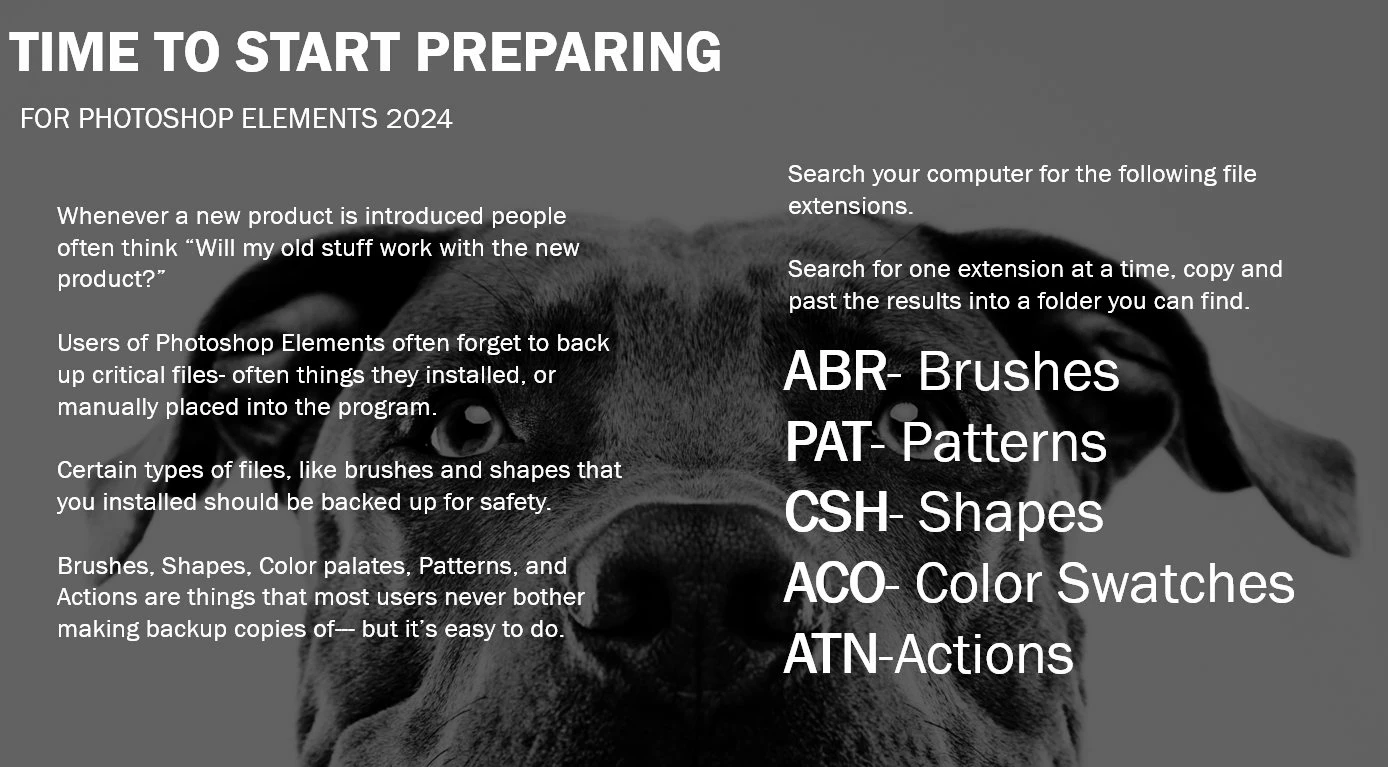
This will help you find the needed files:

Any number of users here can help you place backup copies of these into PSE 2024, if needed. 

返信数 1

Glenn 8675309
Glenn 8675309解決!
Legend
October 25, 2023

Yes you can uninstall it:  BEFORE YOU DO:  open up the PSE  EDITOR and LOG OUT OF IT. That will deauthorize it on that computer it is installed on.   previous versions never really take up much space so I generally leave them alone-- I probably have 6 or 7 versions installed at any one time-- I use them to help people with.

BEFORE YOU UNISTALL IT:   copy and paste any of your old content for installed- stuff like brushes and actions. 

This will help you find the needed files:

Any number of users here can help you place backup copies of these into PSE 2024, if needed. 

Glenn 8675309
Legend
October 25, 2023

I just checked:  Looks like I have 7 versions of PSE installed. 

There really isn't any reason for you to bother with any older versions-- I do like using PSE 14 every now and then.