


easternguy
Participant
Dec 3, 2022 6:10 PM UTC
Answered

Video files won't play at all in PSE 2023


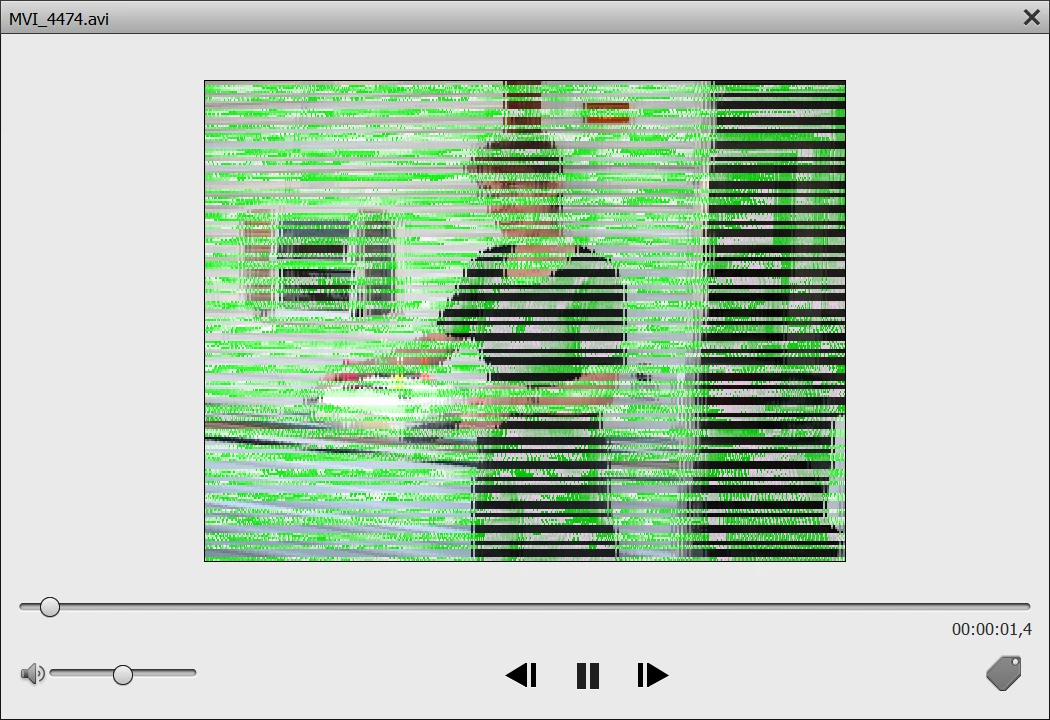
Just installed PSE2023 and imported a previous backup (from PSE15). Everything works fine beside the video files that wont play at all no matter what format. I get green lines garbage whenever I click on a video file (.avi, mpg, whatever). See att.


Outside PSE2023 these same video files are working just fine.

What did I miss??


TIA


This topic is closed to new replies. Start a new post to keep the conversation going.
easternguy
easternguyCorrect answer
Participant
Dec 7, 2022 1:02 AM UTC


Finally Mohd from Adobe online support, found the glitch. My ACER portable has 2 graphic cards, and the Intel UHD was causing the glitch. As I deactivated this card, everything worked beautifully.  The NVDIA card works just fine. All the videos are now working properly. Thanks for your support.  I will certainely update the Intel drivers.


Best

6 replies

Greg_S.
Community Expert
Community Expert
Dec 4, 2022 10:00 PM UTC

The screenshot you posted indicates that the problem has something to do with your GPU. 

I suggest you try contacting Elements support. You can start a chat session by clicking on the blue Contact Us button under the Help & Support menu at Adobe.com. Or you can contact Support by telephone using the numbers listed here: https://helpx.adobe.com/contact/phone.html. Hours of operation outside of the United States are limited. See the phone link for details.

Translate
easternguy
easternguyAuthorCorrect answer
Participant
Dec 7, 2022 1:02 AM UTC


Finally Mohd from Adobe online support, found the glitch. My ACER portable has 2 graphic cards, and the Intel UHD was causing the glitch. As I deactivated this card, everything worked beautifully.  The NVDIA card works just fine. All the videos are now working properly. Thanks for your support.  I will certainely update the Intel drivers.


Best

Translate
Greg_S.
Community Expert
Community Expert
Dec 3, 2022 9:14 PM UTC

In the Organizer's Edit>Preferences>Performance dialog, do you have the Use Graphics Processor for Video Playback box checked?  If yes, uncheck it.  If no, check it.

Translate
easternguy
Participant
Dec 4, 2022 9:09 PM UTC

Good point. Unfortunately it didn't work (both options with and without). I also uninstalled PSE2023 (using Revo uninstaller) and reinstalled it but no luck either. Same issue. Running out of options here.... Thanks for your support.

Translate
Greg_S.
Community Expert
Community Expert
Dec 3, 2022 7:42 PM UTC

Try updating your graphics card driver from the manufacturer. Don't rely upon the Microsoft update. 

Translate
easternguy
Participant
Dec 3, 2022 8:04 PM UTC

Thanks. I did it already to the latest version (NVDIA 526.98)

Translate