

Walter_H
Legend
April 2, 2022
Question

What Is The Maximum Image Size For Use In A GIF?

  • April 2, 2022
  • 2 replies
  • 18176 views

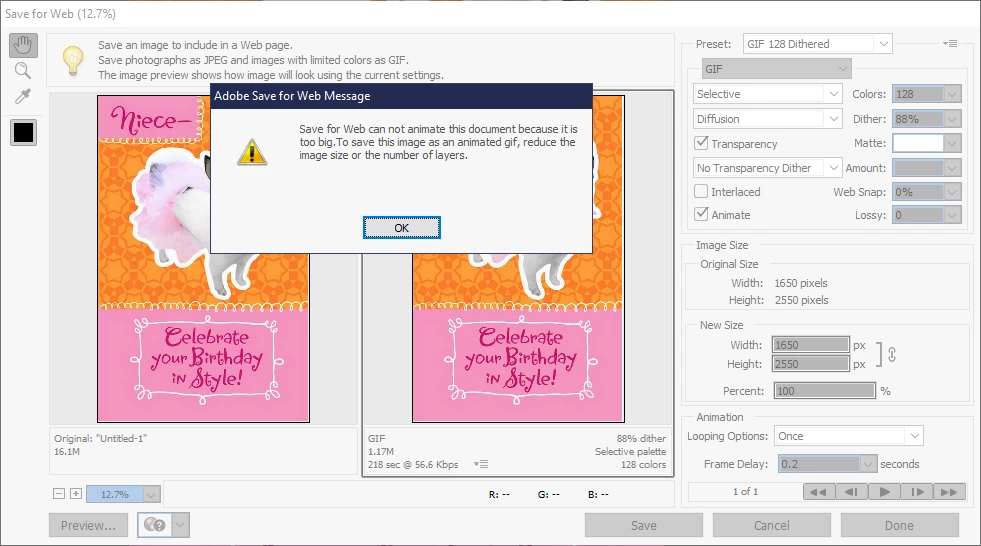
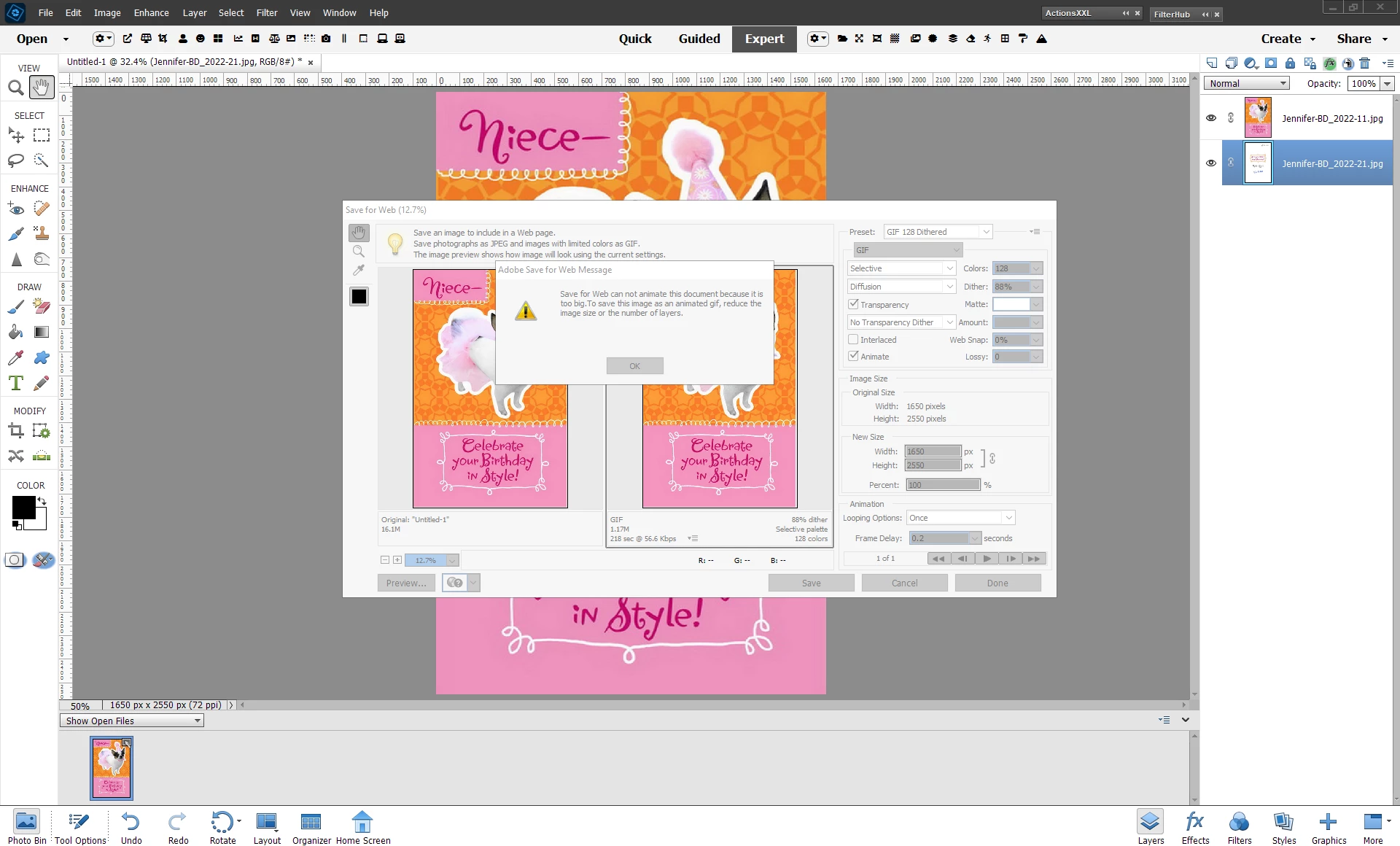
I'm trying to create an animated GIF birthday card for a niece. I'm using PSE 2022 on a Win 10 PC. I'm using two images - each is 1650 px X 2550 px. When I check the "Animate" box in the Save for Web dialog I get a message that the image is too big and I need to reduce the image size or the number of layers. There are only two layers, so how much smaller do I need to make the images? They are now 1650 x 2550 px.
This topic has been closed for replies.

2 replies

Greg_S.
Community Expert
Community Expert
April 2, 2022

Walter, I generally use trial and error for fixing the size of my animated gifs, but the number of layers is not usually a problem unless there are hundreds of them.  Animated gifs that Elements creates in the new GEs can contain over a hundred layers and a quick search of my computer shows one with native dimensions of 1024x923 and a file size of 66 MB.  However, I believe the Save to Web animated gifs have more limitations in terms of the size, and I have in fact thought about requesting Adobe to increase those limitations for this very old tool. 


I attempted to post one of my larger gif files here, but the forum has size limits and so do other social media sites or email services.  And, Michel, I suspect that the link you provided was giving limits for that particular service, rather than a size limitation of the gif format.


So if I want to post a gif online, I will generally start off with an 800 px width.  Anything more will generally overtake the viewing device's monitor size, particularly with a portrait orientation such as the one in your screenshot.  And since gifs are made for viewing online, a lower pixel resolution is generally not a problem.  I'm sure your niece will appreciate the effort you are making to create a personalized card for her.


Walter_H
Walter_HAuthor
Legend
April 2, 2022

Hi Greg,


You mentioned, "Animated gifs that Elements creates in the new GEs...". Where is this feature hidden? When I started this project, I looked at GEs first but didn't find a GIF Creator. I'm using PSE 2022.


This was my first attempt at GIF creation in PSE. I'm in Expert mode and I load the images as layers using an Elements+ script (File Piler). Then I use the Save for Web dialog to create the GIF. I get the message about "file too big" as soon as I click the Animate box. The New Size panel in the Save for Web dialog must only work on a GIF that's been animated already so I had to Cancel out of Save for Web and just like you said, use trial and error to find what image size works.


I eventually did get to save the project as a GIF. I reduced the image size to 50% (825 x 1275) but it was a lot more work than I had expected. If I'd known in advance what the max image size was. it would have been easier.


And, my niece loved the card!

--Walter in Davie, FL
Glenn 8675309
Legend
April 2, 2022

Enhance > Moving overlays.  They are only 6 sec long unless you loop it.

You add the animated graphics / overlays then are given the choice as exporting as a mp4 or GIF.

MichelBParis
Legend
April 2, 2022

Walter,

I have no personal experience with animated GIFs, but I have found this from Google:

https://support.hopin.com/hc/en-us/articles/360056528971-Image-Size-and-GIF-File-Dimensions


"The maximum size of image and GIF files is 2MB. Files over 2MB will not save"

Walter_H
Walter_HAuthor
Legend
April 3, 2022

Hi Michel,


Thanks for your reply. The combined file size of the two images I was using is a little under 1MB. And, I didn't even get to the "Save" part. It choked as soon as I clicked the Animate box.

--Walter in Davie, FL