
Participating Frequently
January 22, 2018
Question
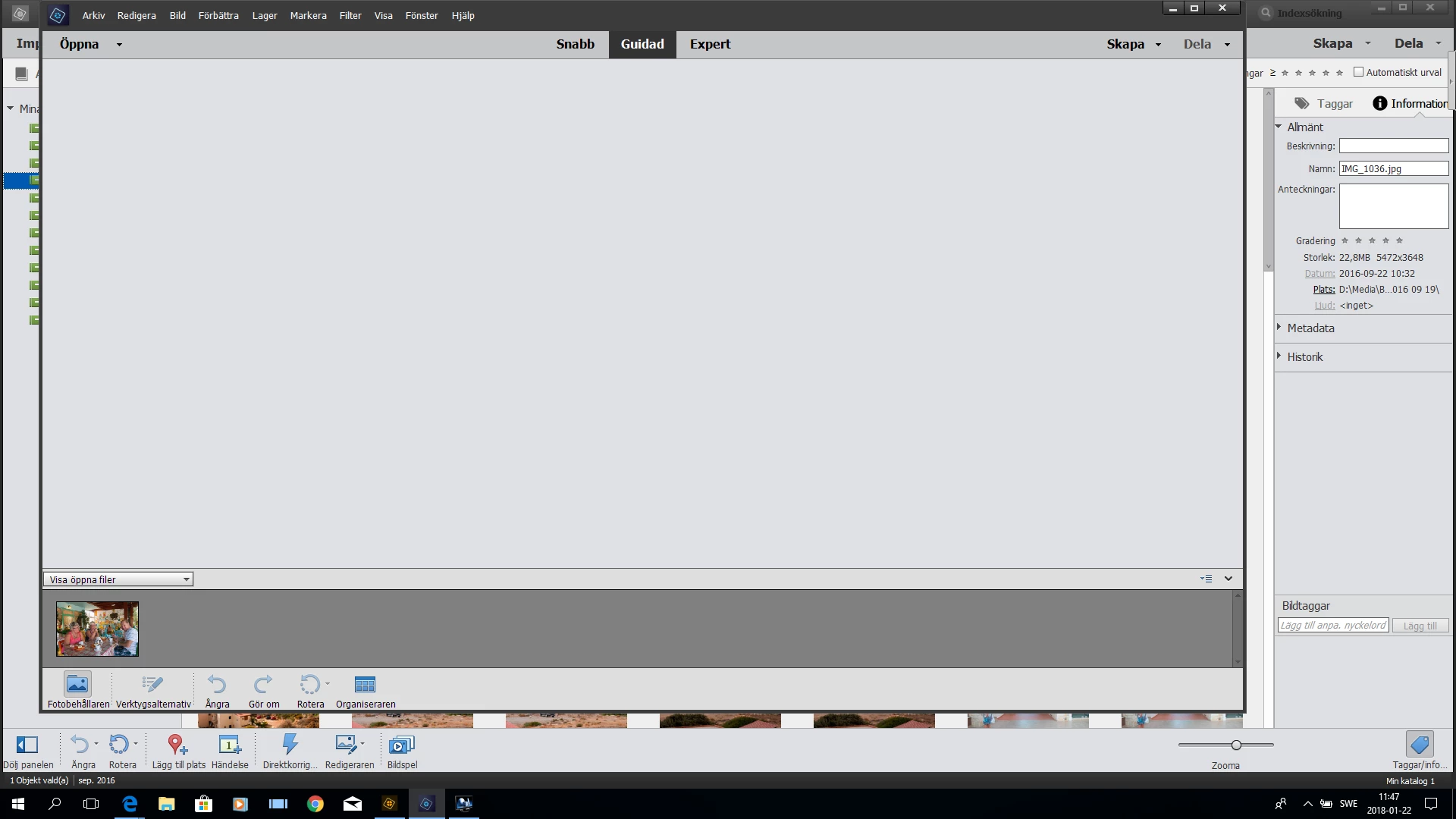
Guided mode does not work in Photoshop Elements 2018
- January 22, 2018
- 2 replies
- 1000 views
Guided mode does not work in Photoshop Elements 2018. See image.
But works in my older ver elements 14
And guided mode works in Premier 2018.
Why not in photoshop?
Run windows 10 and at normal resolution on the Hd screen.
Have tried recharging the program several times.
Min and max size of image size, etc.
Have some time managed to get the picture on the window, but then the check box will appear to the right as you can check that the picture is ready. No other options available.
Provides jpg images in from different cameras.
Not Elive mode is also not available in the menu. Probably a function that only works with show language, I drive Swedish.
But works in my older ver elements 14
And guided mode works in Premier 2018.
Why not in photoshop?
Run windows 10 and at normal resolution on the Hd screen.
Have tried recharging the program several times.
Min and max size of image size, etc.
Have some time managed to get the picture on the window, but then the check box will appear to the right as you can check that the picture is ready. No other options available.
Provides jpg images in from different cameras.
Not Elive mode is also not available in the menu. Probably a function that only works with show language, I drive Swedish.
 AdChoices