Participant
July 11, 2019
Answered

how to update camera raw 11.3 for elements 2019?

  • July 11, 2019
  • 2 replies
  • 2322 views

download 11.3 from adobe.com

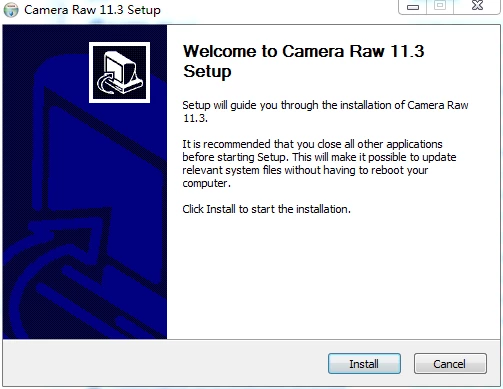
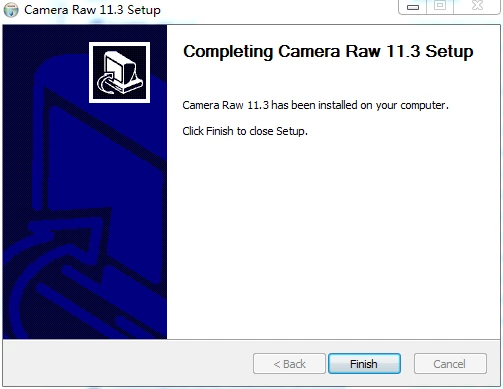
install camera raw 11.3
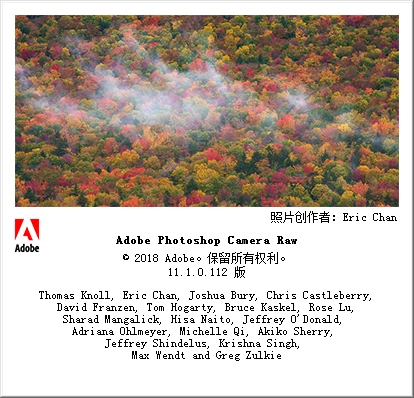
it's still 11.1.0.112

    This topic has been closed for replies.
    Correct answer Greg_S.

    The ACR version that you have downloaded is for Photoshop CC only, not for Photoshop Elements.  You have the latest ACR available for Elements (11.1).  I expect that ACR for Elements will be updated to 11.3 in the future but I have no information as to when that may be.

    2 replies

    Akash Sharma
    Legend
    July 11, 2019

    Hi xpy,

    Camera Raw for Photoshop Elements comes inbuilt with the application itself unlike Photoshop. Photoshop Elements 2019 only supports the version of Camera raw that was supplied with it's latest update,

    Thanks,

    Akash

    MichelBParis
    Legend
    July 11, 2019

    faq:

    FAQ: Will Photoshop Elements work with my camera, or Why won't my raw files open?

    If you don't want to wait for an unlikely update for PSE2019 or to pay the next upgrade for PSE2020 (my guess is it will support ACR 11.3), simply download and install the free Adobe DNGconverter mentionned in that faq.

    That independent program (not a plugin) will batch convert a whole folder of your unsupported raw files to the DNG raw format that your current PSE version can open and edit. An additional (batch) step but with the same quality and free.

    99jon
    Legend
    July 11, 2019

    I assume that the current 11.1 version does not support Fujifilm RAF files from my X-T30 as I am getting an error on attempting to open the file. Any way to know as the file import list just states RAF files for RAW with no other version number and the camera model is listed as supported for the Camera Raw plugin.

    The Update menu option (as suggested in the pop-up window) is greyed out so not an option to run an upgrade?

    Thanks


    The XT30 requires 11.2 or later.

    Greg_S.
    Community Expert
    Greg_S.Community ExpertCorrect answer
    Community Expert
    July 11, 2019

    The ACR version that you have downloaded is for Photoshop CC only, not for Photoshop Elements.  You have the latest ACR available for Elements (11.1).  I expect that ACR for Elements will be updated to 11.3 in the future but I have no information as to when that may be.

    XPYAuthor
    Participant
    July 18, 2019

    Do you have the web for downloading the 11.1? Actually, I don't need 11.3, 11.2 is enough for me, it is already enough to read .CR3  from Canon EOS RP. Thanks

    99jon
    Legend
    July 18, 2019

    Unfortunately Adobe has not gone past ACR11.1 except for Creative Cloud apps. Elements customers’ feel like second class citizens. I suggest you try on-line chat although my experience suggests it makes no difference regarding camera raw updates for Elements. Click the link below and under individual click “Sign-in to contact us”

    https://helpx.adobe.com/support.html

    If necessary keep a record of this thread and complain publicly @Adobe. Twitter seems to escalate the stakes and Adobe, like others hates bad publicity.

    https://twitter.com/Adobe

    Others with new camera models and shooting raw should delay any further purchase of Photoshop Elements.