
Question
I can't find the smart Object selection
I have upgraded to 2020 version of Photoshop Elements. I can't find the convert to smart object selection anywhere. Is there a secret place or way to do it? I have watched you tube for two days and tried to look it up on adobe site to no avail. There is no selection for it under the "layers" tabm nor the pull down menu in the layers window (see below). Please Help. Any ideas where I can find it, or make it hapen?
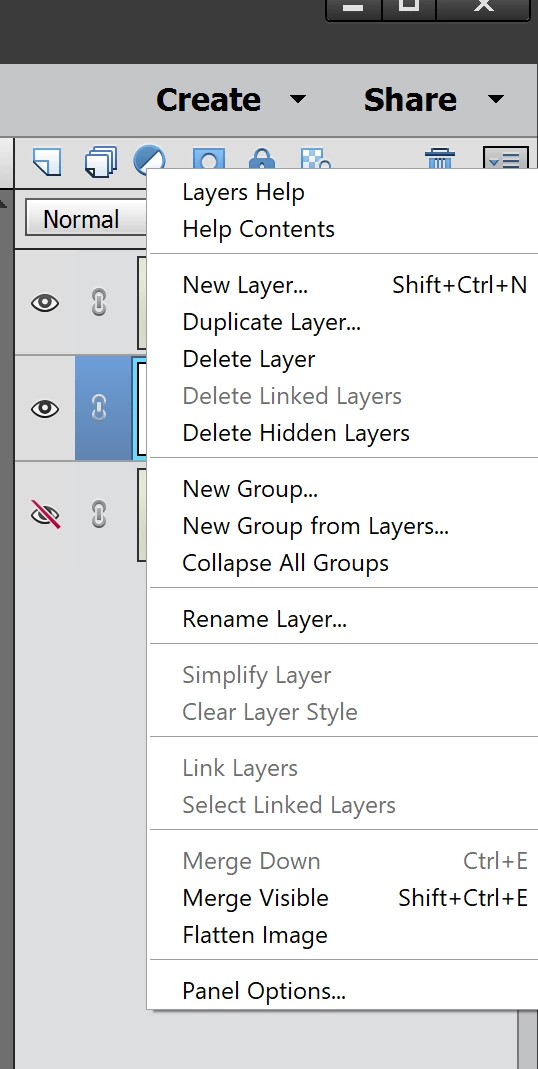
Thanks.
 AdChoices