w stewartw38749355
Participant
November 5, 2017
Answered

Instant fix panel in Elements 18 stuck after saving edits

  • November 5, 2017
  • 2 replies
  • 2677 views

The Instant Fix panel works fine until I save my edits.  After I save edits to a photo in the Instant Fix panel, I cannot get back to my media folder.  Neither the "done" button nor the "back" button works.  The panel appears frozen.  I have to exit Elements entirely and re-start it to get back to my media folder.  Please help!  Thanks!
    This topic has been closed for replies.
    Correct answer SaurabhGupta1

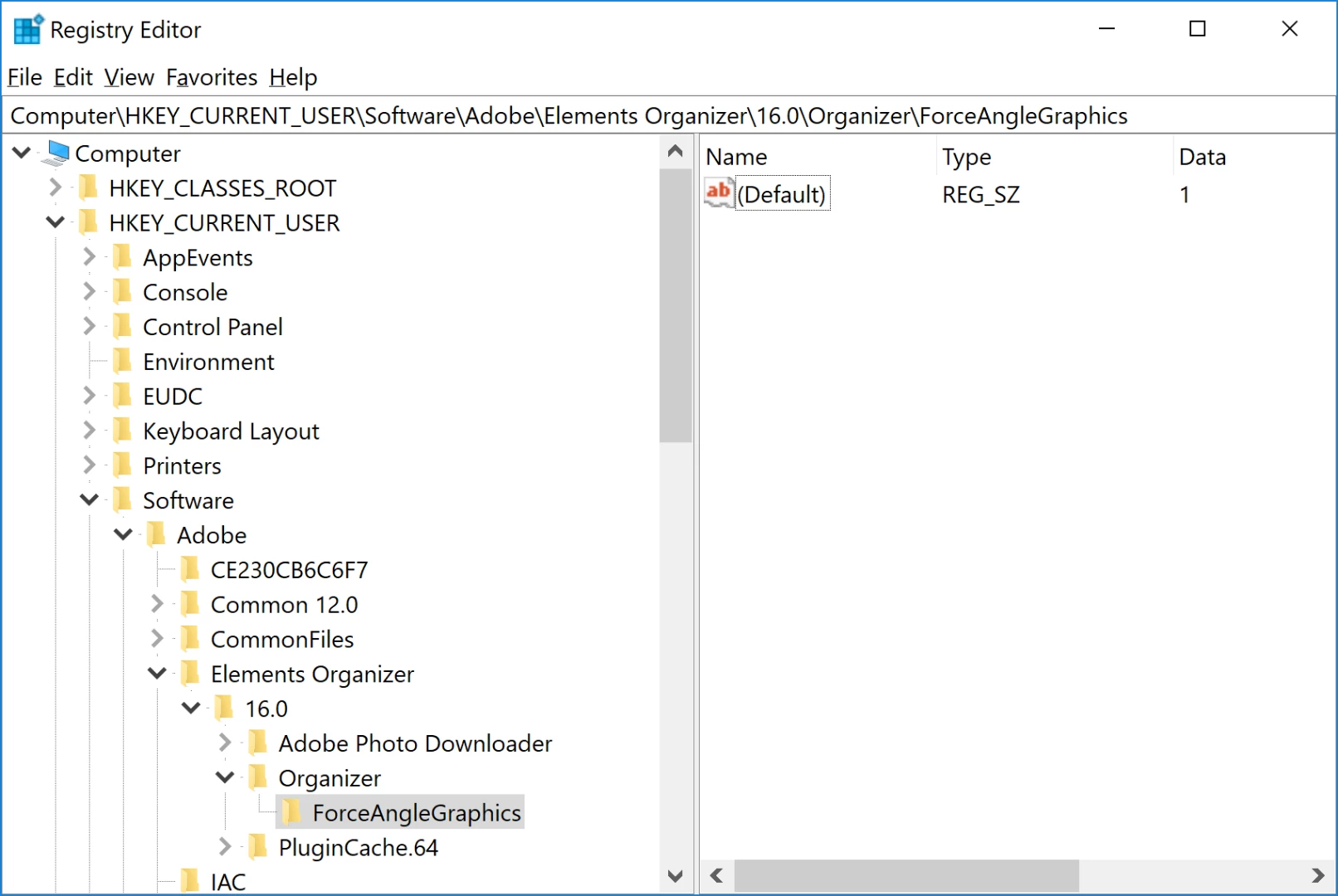
    I did close Organizer before I changed the registry and then re-opened afterwards, as instructed in Solution 2, but that did not work.

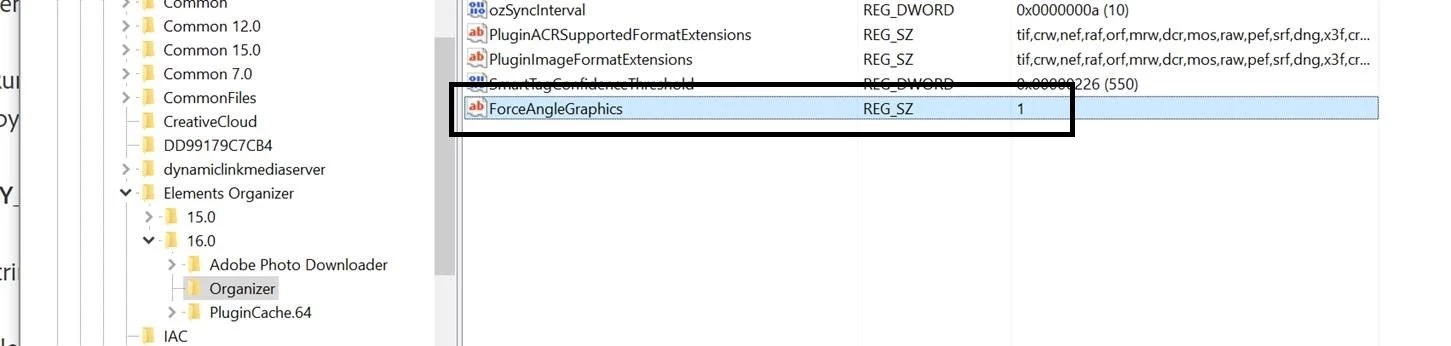
    Here is a screenshot of the registry entries:


    Hi,

    You need to create the string key instead of folder. Here is the expected screenshot:

    2 replies

    rmm100
    Participant
    August 16, 2018

    Why was this (is this) a problem at all. i guess SW is just too crazy complicated.

    My setup, P Elements 2018, installed when it cam out, all auto upgrades installed.

    Running on win 10 with an intel i7 core.

    All was working fine, then the same problem as above... that is, it worked fine, until a couple months ago. Instant fix would lock up. I could save the edits, but then, clicking 'Done' and the window wold freeze. Would have to close and relaunch.

    Used solution 2, editing the register per above. All works fine again. Amazing.

    r

    Adobe Employee
    November 5, 2017

    Can you please try the solution 2 mentioned in following article :

    https://helpx.adobe.com/elements-organizer/kb/mouse-cursor-n…

    w stewartw38749355
    Participant
    November 5, 2017

    Thank you for your response.  I tried the solution and it did not work (I tried the string key at value 1 and at value 0 and neither worked).  Any other ideas?

    Adobe Employee
    November 6, 2017

    Can you please try re-launching Organizer and see if it works. It would be helpful if you can share screenshot of registry entries.