


hooviedoovie
Participant
March 11, 2019
Question

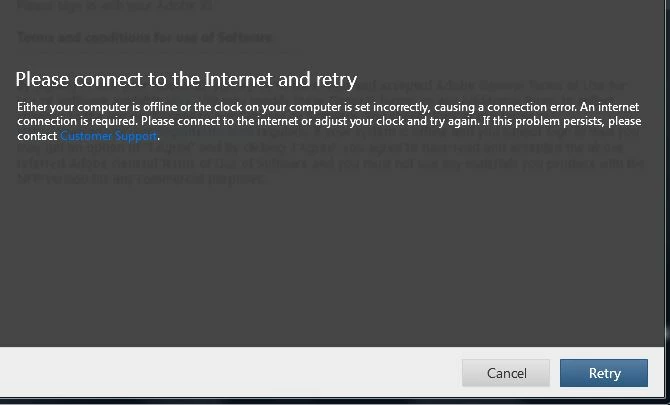
Photoshop Elements 2019 Trouble Signing in - Says internet not connected

  • March 11, 2019
  • 3 replies
  • 434 views

Installed PSElements 2019 on Friday and keep getting this when trying to sign in.  I called support and said it is a virius protection issue and could not do anything.

Anyone have this issue and what did you do to resolve it?   Hate to have a $100 program and can't use it.  I am currently using PSE 2010.

Thanks

Elaine
This topic has been closed for replies.

3 replies

VipinGupta
Adobe Employee
Adobe Employee
March 12, 2019

Could you please follow the below troubleshooting steps to check if your machine is able to reach adobe servers?

1) Basic Internet connection test - Open Google.com to make sure if your internet is up and working.

2) If Step 1 passes - Open Command prompt and use command 'Ping Adobe.com' and check if you get a response from the servers or the packet gets lost.

3) In case if Step 2 passes - Open the host file on your machine on the following location: C:\Windows\System32\drivers\etc and check if there are any Adobe related entries. - if you find one, please remove those files and try again.

and In case if you have contacted the chat support and they say that its a virus protection related issue - could you please try to Pause the virus protection for sometime and give it a try - so we would know if that is the issue and can help you with some workaround.

Thanks

Vipin

Peru Bob
Community Expert
Community Expert
March 11, 2019
Greg_S.
Community Expert
Community Expert
March 11, 2019

Can you get to the Organizer?  If so, go to Edit>Preferences>Country/region selection.  Make sure you have your correct country showing.  Let us know if that works.