
britneys
Participant
November 5, 2016
Question

Truncated/Incomplete Files

  • November 5, 2016
  • 1 reply
  • 2967 views

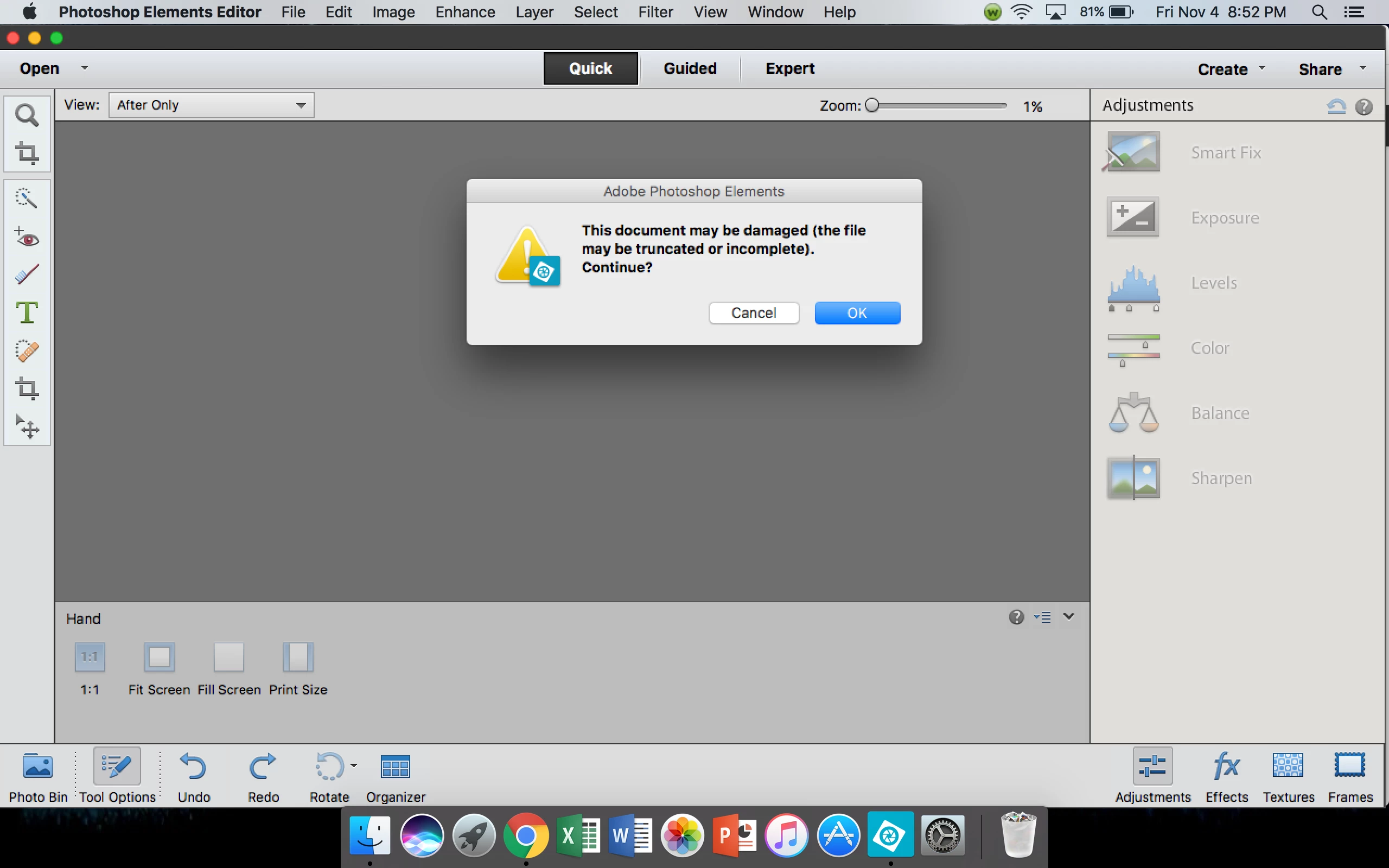
I have Photoshop Elements 12, and lately I have been having issues with files becoming corrupted. These files open, edit, and save just fine, and immediately after closing, cannot be opened again with the error message below popping up. I just lost another file, and this one I needed for my job. Does anyone know how I can save it? The preview shows a functional file, but when I open it, this is what I get. When I save, I save it as a JPEG. Help!
This topic has been closed for replies.

1 reply

Jeff Arola
Community Expert
Community Expert
November 6, 2016

Which version of mac os x are you using?

Are you saving to your local drive or a backup/external drive?

I'd reset the the pse 12 editor preferences and see if that solves the issue.

Press and hold the Shift+Command+Option keys just after starting the launch of the pse 12 editor.

(you have be quick about pressing keys or you won't get the dialog as below)

Keep holding the keys down until you get a dialog asking if you want to Delete the Adobe Photoshop Elements Settings File

Press Yes

britneys
britneysAuthor
Participant
November 6, 2016

I just upgraded to OS Sierra, but it happened before the upgrade, as well. I took the files off my SD card and put them on a flash drive, then edited. Of course, this time I deleted them from the SD before I edited, so I don't even have another copy...

Jeff Arola
Community Expert
Community Expert
November 7, 2016

Does that happen if you just make a new file, save as jpeg to your desktop or only with the files you copied from the sd card to flash drive?