
Participant
November 27, 2018
Question

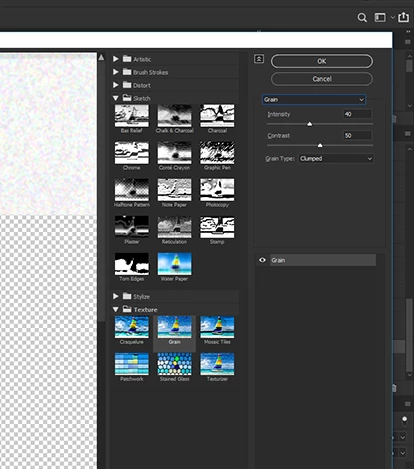
Adding a new filter to filter gallery

  • November 27, 2018
  • 2 replies
  • 680 views

I am tring to add a new filter to my filter gallery.  I have done this for years either via a drop down in the filter gallery window or adding the psd file to a folder.

Can't find either of these two things in the newest version of Photoshop.  Any ideas??
    This topic has been closed for replies.

    2 replies

    Semaphoric
    Community Expert
    Community Expert
    November 27, 2018

    "Adding a .PSD" makes me think you're referring to  the filters that apply a texture:Rough Pastels, Underpainting, Glass, and Texturizer. There's a little drop-down menu next to the Texture field that allows you to load a .PSD as a texture.

    c.pfaffenbichler
    Community Expert
    Community Expert
    November 27, 2018

    Maybe I misunderstood, but have you alt-clicked the Filter/s?

    jane-e
    Community Expert
    Community Expert
    November 27, 2018

    I tried Option + click the filter gallery (the OP is on a Mac), and it did not work. It just brought up the regular filter gallery.

    I found this thread: plugins>where is filter folder in cc?

    and this help file: Photoshop CC add-ons (plug-ins and extensions)

    admr124​, does this help?

    admr124Author
    Participant
    November 27, 2018

    It may or may not be a bug in 2019. Since I haven't done this before, can you put one file in drop box or another file sharing service? I would be happy to try it in some of the other versions I have installed as well as the current version to see if it works here (or not).

    I won't be able to test until later today after I finish an overdue project, so another volunteer may get to it first.

    Also, please confirm the folder you put them in. Is it in Presets for PS 2019?


    Yes I am working on some projects at the moment but will post a link as soon as I get a chance