

AlexanderDummer
Participant
March 2, 2020
Answered

Banding in the darks - Cinema 4D exported PSD

  • March 2, 2020
  • 3 replies
  • 1396 views

Hello,

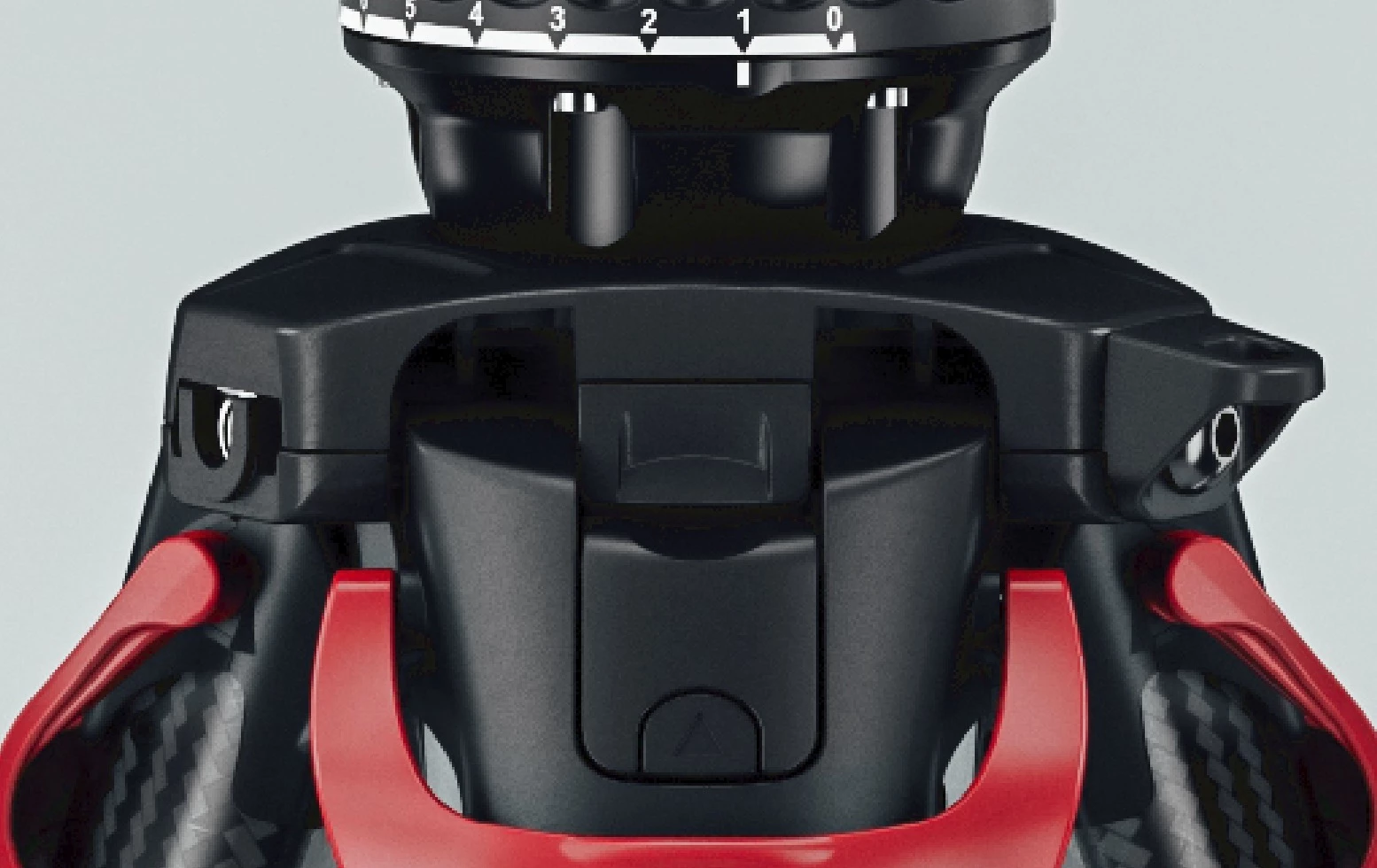
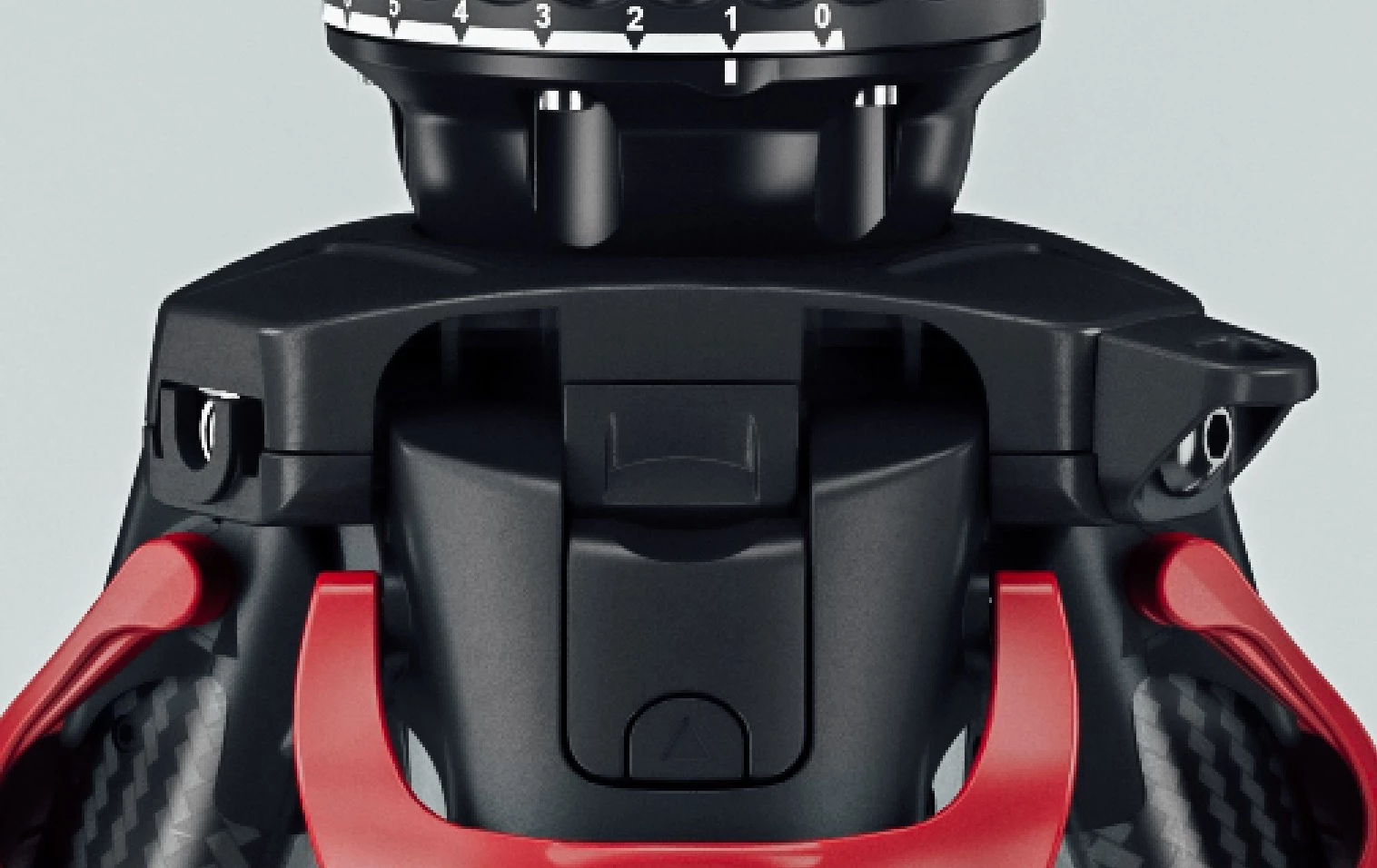
I am currently rendering some images with Cinema 4D (R17 + Vray). I export a PSD (Multipasses) and a normal JPG. When placing the JPG to the PSD file, it creates some sort of banding in the dark areas. But if I open just the JPG as a seperate file, the banding is gone. Also when I create new document with the same dimentions and duplicate the layers to the new document, the banding is gone as well (but don't want to do that with 50+ psd files) I also tried to change the DPI from 72 to 300, but same effect. Also changing to 16Bit don't changes anything. Any ideas?
 

This topic has been closed for replies.
Correct answer AlexanderDummer

Turns out it was really a wrong color profile embedded in the PSD which came from C4D. So @davescm you where right, I tried converting the profile after I placed the JPG, but nothing changed. But even that the PSD says it alrady uses the sRGB IEC61966-2.1, when I assign the Working RGB sRGB IEC61966-2.1, all banding is gone. 


I did a bit of research and it turns out that C4D multipass files don't nativly embed the right profile, which they changed in the R21 release (link). Funny that I didn't noticed that in the last 3 years.

3 replies

AlexanderDummer
AlexanderDummerAuthorCorrect answer
Participant
March 3, 2020

Turns out it was really a wrong color profile embedded in the PSD which came from C4D. So @davescm you where right, I tried converting the profile after I placed the JPG, but nothing changed. But even that the PSD says it alrady uses the sRGB IEC61966-2.1, when I assign the Working RGB sRGB IEC61966-2.1, all banding is gone. 


I did a bit of research and it turns out that C4D multipass files don't nativly embed the right profile, which they changed in the R21 release (link). Funny that I didn't noticed that in the last 3 years.

rayek.elfin
Legend
March 2, 2020
AlexanderDummer
Participant
March 2, 2020

Thanks for that, that looks indeed like a smilar problem, but the image can't be corrupt, because when duplicating it into a new PSD file, all is fine again. I think there is some sort of setting within the document itself which creates these banding effect. Thanks rayek_elfin

davescm
Community Expert
Community Expert
March 2, 2020

Do the two documents have a color profile ?

What are your colour settings for importing files, Preserve embeded profile or something else?

If no profile did you get a warning and what option did you choose?


If you are not sure of the answers to the above, can you post a link to the psd and to the jpeg


Dave

AlexanderDummer
Participant
March 2, 2020

Thanks for the quick answere. Both documents have the same sRGB IEC61966-2.1 profile, I also tried different profiles, but all the with the same result. And there was also no warning.

Unfortunately I can't share the PSD as it shows an unreleased product at a different part of the image. Will render out an image without it and will share the PSD.

davescm
Community Expert
Community Expert
March 2, 2020

Sure if you can render a small section that shows the issue, I'd be interested in taking a look

Dave