There is no fix as it is not broken but working the way Adobe designed it.
In the new version of Photoshop brushes can be saved with or without tool presets i.e. a brush can be saved with or without the associated tool and tool settings. When you, or a brush designer, defines a brush the choice to include the tool presets is made at that stage.
To see which have tool settings and which have not, in the brushes panel, go to the options at the top right and check " show additional preset info"
A small icon will appear next to those brushes that have a tool settings saved with them
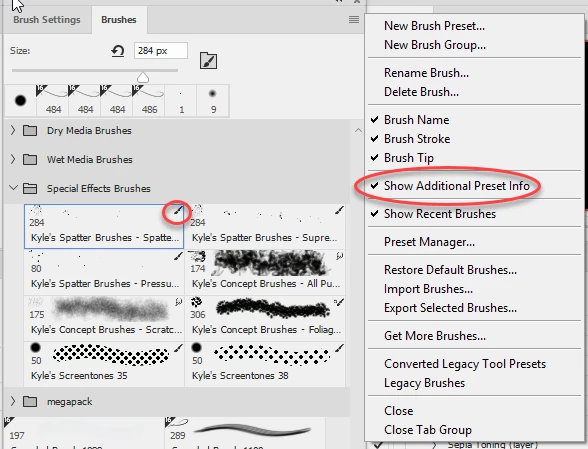
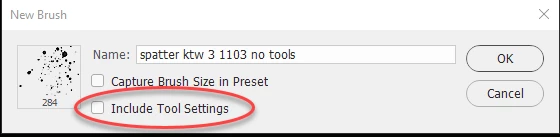
If you want to use a brush that is defined to use one tool, with another range of tools then you need to select the brush then choose "New Brush Preset" at the top of the menu, then in the dialogue give the brush a new name and uncheck "Include tool settings". You will now have a copy without it being tied to a particular tool.
Dave

 AdChoices