kend29591029
Inspiring
July 1, 2019
Answered

Can't open MOV file in Photoshop CC 20.0.5 Mac

  • July 1, 2019
  • 14 replies
  • 59427 views

I am trying to open an mov file for editing. I have tried multiple different files using both File/Open and Add Media from the Timeline. In all cases the program grinds for a long time and then comes back with  "Could not complete your request because the video file could not be opened."
This topic has been closed for replies.
Correct answer PECourtejoie

Hey @Kenneth Kawamoto  thanks for your suggestion! I've also tried this and it doesn't work. I0m using the latest Photoshop version on a M1 Mac 😞


Hello, prior to the 23.4 update, (update if you are on an M1 mac), one had to run Photoshop in  Rosetta mode to process videos: https://helpx.adobe.com/photoshop/kb/photoshop-for-apple-silicon.html

Now with Ps23.4, the feature is built in the native version: https://helpx.adobe.com/photoshop/using/whats-new/2022-3.html#other-enhancements

14 replies

Participant
September 28, 2023

I am so annoyed, the software is so unstable. On and off standards! Waste a lot of time troubleshooting simple task =(

Participant
January 11, 2023

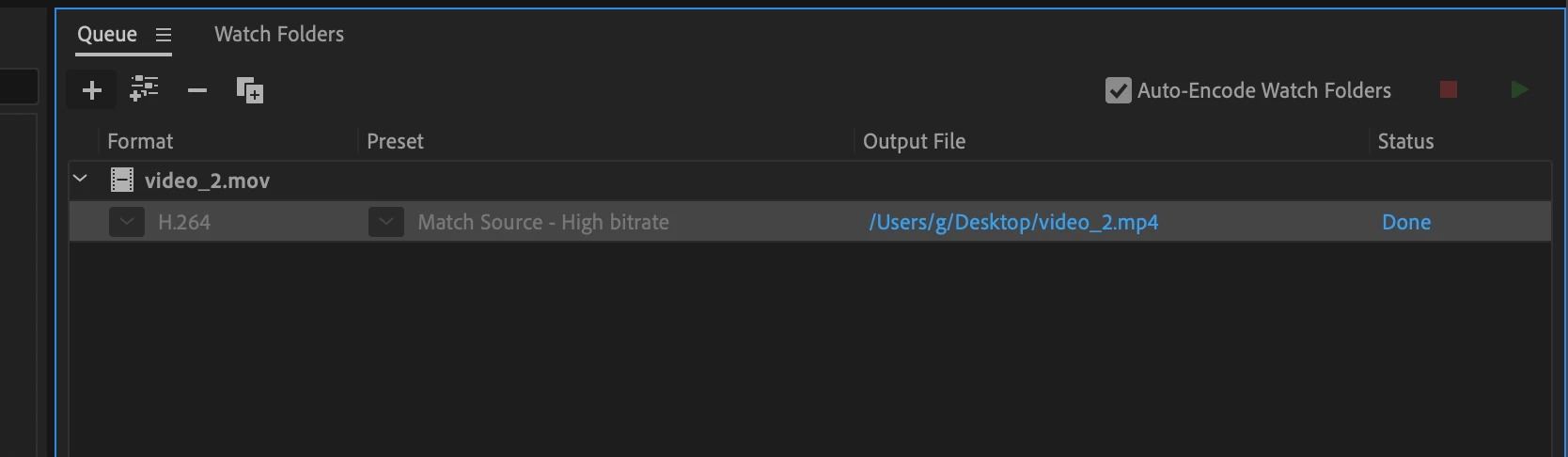
Open Abode Media Encoder > convert file to an .mp4 > import. 

Participant
December 28, 2020

Hello,

I wonder if you might record a quick screen demo of your encoding process in the Adobe Media Encoder.

I have attempted several export variations without luck and I am sure that others would like to resolve this issue as well.

Thanks,

Russell Brown

Participant
August 11, 2021

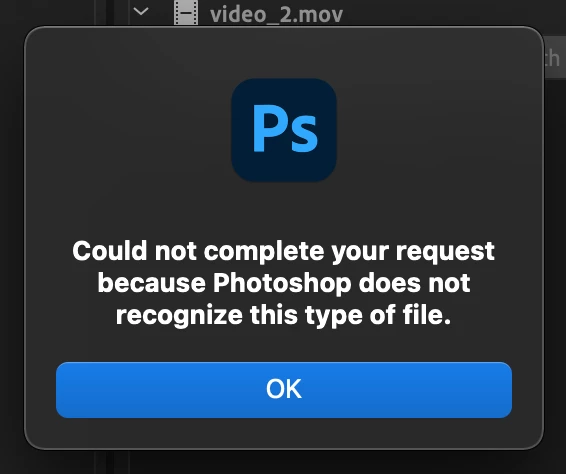
@Kenneth Kawamoto I have also tried to save my files a few different ways from Adobe Media Encoder and it did not work. I have a mac with macOS Catalina 10.15.7 and I'm able to open .mov and .mp4 files to create a gif. However, where ever I work on my new computer with macOS Big Sur 11.3.1 I get the error "Could not complete your request because Photoshop does not recognize this type of file."


Can you record your encoding process and share it with us?


Participant
August 11, 2021

Hello,


My issue with video files is a very old issue and I am now able to open video files in Photoshop running under macOS Big Sur. My issue was related to an installed version of Insta360 Studio on my MAC.

I had to uninstall Insta360 Studio completly to eliminate my video issues with Photoshop.

Perhaps you are having a similar issue.


Sincrely,

Russell Preston Brown


alin3965498
Participant
December 14, 2020

I had the same issue, you can sort it by changing the record format in your iphone camera settings.

Participant
October 29, 2020

It worked, thanks a lot!

Participant
September 14, 2020

Adobe has helped me: Adobe referred me to this thread, but it is not acceptable for me, because I could already open my mov file and therefore do not buy the encoder, because Adobe suggests it. Adobe has helped me: I have reset my PS version. I duplicated the file and put it into the documents folder. PS could open the file without any problems. I don't know if the reset was necessary.

Niesha Arya
Adobe Employee
Adobe Employee
July 15, 2020

For Iphone 

  1. go in iphone, go to Settings > Camera
  2. Tap Formats and change from “high efficiency” to “Most compatible”

also in Iphone xr Go to Settings > Photos. In the TRANSFER TO MAC option change from

 “keep original” to “automatic "to mac settings in Iphone XR from “original” to “automatic” and

transfers the old videos to Desktop again, this should convert them as well,

Known Participant
February 3, 2020

Hi,

I'm having the same problem except on Windows 10. I'm creating timelapse videos using HEVC H.265. They play just fine on the Windows player. But, when I try to open it in PS CC 2020 for adding audio, I get an error saying the file can't be opened. It's not a big deal. I can go back to H.264. But, I'd like to experiment with higher resolution availability.

Participant
January 25, 2020

I'm sure you're onto other things by now but I'm curious...you're using Mac -you automatically have iMovie as part of your operating system for free. Why are you wanting to edit large video files in Photoshop other than maybe to touch up -if that's even possible. I use Final Cut Pro X & Apple Motion 5 but iMovie is a dandy and extremely robust app designed FOR mov editing. Cheers. xoxo

borism77725471
Participant
January 22, 2020

Hello,


I had the same problem when I did a screen recording via QuickTime and tried to import to Photoshop. After 10 minutes of frustration I found out that the FILE NAME WAS THE PROBLEM because it was directly saved as 'Screen Recording 2020-01-22 at 1.34.18 PM.mov', so I just changed the name of the file to 'asd.mov' and it worked.

GUYS MAKE SURE THAT FILE NAME IS NOT CRETING THE PROBLEM.