
Character Font Dropdown Not Opening
Sometime in the past couple weeks, I'm not sure what's changed, but out of nowhere - I can't pull open the Font dropdown menu in the Character Palette. 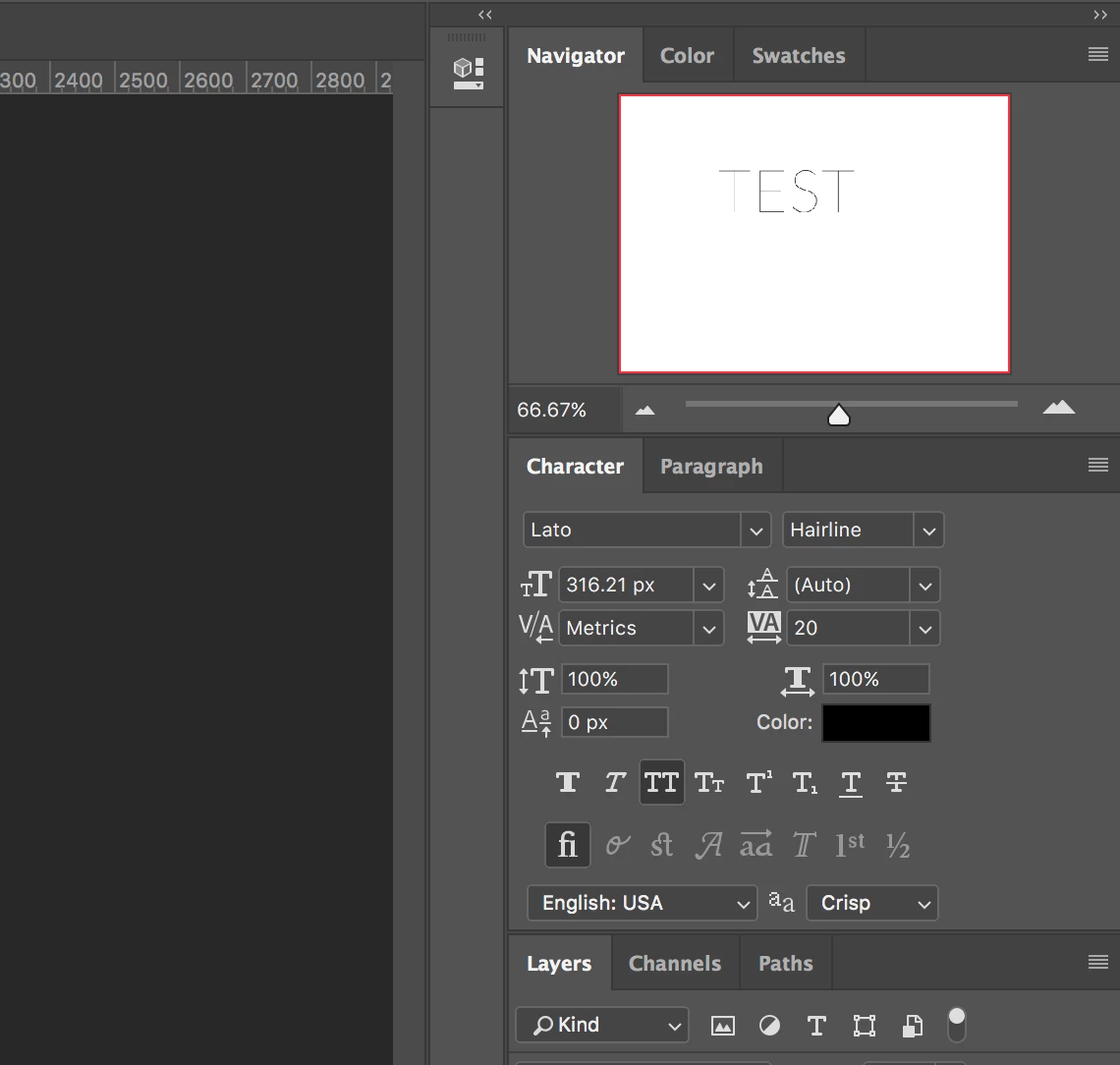
I can type the name of the font and it pulls it, but I can't do any sort of way to open that actual dropdown menu. This is pretty new behavior, and super annoying because that's obviously how I always access fonts.
Here's the weird part though:
It works fine with the "text tool" when I actually highlight the text, and use the upper left Toolbar for the font:
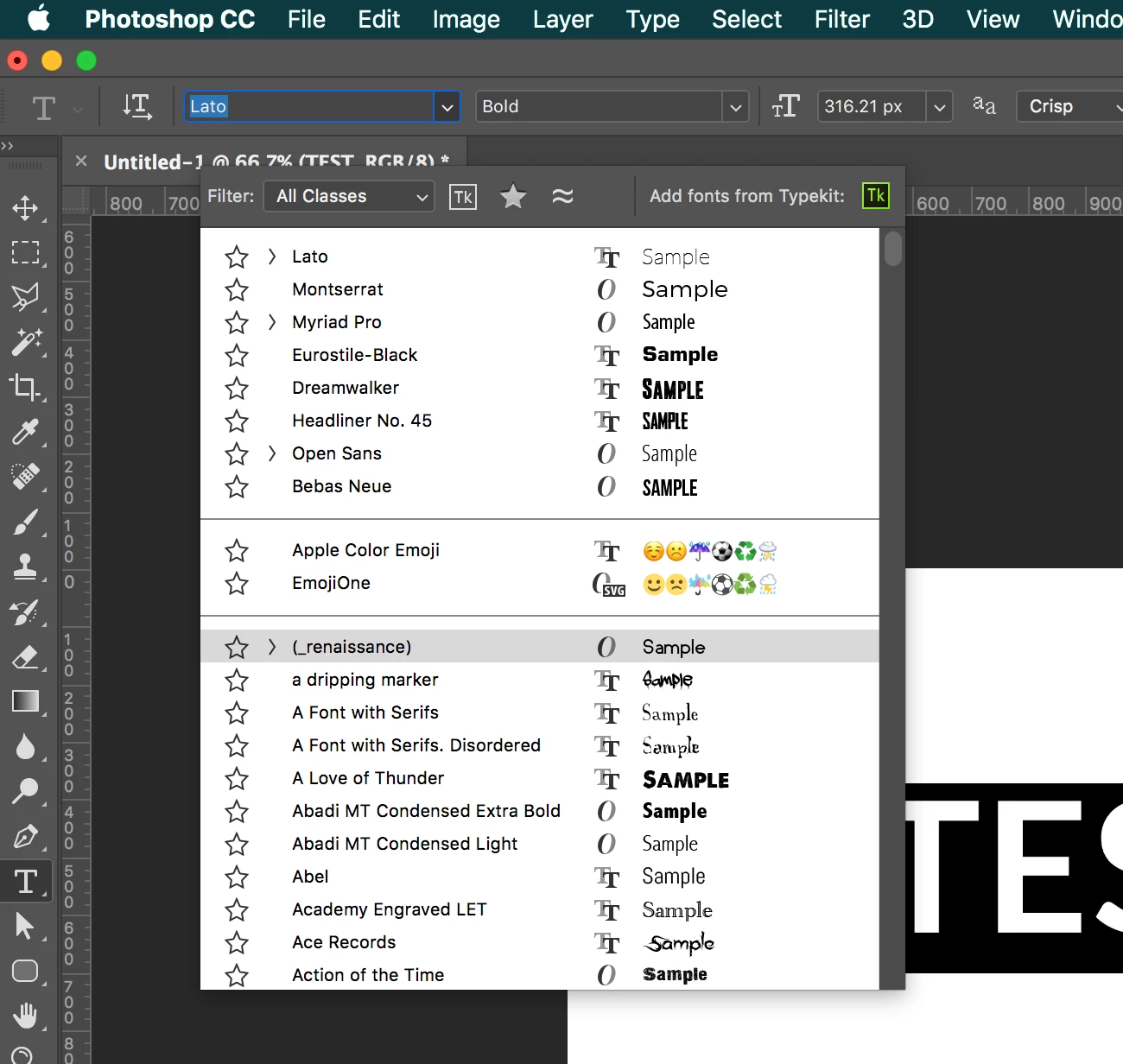
I've done all the recommended troubleshooting on the Adobe page here: https://helpx.adobe.com/photoshop/kb/troubleshoot-fonts-photoshop.html
Troubleshoot fonts issues in Adobe Photoshop CC, 2015, 2014, CS6, CS5
Font preview size is normal, deleted my Photoshop Prefs, computer's font prefs, scanned all my fonts for errors, (other apps load the fonts fine) - even reinstalled Photoshop... and copied over my pref files from my work computer that doesn't have this issue... everything I can think of!
I'm out of ideas, and it's kinda disrupting my workflow... any suggestions??


 AdChoices