
adelek95841481
Participant
December 20, 2018
Answered

Content Aware Tool leaving blur/smudge

  • December 20, 2018
  • 1 reply
  • 1456 views

I'm having trouble using the content aware tool.

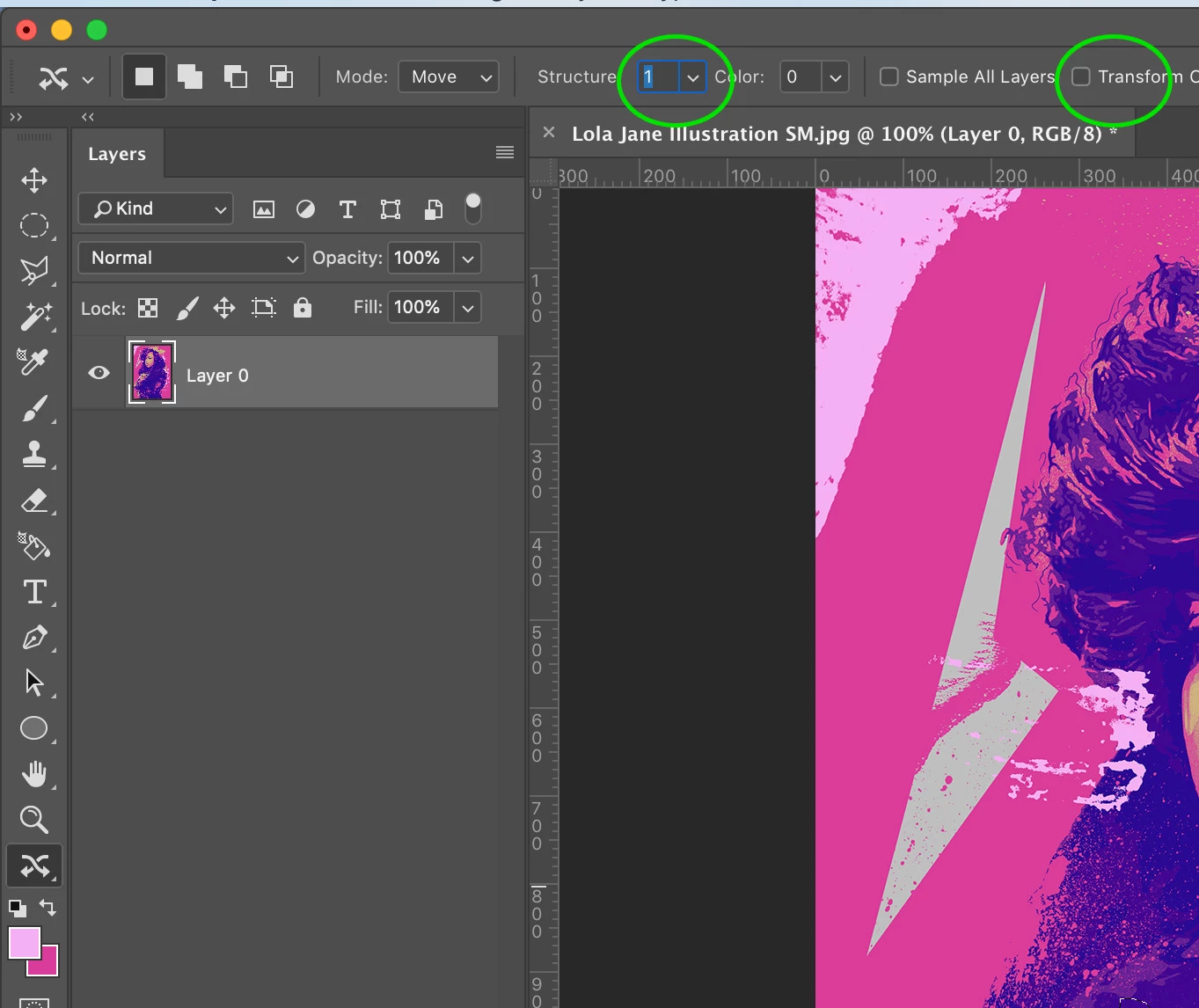
When I select an area with the tool and then move it to another space and hit enter, the original area becomes blurred. The new area works perfectly.

This has never happened before and I'm not sure if I've changed a setting or the new version of Photoshop operates differently.

Has anyone had this problem before?
This topic has been closed for replies.
Correct answer Simmer1

Hi Adelek,

Have a look at you Structure amount as well as Transform on Drop.

Cheers,

Sim

1 reply

Simmer1
Community Expert
Simmer1Community ExpertCorrect answer
Community Expert
December 20, 2018

Hi Adelek,

Have a look at you Structure amount as well as Transform on Drop.

Cheers,

Sim

adelek95841481
Participant
December 26, 2018

Thanks! I did that and it worked for a moment and then it reset back to this. I have check the settings as you suggested. See screenshot the circle is where I moved it from and it is all blurry

adelek95841481
Participant
December 26, 2018