


Participant
May 8, 2018 5:12 PM UTC
Question

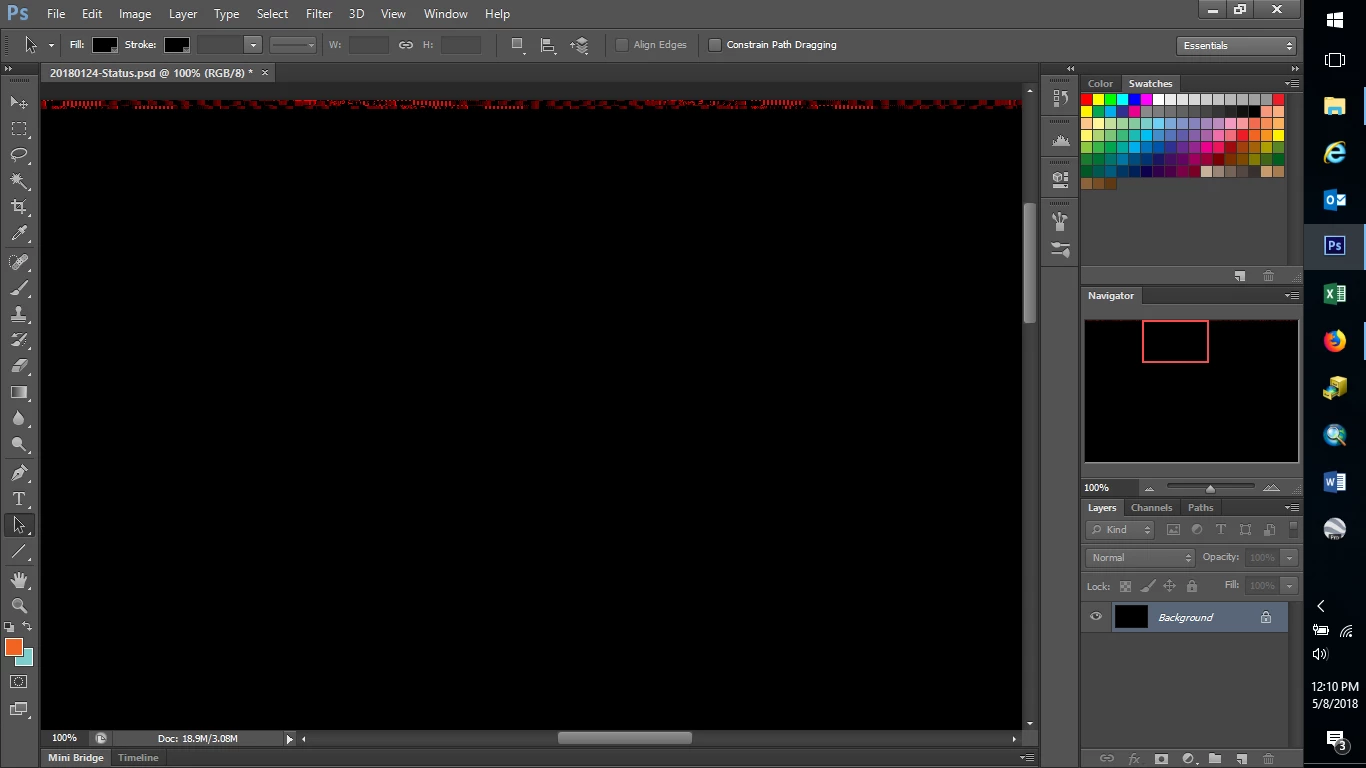
How do I restore lost layers? Layers disappeared; replaced by black background

URGENT. Working with PhotoShop CS6 on a Dell computer. I opened the file I was working on yesterday and all 45 layers are gone with just a black background layer with jumbled red pixels in a tiny line across the top. The file size is still the same, 426MB, but the last save date appears to be a month ago instead of yesterday. The computer shut down unexpectedly at some point yesterday while doing other things, so I don't know if this file was open at the time. Other psd files open fine.

Is there a way to restore the layers? Restore the last working session? Is there a hidden auto-save?

I cannot access the "isolation mode" spoken of in other posts.
6 replies

josephlavine
Community Expert
Community Expert
May 30, 2022 2:17 PM UTC

Do a file search on your computer using the original file name and see if there is a recovered version.

warmly/j

Translate
Participant
May 30, 2022 2:01 PM UTC

oh this this is why i pay photoshop subscription... 1 F week of work lost, saved my file AS ALWAYS went to sleep, woke up, opened the file and i have a black background layer.... way to go adobe CLAP CLAP CLAP

Translate
Norman Sanders
Legend
May 8, 2018 6:53 PM UTC

Is auto-save checked?

Translate
Norman Sanders
Legend
May 8, 2018 7:35 PM UTC

This appears in the Photoshop CS6 Missing Manual. I hope it helps.

Translate
rayek.elfin
Legend
May 8, 2018 5:50 PM UTC

Your PSD file got corrupted.

In the best case scenario you might be able to restore some of the layered content by opening it in another PSD-compatible application, such as PhotoLine (www.pl32.com, free fully functional trial). Some other services exist that proclaim they can fix corrupt PSD files. But most users I know haven't had much luck with those.

There might be an autosave file on your system - try searching for it on your Windows (same file name).

In the worst case scenario all your work is lost.

This has happened to all of us. Always create a backup or your work, and use versioning (save a new version when you hit a milestone, rather than only using one file).

Translate
Participant
Sep 7, 2020 7:35 AM UTC

Facing the exact same problem.
Opening it in Photoline didnt work for me :(( 
Going to start again from scratch 😭😭😭 So annoying!!!!

Translate