KARRRRMA
Known Participant
December 3, 2016
해결됨

How do you get rid of copyright symbol out of your file heading?

  • December 3, 2016
  • 5 답변들
  • 12560 조회

Every file I create  Photoshop puts a copyright symbol in the heading.  How can I stop  Photoshop from doing this?  Plus how can I get rid of the copyright symbol in work I've already started  where it doesn't belong?  For your information  I do use Digimarc  however, I have yet to actually  copyright these new files,  Photoshop is automatically putting it in there.  Can you please help?

Thank you,

Abby
    이 주제는 답변이 닫혔습니다.
    최고의 답변: JJMack

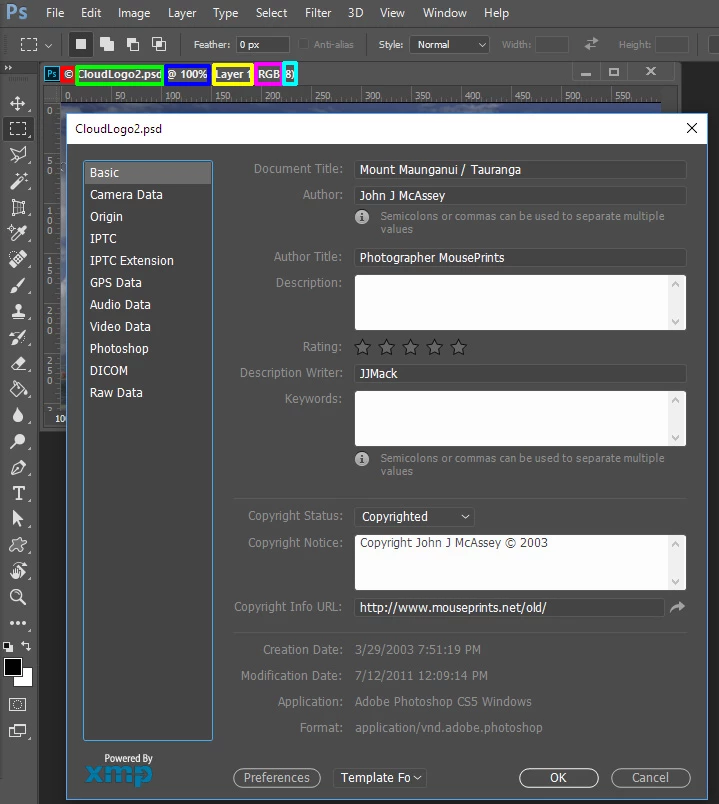
    JJMack,  I'm sorry if I'm misunderstanding you  please I just like to clarify,  the issue that I'm having, is extra information showing up in the file  title   file itself not the file body.  Please see my  example from your own  file title,  everything in pink I would like to get rid of   in my own files  regarding the title . Is  there a way to do this?

    Thank you for your help,

    Abby


    All of it is just information for you to know current status:

    © Copyright in Metadata

    Backing File name or unsaved document name

    Zoom Scale

    Current Target Layer

    Edit Mode

    Color Depth

    5 답변

    Participant
    January 18, 2022

    Shift Option Command i


    click all 4 at the same time. You will see the copyright information. Enter your copyright or leave it blank. This is Photoshop 2022. I hope this helps. xoxo Shay

    KARRRRMA
    KARRRRMA작성자
    Known Participant
    December 5, 2016

    This Is Abby  once more I do have  one more question  I  please  would like to ask,  if possible  could  the monitor of  this discussion,

    Please  delete the artwork I uploaded?    Thank you for your help,

    Abby

    Barb Binder
    Community Expert
    Community Expert
    December 3, 2016

    I missed the deadline  because I couldn't get that extra information out of the main title for the file

    Out of curiosity, how would you have submitted the files to the contest? The original Photoshop .psd file? As a .jpeg or .png?

    ~Barb at Rocky Mountain Training
    KARRRRMA
    KARRRRMA작성자
    Known Participant
    December 3, 2016

    Barbsinder, it was jepg.

    JJMack
    Community Expert
    Community Expert
    December 3, 2016

    That is just information for you to see. It is not part of you image. That would only be see in a screen capture not in image files you save.

    JJMack
    KARRRRMA
    KARRRRMA작성자
    Known Participant
    December 3, 2016

    JJmack,  well I just recently had an issue with this,  I  edited some of my older work to  enter this contest  unfortunately I was unable to  enter the contest and I missed the deadline  because I couldn't get that extra information out of the main title for the file.  This is what I am referring to the extra information  showing up in the title of the file  however, it doesn't show up when I am naming the file. as I was saying before it's like a hidden Code  this   is what I would like to be able to get rid.  Please do you know of a way?

    Thank you,

    Abby

    Please excuse my poor grammar and punctuation I'm dyslexic thank you

    Conrad_C
    Community Expert
    Community Expert
    December 3, 2016

    Conrad,  thank you for your help ,  really hate to sound like a broken record  please I would really like to get rid of the @  symbol and magnification information is thier  anyway to do this?  As for how the contest views the  files  I am not aware.

    Can you please help me?

    Thank you for your  help  it is very much  appreciate,

    Abby


    First, let me clarify what I was talking about: The information you're trying to remove is not in the filename, it only appears in the Photoshop window. In the image below, you can see that no matter what the Photoshop window looks like, when you submit the image, the filename looks like it does on the computer desktop (at the top of the image below). There is no symbol to remove, it's already OK.

    But more importantly, there is a flaw in what you're asking. I know you want to know how to remove the @ symbol and magnification in Photoshop. I don't think there is a way to do that, but even if there is, there is still a problem with that: It would only remove it in your copy of Photoshop.

    If you were able to remove the @ symbol in your copy of Photoshop, and then you submit the images, the problem is that all of the contest judges' computers probably have Photoshop at its factory settings, where the @ symbol and magnification info is displayed, and you can't get to their computers to change that. This is what I meant earlier, when I said that the @ symbol and magnification will be seen not only for your image, but for every other contestant. The title bar display setting is built into Photoshop, not your file, and you don't have any control over the title bar display on the judges' computers.

    Per Berntsen
    Community Expert
    Community Expert
    December 3, 2016

    This is not a copyright symbol (©) but the "at" symbol (@)

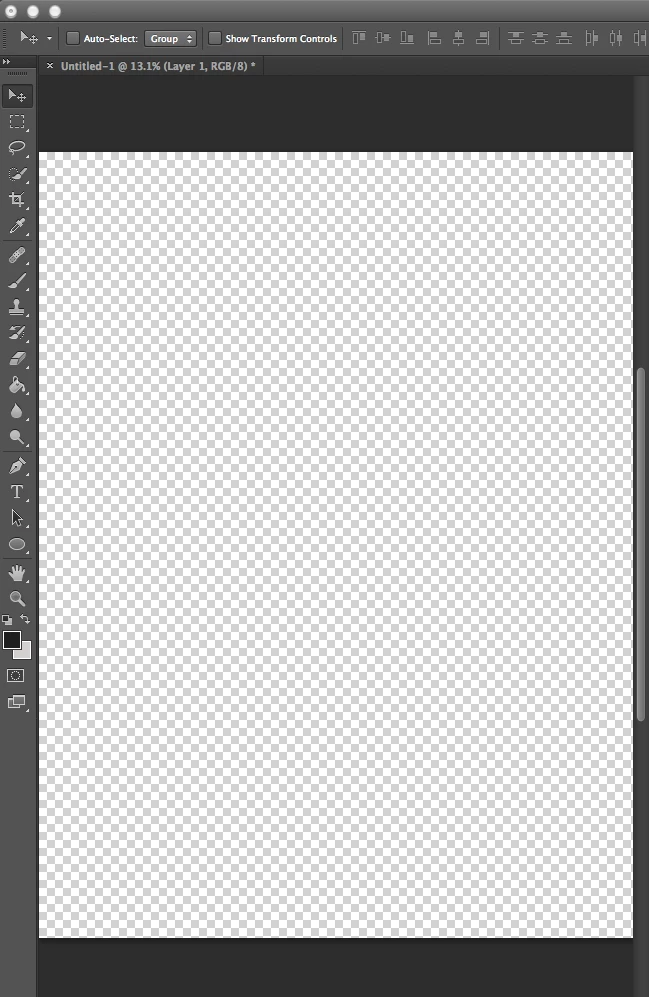
    Untitled 1 @ 13.1% means Untitled 1 displayed at 13.1% magnification.

    KARRRRMA
    KARRRRMA작성자
    Known Participant
    December 3, 2016

    Ok, good  Point, it is hard for me to see small font %3  How do I get rid of it Please?  It's still not in the title bar  it's like a hidden code.  Do you know how to get rid of it?

    Thank you,

    Abby

    Barb Binder
    Community Expert
    Community Expert
    December 3, 2016

    Hi Abby:

    as per Per's earlier response, it's just telling you the magnification of the file. As you zoom in or out, it will continue to display the magnification percent. You can choose not look at it, but you can not disable it.

    In a docked window it tells me I am at 50% magnification in my file:

    When I undock the window, it moves to the title bar:

    ~Barb at Rocky Mountain Training