
cclavo
Inspiring
June 27, 2016
Answered

How to disable the Glyphs panel in Photoshop CC 2015.5?

  • June 27, 2016
  • 15 replies
  • 30050 views

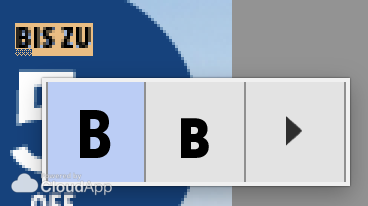
I'm sure this can be handy sometimes but in my daily job this is making me really slow and it's so annoying, I'd like to disable the feature. All the time I have this small window popping out.

Can it be disabled? I don't want to choose glyphs all the time, just edit, type and change texts in designs that are already approved.
Captura%20de%20pantalla%202016-06-27%20a%20las%2017.19.18.png

This topic has been closed for replies.
Correct answer cclavo

Finally I found it! I disabled unchecking the option in Preferences > Type > Enable Type Layer Glyph Alternates

15 replies

Legend
October 19, 2021

Thanks again, it seems I need to find this post after every update - this feature needs an overhaul.

Participant
October 3, 2021

Thanks. I was ready to lose it with this popup.


These idiots keep adding USELESS GARBAGE to this already over bloated trash of an application.

Participant
October 3, 2021

Thank you thank you thank you! I've been using Photoshop since 1998 and was cursing the computer up and down trying to figure out why there was some new box popping up and impeding my ability to type. Hey Adobe: some of your feature upgrades are great, this one was a total BOMB!

Participant
April 8, 2021

I'm so close to just throwing out CC subscription, Photoshop CS6 had none of this absolute nonsense.  All they do these days is change around things that already work and throw in useless features like this one.  Is nobody in charge of testing these irritating bugs?  If it's not a feature, it's a bug.

Participant
August 25, 2021

THANK YOUUUUUU!

Participant
February 25, 2021

Thanks!

January 24, 2021

Hallelujah! Thank you for showing me how to turn off this idiotic feature. so annoying


Inspiring
April 22, 2020

Let me guess which principle was applied here: "annoy 95% of all users so 5% of users can access glyphs quicker?". Just when you think it cant get any worse...

Known Participant
July 12, 2020

Thanks for the tips for disabling a feature that no one never asked for.

brandonl8911795
Inspiring
July 26, 2017

Sweet heavens - thanks for that. Such an OBNOXIOUS popup for such a SELDOM-USED function. It interferes with typing normally and distracts from my workflow. And for what? On the off chance I'll need a glyph and can't be bothered to click the drop-down?

Easy fix!

DefaultIT
Participant
February 25, 2020

<ignore> This is in the wrong spot, the threading here isn't real apparent on first use, and there doesn't seem to be a delete


Participant
February 13, 2017

Thank you cclavo!

Participant
January 30, 2017

Same here, this is driving me crazy. Does this still apply to the latest CC 2017 Update? i can't see that option in preferences-type and none of those selected seem to affect this behavior.

Known Participant
January 30, 2017

Patrick, you are showing the Preference panel from Illustrator.

Participant
January 30, 2017

argh. my apologies. i thought i was looking at an Illustrator forum.