This topic has been closed for replies.
Correct answer Derek Cross

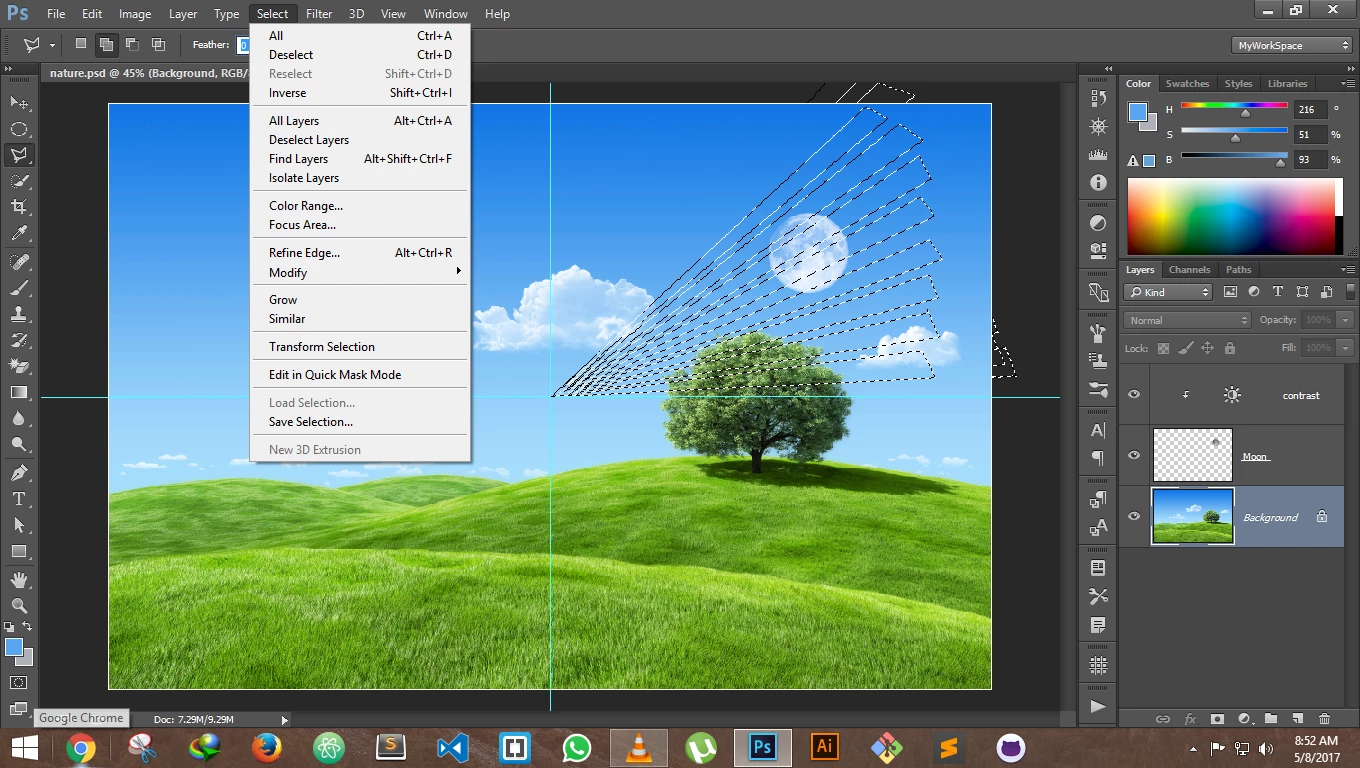
You need Select > Save Selection first.

2 replies

JJMack
Community Expert
Community Expert
May 8, 2017

You will find that at times you will seem a menu item grayed out and at other times the same menu is not grayed out.   When a menu item has requirement for used if a requirement is not present Photoshop will usually gray out the menu item to let you know that the item is currently unusable..

JJMack
JJMack
Community Expert
Community Expert
May 8, 2017

If you have not save any into alpha channels that option will not be available If Photoshop current target is the background layer. Target some other layer or have  some saved selections you can load.  Photoshop grays out menu items when they are currently unavailable for some reason.

JJMack
mandars70987108
Participating Frequently
May 8, 2017

Heay  @JJMack  I am learning photoshop by Deke McClelland from lynda.com in there it is shown there and also my background layer is selected

Derek Cross
Community Expert
Derek CrossCommunity ExpertCorrect answer
Community Expert
May 8, 2017

You need Select > Save Selection first.