Participant
September 26, 2018
Answered

Image Processor - resizing bug

  • September 26, 2018
  • 1 reply
  • 3038 views

I have seen this thread: Photo bulk resize, but with condition of not enlarging, can't figure it out?​ but accepted solution is a workaround, not a fix. 

I have multiple images, most of them have width greater than 1000px, but some have less. I want to batch resize them, so if width is greater than 1000px they will be resized down to 1000px, and if width is less than 1000px I want image size to be left intact. From what I understand this is the expected behavior.

This is my Image Processor configuration:
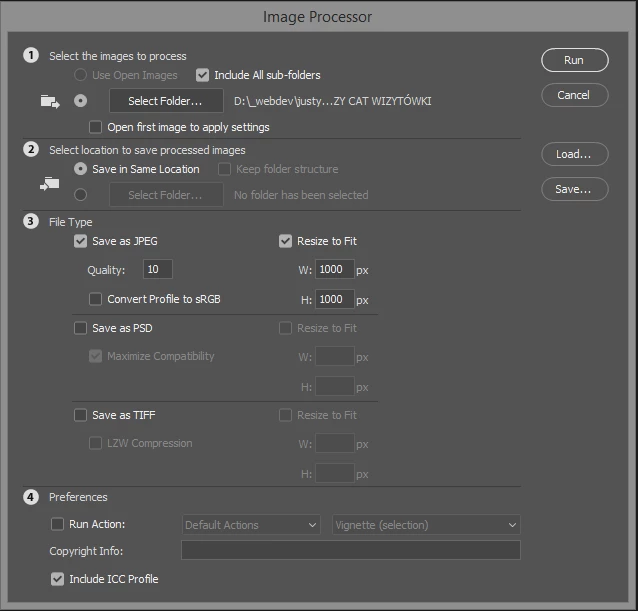
In reality if processed image has width smaller than 1000px it gets resized up to 1000px.

I'm using the latest stable version of Photoshop (CC 2018 (19.1.6)) on Windows 8.1.
    This topic has been closed for replies.
    Correct answer JJMack

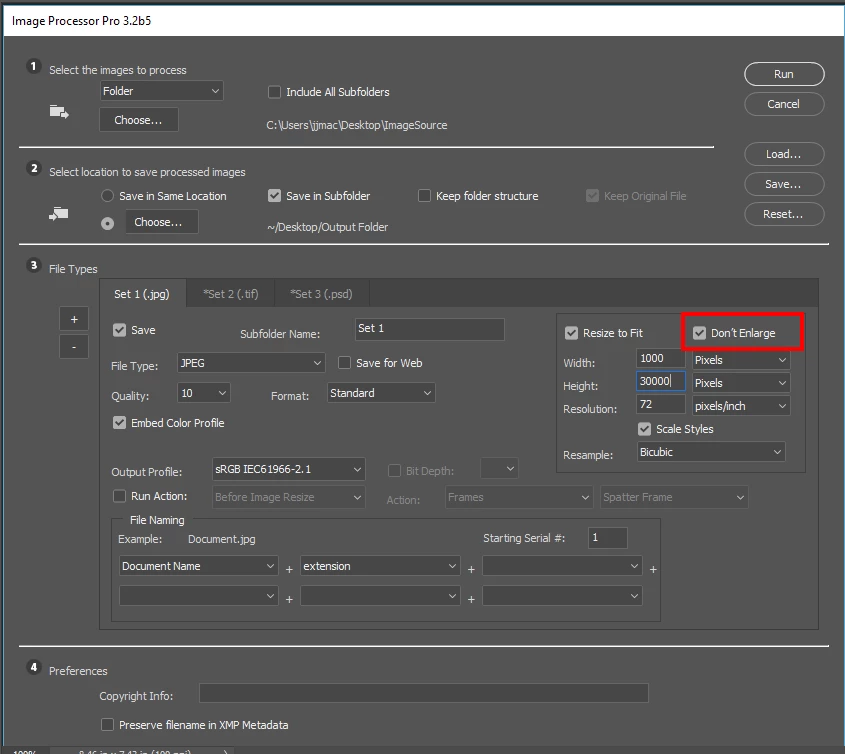
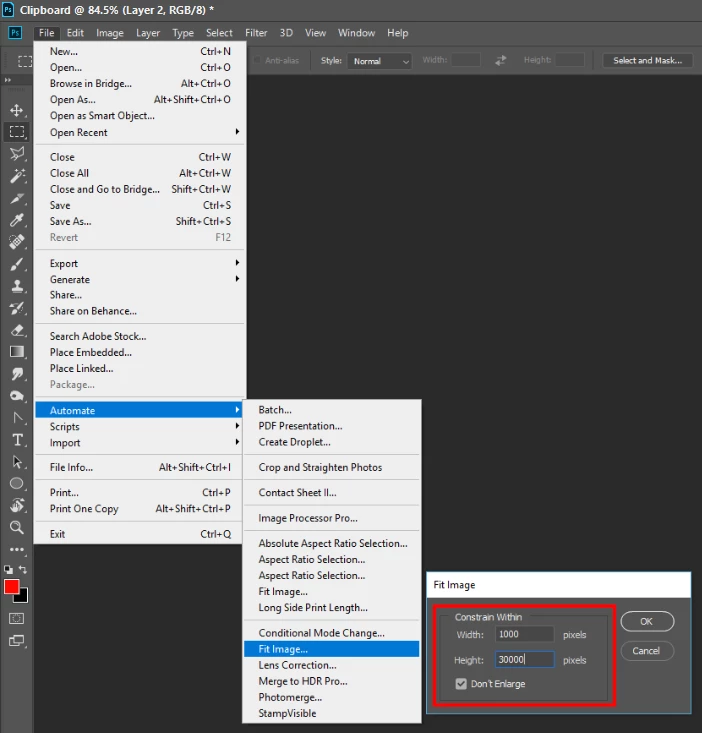
    Not a bug Image processor does not have that as an option.  It can be done using Image Processor that does not do any resize but you include an action that does the resize. Action record  a single step menu File>Automate>Fit Image where you record width 1000, height 30000 and check don't Enlarge. Bicubic is used in the resampling Fit image is the same Photoshop Plug-in that the Image processor script uses to resize your images.  Adobe's older Fit Image plug-in version did not have a Don't Enlarge option. Image Processor is an old Adobe Script written in 2009. There is a new better Plug-in Script Image Processor Pro... All of this is in the thread you posted.

    Better yet Search the web for Image Processor Pro.  Download and install it. You will the see menu File>Automate>Image Processor Pro...

    Latest version is 3.2b5

    1 reply

    JJMack
    Community Expert
    JJMackCommunity ExpertCorrect answer
    Community Expert
    September 27, 2018

    Not a bug Image processor does not have that as an option.  It can be done using Image Processor that does not do any resize but you include an action that does the resize. Action record  a single step menu File>Automate>Fit Image where you record width 1000, height 30000 and check don't Enlarge. Bicubic is used in the resampling Fit image is the same Photoshop Plug-in that the Image processor script uses to resize your images.  Adobe's older Fit Image plug-in version did not have a Don't Enlarge option. Image Processor is an old Adobe Script written in 2009. There is a new better Plug-in Script Image Processor Pro... All of this is in the thread you posted.

    Better yet Search the web for Image Processor Pro.  Download and install it. You will the see menu File>Automate>Image Processor Pro...

    Latest version is 3.2b5

    JJMack