


Participant
January 25, 2019
Question

Jagged Brush Strokes After Drawing For a Few Minutes

  • January 25, 2019
  • 2 replies
  • 1038 views

Hey. I'm on Windows 10 using the Cintiq 27OHD.

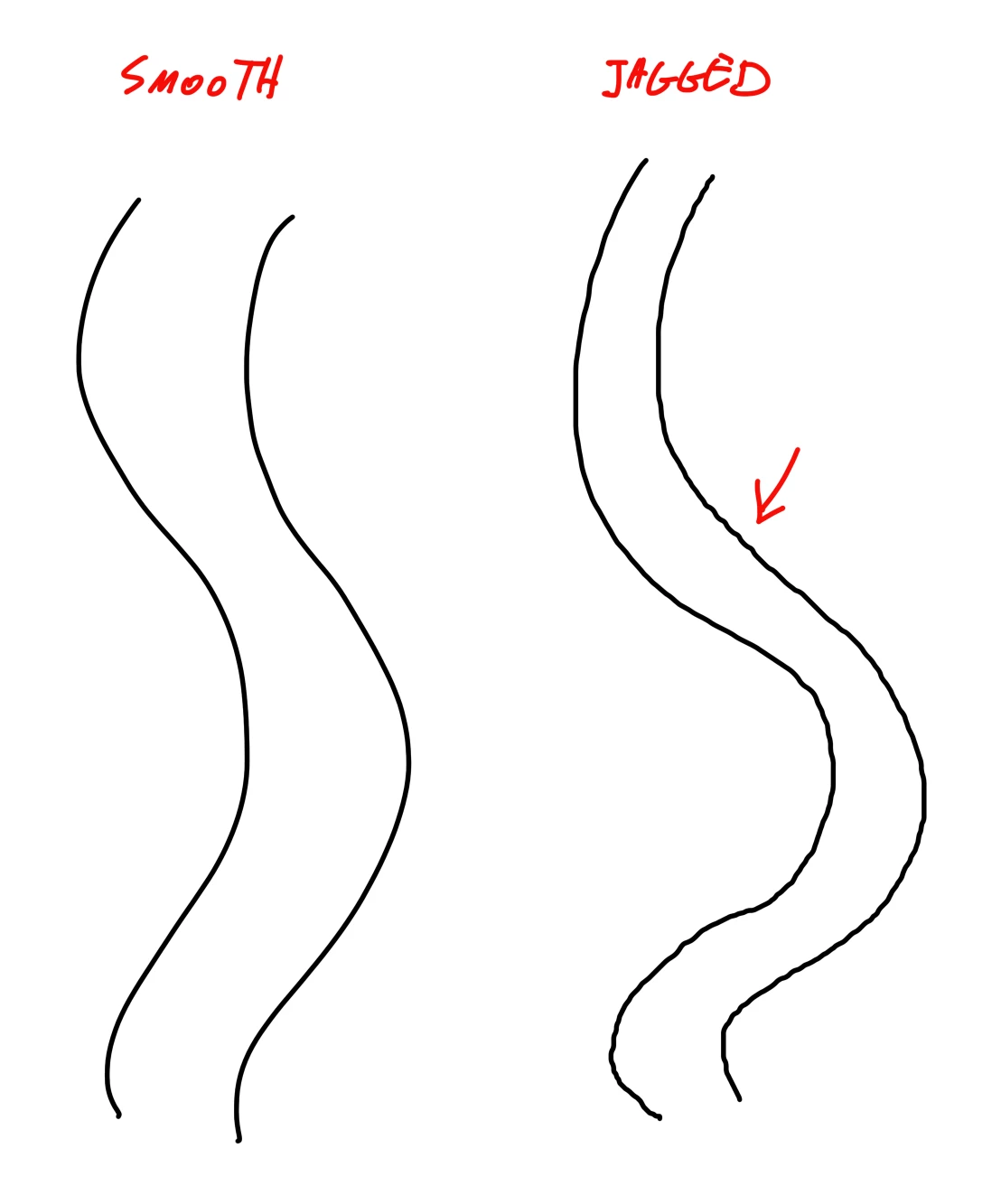
This problem has been happening on multiple computers for a long time and versions of Photoshop & Wacom drivers. Every time after a few minutes of drawing in Photoshop, lines that would be smooth become really jagged. that happens until I alt+tab to another applications and then again to return to Photoshop. The lines would be smooth again, but again only for a few minutes.

I've tries many things and honestly it's really frustrating and prevents me from using Photoshop correctly.

I've tried using the PSUserConfig wintab thing. I've seen people complaining about this issue but I haven't seen a solid solution.

Added an image for clarification. Notice that no settings are changed between the two. It just randomly switches to a jagged state until I Alt+Tab to a different app.

Please help! Thanks!
This topic has been closed for replies.

2 replies

Participant
November 5, 2019

Hey man, I think I figured it out, at least for me. It has to do with the Wintab PSUserConfig file. You have to have Windows Ink checked On in the Wacom Tablet Properties menu or whatever and delete the "UseSystemStylus 0" from the PSUserConfig. Basically you'll be using Windows Ink but you won't get the jaggies anymore. Hopefully that helps.

Participant
November 5, 2019

Spoke too soon cause now my Right Click doesnt work on my stylus... smh

Participant
October 28, 2019

Hi, I just wanted to second this post. I've been having the same problems with various different windows machines. Like you, I had to switch out (I'd usually just press the Windows Start Button on the keyboard), and then it'd return to normal, until I used the Hand Rotate Canvas tool. I think it has something to do with it switching between video cards? Like the onboard Intel Chip's and the Nvidia. I'm using a Wacom Mobile Studio Pro and latest version of Photoshop.


Adobe, please look into this! I saw the last thread about this that has 44 replies and that's from 2014. It's still an issue in 2019. Sigh