Participating Frequently
April 25, 2020
Answered

Making a 3 x 3 Grid

  • April 25, 2020
  • 3 replies
  • 48295 views

Salutations, 

I am a new user and well I'm doing my best to get accustomed to this and the learning curve. I'm currently trying to make a 3x3 grid with the black boarders. This is the project I'm currently working on, I have tried using the single row marquee tool and have been watching videos and nothing has been working. Still I must be paitent and well if anyone can give me the proiper insturctions it would be greatly appreciated.


[Images removed by moderator, as unsuitable for all ages.]



Correct answer Nancy OShea

In latest version of Photoshop CC,

1. Go to to File > New.  Create a new canvas that is 3000px X 3000px and 300 ppi.

2. Go to View > Show > Grid.

3. Go to View > Snap to > Grid.

4. Go to Edit > Preferences > Guides, Grid & Slices.

5. Change the Grid settings to a Grid Line every 1000 pixels and subdivisions 1.  Hit OK.


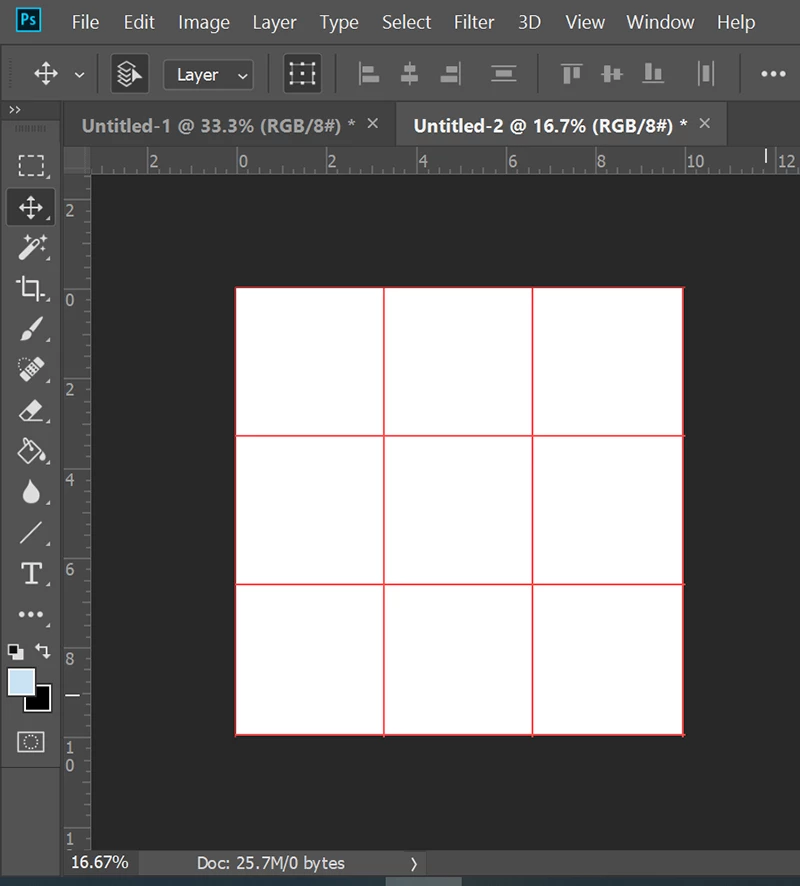
You should end up with something that looks like this.  To remove the appearance of Grid lines, hit Ctrl/Cmd + H.


3 replies

Conrad_C
Adobe Expert
April 26, 2020

This can be done in as few as two steps:

  1. Choose View > New Guide Layout, and set it to 3 columns by 3 rows.

  2. With the Line tool and/or Rectangle tool (the shape tools, not the marquee selection tools) set to a black stroke, draw along the guides. 
Nancy OShea
Nancy OSheaCorrect answer
Adobe Expert
April 25, 2020

In latest version of Photoshop CC,

1. Go to to File > New.  Create a new canvas that is 3000px X 3000px and 300 ppi.

2. Go to View > Show > Grid.

3. Go to View > Snap to > Grid.

4. Go to Edit > Preferences > Guides, Grid & Slices.

5. Change the Grid settings to a Grid Line every 1000 pixels and subdivisions 1.  Hit OK.


You should end up with something that looks like this.  To remove the appearance of Grid lines, hit Ctrl/Cmd + H.


Nancy O'Shea— Product User, Community Expert & Moderator
Nancy OShea
Adobe Expert
April 25, 2020

This is a family-oriented, public forum.


I assume this is a Photoshop question.  Which version of Photoshop do you have?

What size is your canvas?


Nancy O'Shea— Product User, Community Expert & Moderator