
Participant
September 3, 2017
Answered

Outline made around image I'm trying to scale or move

  • September 3, 2017
  • 2 replies
  • 1035 views

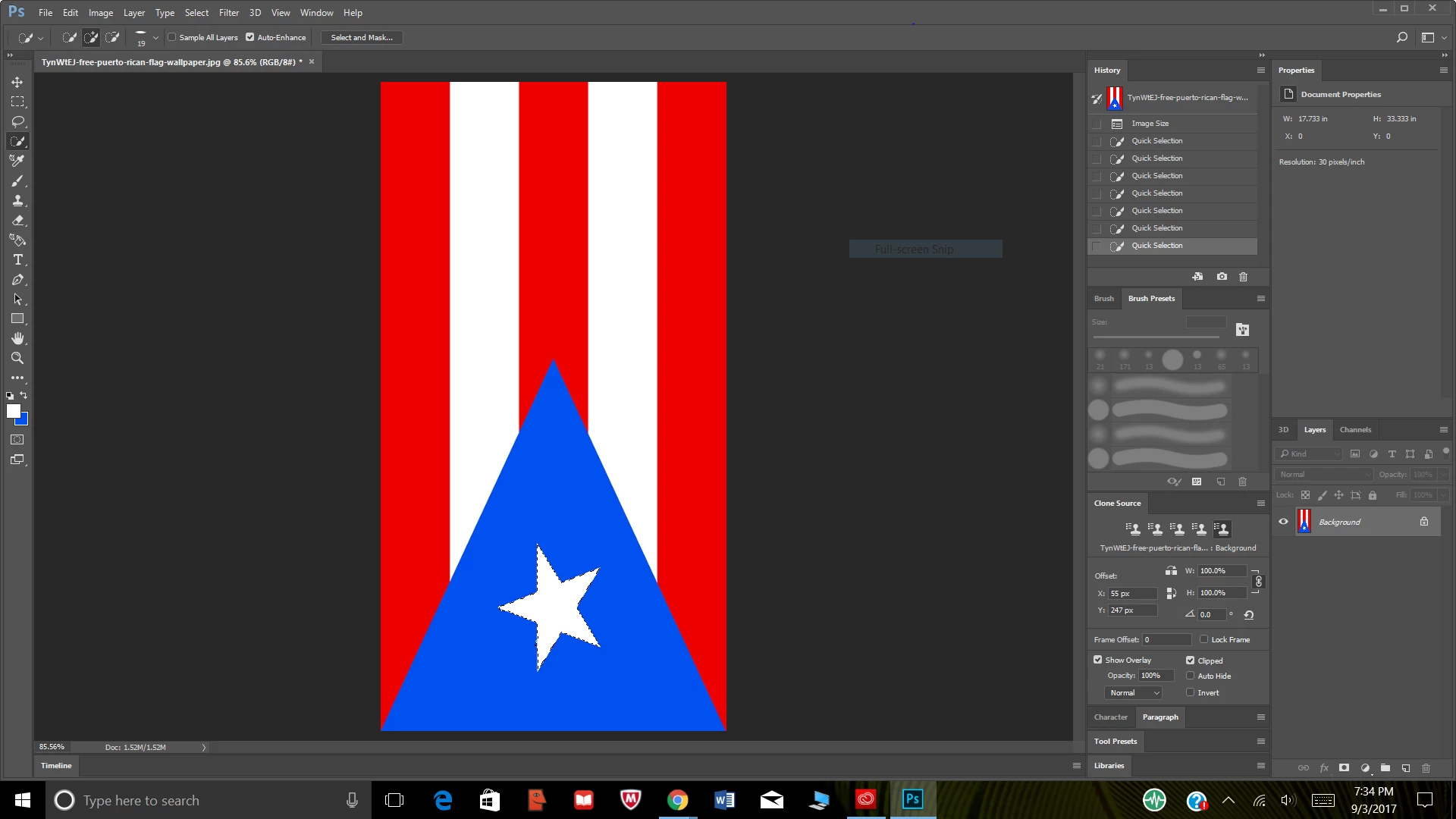
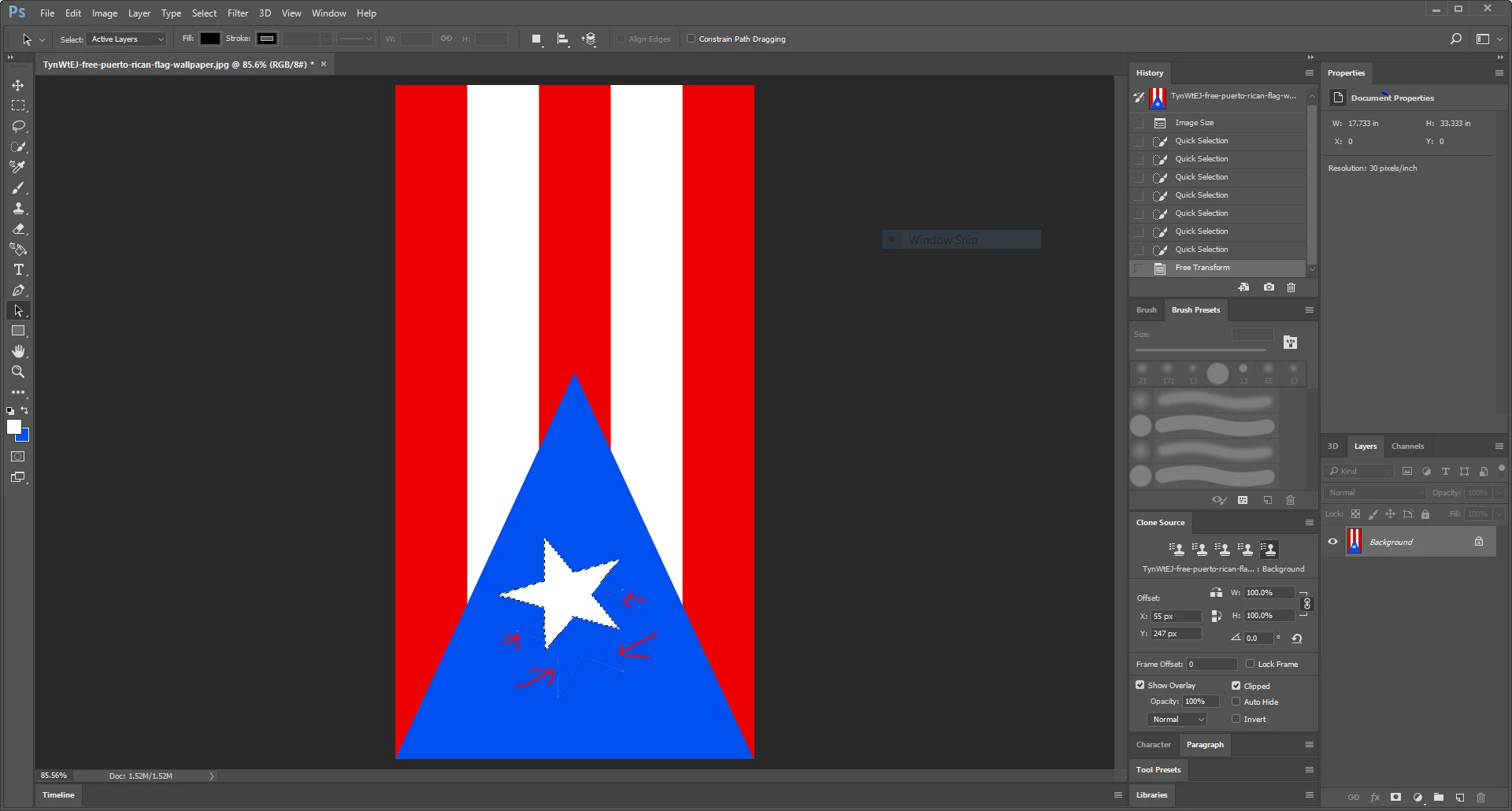
So I'm new to photoshop and I was trying to scale the star on this puerto rican flag to the right proportion and everytime I try to scale behind it their it a faint outline where the star was before, how do I get rid of it? thank you.
This topic has been closed for replies.
Correct answer Silkrooster

That flag is a single image and the star is not a separate object. So thinking like it was will not work.

You can select the star and resize it, but you must fill in the area where it was.

When you scale a portion of an image, you are essentially making a copy of the selected area. It is the copy that gets scaled.

Had the background be a normal layer (dragging the padlock to the trashcan in the layers panel) Then moving the selection could leave a hole instead.

2 replies

Norman Sanders
Legend
September 4, 2017

This looks like an ideal Custom Shape Tool multi-layer project in Photoshop or Illlustrator. Crisp and no artifacts.

Silkrooster
SilkroosterCorrect answer
Legend
September 4, 2017

That flag is a single image and the star is not a separate object. So thinking like it was will not work.

You can select the star and resize it, but you must fill in the area where it was.

When you scale a portion of an image, you are essentially making a copy of the selected area. It is the copy that gets scaled.

Had the background be a normal layer (dragging the padlock to the trashcan in the layers panel) Then moving the selection could leave a hole instead.