
Photoshop CS6 Error 16 on Windows 10
I'm new here so hello to all.
This problem has been driving me crazy. Photoshop CS6 opens and works perfectly if I open it from a Quick Launch menu shortcut or the Start Menu shortcut. If Photoshop is already open and minimised, the right click "open with" shortcut will bring it to full screen and all will be well. If however, Photoshop is closed and I try to open it by clicking the "open with" shortcut, it throws up error 16, as shown below:
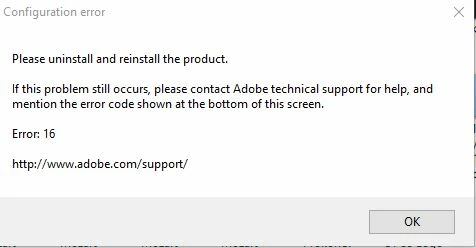
I have been all over the web looking for an answer to this one and so far have had no success. I've uninstalled and reinstalled half a dozen times, sometimes using the built-in Windows Admin account. I've added an SLStore folder in the Common Files directory. I've changes permissions on that and the Adobe PCD folder too as suggested by Adobe's own help pages. None of it made any difference. This issue always seems to be dealt with as a problem of never being able to open Photoshop at all, but my issue is that it is only the "open with" command that fails to open the program. All other methods work as they should. I suppose I could get round it by simply having PS open and then using the "open with" shortcut or using the "open" command from within PS itself, but this is something that is bugging me and I want to be able to fix it. It was never an issue with CS2 when that was the version I was using.
Any suggestions anyone?
 AdChoices