

Photoshop is altering the color of raw photos.
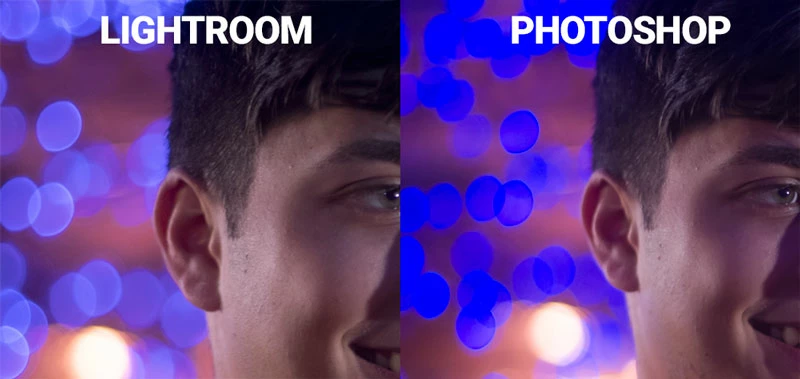
The above pics are screenshots taken from my iMac. The left images show what my raw photo looks like as displayed in Lightroom. If I open the same photo, either through "Edit In Photoshop" using Lightroom, or in Adobe Camera Raw, the colors shift in a pretty significant way, as shown on the right. It especially flattens out and color shifts the bokeh effect in the background. Oddly enough, if I preview the raw photos in Adobe Bridge, they look exactly like they do if opened in Photoshop.
I've tried playing around with different color profiles, both in Photoshop and my monitor. The problem does not go away.
I've had very good luck in this forum thus far, so I'm hoping my streak continues. Thanks in advance for any help or suggestions.
FWIW, I'm using an iMac 27" 2017, High Sierra 10.13.6. Photoshop is up to date.
 AdChoices