Participant
October 18, 2017
Answered

Problem reading the layer data. Composite data

  • October 18, 2017
  • 12 replies
  • 27154 views

How can I solve this problem? I lost days of work... Please help.
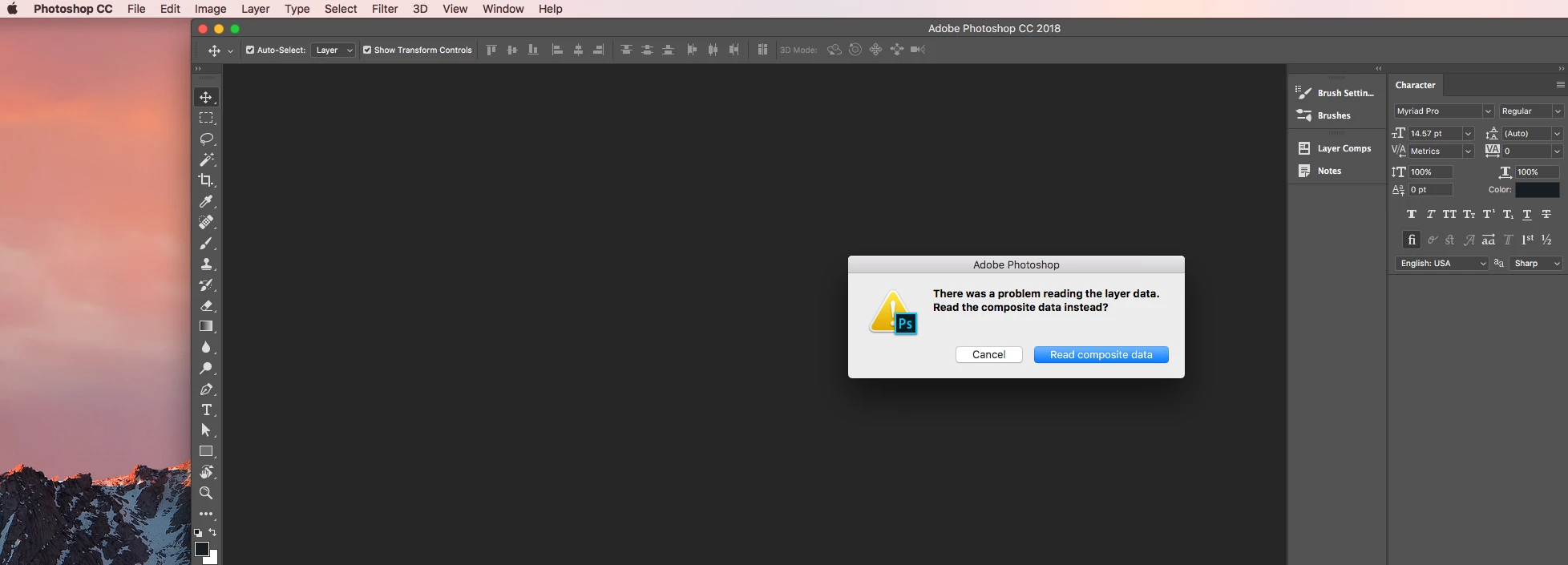
This topic has been closed for replies.
Correct answer HRMN

Dear everyone who is having this problem. I've found a fix. It's pretty simple. This is an error thrown by having too many layers in one file. Sadly you don't know of this problem until you go to re-open the file. I thought I had lost weeks of work - then opened my file in a website I found ( https://www.photopea.com/ - deleted a folder that had tons of flattened layers (and unused layers) and then saved the file. Once I did that I was able to open the Ps file normally. Hope this helps someone and doesn't have to "start over" like I nearly did.

@Adobe - I recommend a  simple warning when saving a file out with too many layers. It seems all of these problems would be solved very easily with a standard alert.

12 replies

Participant
February 24, 2023

I tried opening mine on Photopea, but unfortunately, the file is corrupted. It showed up like this:


I just repeated my process from scratch. That's it. Sad but I have to move on.

Participant
October 5, 2022

Hi there this happens when i transfer a file to a usb or another computer .... i normally just resave the original file again and it comes right


Participant
November 26, 2020

Stunning! Thank you

D Fosse
Community Expert
Community Expert
November 24, 2020

Just as a clarification to everyone - this isn't about having too many layers, it's about having corrupt layers.


File corruption isn't something to be ignored. The first incident can be a random event, but usually it is an indication that bigger problems are about to come if you don't track down the source. And the source is nearly always hardware.

nours32836249
Participant
November 24, 2020

I tries tis website and it worked!
this saved me a three days worth of work that I thaught I'd lost, 3 hours before y client's deadline.
Thanls a million 🙂

Participating Frequently
January 6, 2020

This is still an issue, even in 2020. But THANK YOU! This saved me from starting from scratch!

HRMNCorrect answer
Participant
December 26, 2017

Dear everyone who is having this problem. I've found a fix. It's pretty simple. This is an error thrown by having too many layers in one file. Sadly you don't know of this problem until you go to re-open the file. I thought I had lost weeks of work - then opened my file in a website I found ( https://www.photopea.com/ - deleted a folder that had tons of flattened layers (and unused layers) and then saved the file. Once I did that I was able to open the Ps file normally. Hope this helps someone and doesn't have to "start over" like I nearly did.

@Adobe - I recommend a  simple warning when saving a file out with too many layers. It seems all of these problems would be solved very easily with a standard alert.

Participant
March 1, 2022

What if your project is saved to Adobe CC?

Participant
November 3, 2017

Solved! Thanks globaldog. I had no idea I could go back to previous file versions using my Dropbox account.

I went inside Photoshop, clicked FILE > OPEN.... I then browsed to my corrupt file on my computer and clicked, VERSION HISTORY and opened up a file version that was auto-saved a few minutes before the bad file.

Cheers

Participant
November 2, 2017

I just had this same exact problem happen to me  This is the first time this has even happened in 20 years of owning Photoshop, which I guess is good.  However, how do I fix this and recover the file?

I didn't do anything different than I normally do. I closed out of a file I was working on to work in other applications. When I opened Photoshop back up, I received the same error as melvong.

My photoshop files had approximately 20 layers.

SYSTEM REPORT:

Photoshop CC 2018
MacOS High Sierra
MacBook Pro (Retina, Mid 2012)

2.3 GHz Intel Core i7
16 GB 1600 MHz DDR3

NVIDIA GeForce GT 650M 1 GB

Intel HD Graphics 4000 1536 MB

Thanks,

John

D Fosse
Community Expert
Community Expert
November 2, 2017

Same answer. Photoshop messages usually mean exactly what they say.

Back up!

Keep a close eye on this, and if it happens again, you may have a failing hard drive or bad RAM. File corruption almost always boils down to one of those two, even though it's tempting to blame the application.

Remember that Photoshop files are typically large, and random corruption therefore more likely to appear here. That's just on purely statistical grounds.

Participant
November 2, 2017

Everything is backed up to Dropbox, but that probably doesn't help much if a file gets corrupted everytime I open and save it.

This is the first file this has happened to.

Is there anyway to recover the file when this happens?

It wasn't long ago that I upgraded my OS to High Sierra and installed Adobe PS CC 2018. I wonder if that had something to do with it.

Thanks,

John

D Fosse
Community Expert
Community Expert
October 24, 2017

This would normally indicate file corruption. That usually happens when a drive is about to fail.

I'd back up everything ASAP - to a different drive, obviously - and keep a close eye on this.

CasaToponAuthor
Participant
October 24, 2017

uh oh, yes I better start backing everything up! Thank you
