
New Participant
May 14, 2018
Answered

Save for web not working

  • May 14, 2018
  • 3 replies
  • 26395 views

Hi everyone,

So Photoshop is working perfectly for me, except for one thing: save for web. Whenever I try to save a gif (both via the keyboard short cut and via drop down menus) I get this popup:
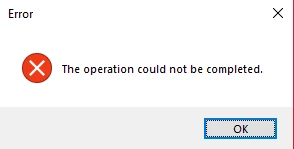
I've also tried saving a gif through the 'Save as' option but it just saves the first frame as a jpeg. I really am not sure whats going wrong here, the save for web option isn't greyed out, I just get the popup whenever I try to click it.
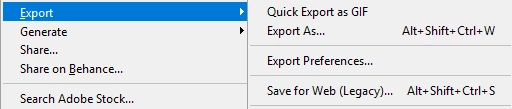
Please help!

Ally

This topic has been closed for replies.
Correct answer

Hi Sahil, I also started to have the same problem as described above and it seems that it occurred after the last Windows update.

I uninstalled previous and installed the latest version of Photoshop, but it did not solve the issue. In addition, I cannot even simply save as JPEG now and getting an error message "Could not complete Save As command because there is not enough memory (RAM)", but I definitely do have enough RAM memory.

My System Info:

Adobe Photoshop Version: 19.1.4 20180507.r.325 2018/05/07: 1170750  x64

Number of Launches: 1

Operating System: Windows 10 64-bit

Version: 10 or greater 10.0.17134.1

Please help to fix it!

I need Photoshop almost every day and currently unable to do anything in it...


Hi

This is a workaround for another issue but it may help you

Invalid Numeric Entry - An integer between 96 and 8 is required

Change the value data to the corresponding amount of RAM you have installed, so if it's 8GB input 8000. 16GB input 16000 etc

3 replies

Love1956
New Participant
March 15, 2021

Delete "Adobe Photoshop Save For Web Prefs" files located in your Adobe program files. No need to restart computer. Just open Photoshop > click Save for web > and it worked on my end. Note, I had multiple "photoshop save for web prefs" files named after 2021, 2020, and 2019. I deleted it all.

Known Participant
April 14, 2021

Worked for me; thanks!

New Participant
August 7, 2020

I am having the same problem with the latest Photoshop 20.0.4 release.  Working on a Mac, OS Catalina, 16 GB ram, 50 GB of storage.  Same error message from Save for Web (Legacy): "Can not complete this operation. An unknown error has occurred."

j.hogue-oomph
New Participant
September 19, 2020

Same here. Mac OSX 10.15.6 running the lastest CC PSD. I downgraded my PSD several times to running v21.0 now but the same error no matter the version. I have saved the file a few different ways but whenever I use Save for Web on that file I get this error. Its really frustrating. 

Sahil.Chawla
Community Manager
Community Manager
May 14, 2018

Hi Ally,

We're sorry to hear about "Save for web" not working, could you please let us know which exact version of Photoshop you're working on and which operating system are you using?

Could you please have a look at this forum thread and let us know if it helps? Save for Web - The operation could not be completed. Access is denied.

Regards,

Sahil

New Participant
May 14, 2018

Hi,

I have Photoshop CC 2018 and I'm running Windows 32x.

I've had a look at that thread but unfortunately it's not helped me.

New Participant
April 9, 2020

Hi

This is a workaround for another issue but it may help you

Invalid Numeric Entry - An integer between 96 and 8 is required

Change the value data to the corresponding amount of RAM you have installed, so if it's 8GB input 8000. 16GB input 16000 etc


Thank you for this.. I was having trouble doing that for our website (https://www.flyjetblak.com) but your solution worked perfectly - high five! 🙂