


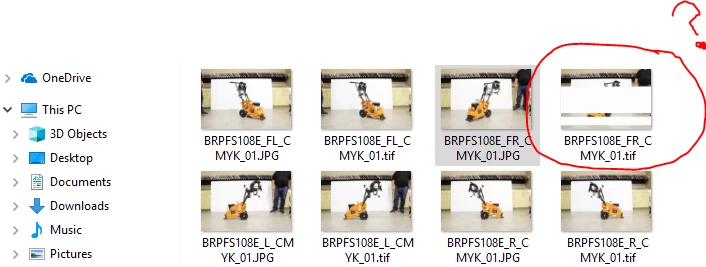
Saving jpg to tiff creates white horizontal lines in thumbnail and corrupt files
Greetings,
I am opening JPG files in photoshop, changing their mode to CMYK and then saving as TIFF. These files are photographs of equipment that is later outlined with transparency which is why we convert to TIFF. I usually do not have problems but lately when I am moving through files and saving to TIFF format I started noticing that the thumbnails began containing white, horizontal lines through them and when I try to reopen those files I receive an error and am unable to open the file. If I delete the corrupt file and try again sometimes it will work. Sometimes I have to do it many times before It will take and I can move on to the next image. It is killing my efficiency. Has anyone had this issue before? We are subscribed to the latest versions of all Adobe products. We update as soon as the latest versions are released.

 AdChoices