
Participant
May 23, 2016
Answered

P: How to fix Photoshop Scratch Disks Full Error?

  • May 23, 2016
  • 49 replies
  • 597262 views

I am running Photoshop CC on my MacBook Air with macOS Sierra. Every time I attempt to open Photoshop through any means, the following message appears: "Could not initialize Photoshop because the scratch disks are full", and Photoshop does not open. I tried clearing space from my Mac in general including several GB worth of apps and removing several cache files, but nothing seems to work. I also tried holding down the command and option keys to reveal the Scratch Disk Preferences, and it lets me select the Startup and MacIntosh HD. Again, nothing worked. Anyone know how to fix this message, and/or clear scratch disk space?
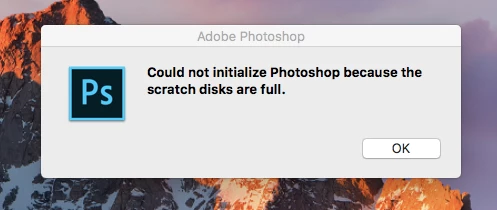
 

{Moderator note: Edited the thread title PS-65057}

Correct answer Mohit Goyal

Hi all,


We're sorry for the scratch disk issue. Take a look at the following troubleshooting article which can help you to resolve the "Scratch disk is full" error: Troubleshoot scratch disk full errors in Photoshop


Please have a look and let us know if that helps.


Thanks,

Mohit

49 replies

Participant
January 21, 2018

Hey there, I recently renewed my photography plan but I cannot seem to open photoshop.

Upon launching the application I am greeted with this message.

I would change the scratch disks to my e: drive, which has 2 terabytes available, but I am not able to click on anything.

This goes for basically everything on my computer, I am getting messages saying that my c: drive is full, which it is, but I cannot figure out how to change/move things to my e: drive.

Any help is appreciated.

Legend
January 21, 2018

You generally can’t move any system files or apps. You can COPY your own files and delete the original. Whether this helps depends on what your C drive is full of. You need to examine what is using the space, in detail. You could waste time moving thousands of small files for no gain.

Benjamin Root
Legend
January 20, 2018

How much free space does your Macbook have? Do you have an external drive you could plug in and set as scratch temporarily?

Best practice is to keep your system drive(s) as empty as possible, using additional drives (external especially in the case of portable computers) for storage.

Participant
January 20, 2018

Around 6.25 GB. I'll look around for an external storage to use, thank you

gener7
Community Expert
Community Expert
January 20, 2018

It should be formatted as Mac OS Extended (Journaled) or Photoshop won't list it as a scratch disk.

ashleyj2019
Participant
August 22, 2017

I cannot open photoshop because it says scratch disk full. I know of the shortcut (ctrl+alt) and have used it before to set my scratch disk to almost empty drives. I've tried the same thing again as photoshop is starting up but it does nothing and i still get the "scratch disks full" error message. It has opened in the past so I don't know what happened. I need this to work for school in a couple of weeks so any help is appreciated!

JJMack
Community Expert
Community Expert
August 22, 2017

Try resetting your Photoshop preferences. Start Photoshop immediately press and hold Shift+Alt+Ctrl. If done in time Photoshop should pop up a dialog asking if you want to delete your preferences. Reply yes delete them.  Photoshop should then open using an new set of Adobe default preferences. If your system startup disk is full Photoshop may no start for there need to be free space on the drive tor Temp files and scratch space,  You system performance  will be poor not what it should be.  Your OS new to use temp space too.

JJMack
ashleyj2019
Participant
August 23, 2017

It worked! Thank you!

Participating Frequently
May 10, 2017

I have the most current version of Photoshop CC (updated today, 5/10/2017).  I want to use a 32gb thumb drive as an additional scratch disk for photoshop.  I have the thumb drive installed and I can read/write to the drive manually but when I go to the Scratch Disks option in PS it's not seeing that drive.  The drive was originally formatted as Fat32.  I've tried reformatting as exFat and NTFS, closing and reopening PS after each reformat, but it's still not seeing that drive.  I currently have a portable hard drive hung off another port and it sees that one fine (this is a backup drive so I don't want to use that as a scratch disk).  Why won't it see my thumb drive? 

I'm on a Windows 7 laptop.

Benjamin Root
Legend
May 10, 2017

IIRC, thumb drives cannot be used as scratch disk space. Personally, I'd not ever want to use one for scratch, even if I could. An internal 128 GB SSD would be a much better choice, and would only cost about $80. A USB 3.0 SSD would work, too, but would cost more

Trevor.Dennis
Community Expert
Community Expert
May 11, 2017

None of my external drives are showing as available as Scratch space (14 drives in total, but only 7 available).

This Lynda dot Com chapter discusses USB3 external drives, but I can't find other information about nhow to mount then so they show up in Preferences.

Taking advantage of scratch disks

The bottom line here is that a pen drive is a terrible idea when it comes to Photoshop scratch space.  I have a few drives that are 'reasonably' fast, but they don't come close to a USB3 external or pocket drive.  So a Pen drive would dramatically slow things down even if you could get it to work.

Participant
April 18, 2017

Hello

I am having trouble with the Scratch disk on my Mac. I can't render my work on photoshop as there is no space left on my scratch disk. Any recommendations on how i can fix this?

Thank you

Tom

Akash Sharma
Legend
April 18, 2017

Hi Tom,

If you have a different partition on your Primary drive with some space left or have a different drive connected to your computer, You could change the scratch disk to a different drive from "Scratch disk preferences". Take a look at the solution in this discussion Scratch disk full and cannot open photoshop to fix it...  and let us know if that helps.

Thanks,

Akash

Participant
January 9, 2017

Photoshop keeps telling me that my scratch disk is full, I have checked it and I have 56.66gb free on my mac so I am slightly confused as to how much space is actually needed for photoshop to fully function. Can anyone help???

c.pfaffenbichler
Community Expert
Community Expert
January 9, 2017

What are your Performance and Scratch Disk Preferences settings?

https://helpx.adobe.com/photoshop/kb/optimize-photoshop-cc-performance.html

JimDirt
Participating Frequently
October 28, 2016

I have read some posts about this , but the answer seems to be to partition my hard drive  , I don't want it partitioned , its the entire reason i got a 2tb hard drive , was to have 1 large drive , , some replies also said to redirect the Scratch Disk to another location/partition/other hard drive , the issue with that is how can i redirect the Scratch Disk/program if i can't access it ?? ,  it opens/loads , but then the error message pops up and i can't do anything except click "OK" which closes Photoshop  as long as the message is there i can't click on anything else in Photoshop, it worked fine on my 1tb hard drive in Win 10 , which is still installed  , , do i take the desktop shortcut from my Win 10 1tb hard drive and use it on my 2tb hard drive desktop ???  any helpful info , that does not want mt to partition my drive or upgrade to Photoshop 10 , would be appreciated ....Thanks ...Jim

Jeff Arola
Community Expert
Community Expert
October 28, 2016

The reason for the scratch disk error is photoshop 7 and older versions of photoshop as well can't see free

disk space over 1 TB and thus think the disk is full and generate the scratch disk full message.


You can hold down the Ctrl+Alt keys just after starting the launch of ps 7 to get the Scratch Disk Preferences

where you can point to another smaller partition or drive if you have one.


JimDirt
Participating Frequently
October 28, 2016

I just tried what you said , and i chose the other drive that it works on ,(i went from C drive to E drive for "First" Startup) , and it gave the exact same error  , but yet if i were to boot to that drive Photoshop works perfect

Any other ideas ??

EDIT EDIT:

OK , i had to restart my PC to finish some Windows updates  , and after restarting , i tried to set the Scratch Disk location  , and it seemed to work this time , i reset it to E Drive , instead of C , and Photoshop opened up without the error and is usable now   , the main issue i have with this is that this is a "work around" not really a "fix" for the error/issue

How about a Update/Patch for those of us with PS7 (or those of us that can't afford to "upgrade" to a newer version of Photoshop) m, that would allow PS7 to recognize a larger drive (say up to 4tb for example) , so we can use it without this frustration , Photoshop should have been remedied of this "known" issue , long ago

But thanks to your help i am now able to use it again  , but i would hope for a real fix to be applied as this is a known and frustrating issue

Thanks ...Jim

I am not posting this as the "solution" since its more of a workaround than a solution/fix  , but thank you for at least getting it working again for me till Adobe applies a actual "update/fix" for the issue ....

davidvham
Inspiring
July 29, 2016

Any suggestions for how to add a scratch disk in the updated Photoshop CC 2015.5 version. All of the videos and other answers provide an earlier version, and in this version of Photoshop, they moved the scratch disk to it's own tab. I have an external drive connected to my computer, but don't see an icon or a way to check (or add) another drive.

Please help!

Thanks!

Mohammad.Harb
Community Expert
Community Expert
July 29, 2016

start Photoshop while pressing alt + ctrl

davidvham
Inspiring
July 29, 2016

Hey,

I am using Mac OS. I tried the alt + ctrl & the equivalent alt + cmd in OS. No dialogue box popped up

Thomas Luth
Participating Frequently
May 23, 2016

I am finding conflicting information regarding the use of an SSD for Photoshop scratch disks. I recently purchased an OWC 240 GB external drive for use as a scratch disk. Is this a good idea? Do I need this much space for most Photoshop work, or would I do as well to partition the drive into two 120 GB drives, with one for scratch, one to bcking work in progress? Thanks much.

Akash Sharma
Legend
May 23, 2016

Hi ThomasLuth ,

It is recommended to keep Scratch disks  on a different drive than the one your operating system uses.

You can partition the new drive and if required assign the second partition to Photoshop in future as well.

See Optimize performance Adobe Photoshop CC

Regards,

Akash