
jdartcore
Participant
February 28, 2017
Answered

Shere is the shape properties window that will allow me to change path operations, corner radius, etc?

  • February 28, 2017
  • 1 reply
  • 823 views

Hi,

Im using photoshop cs6 on windows 10.

Im following a tutorial by someone who is using cs5 I think.

While working with shapes, He has a window open that allows him to change shape properties.

I can not find a way to get a propeties window to display those options.

What Am I missing??

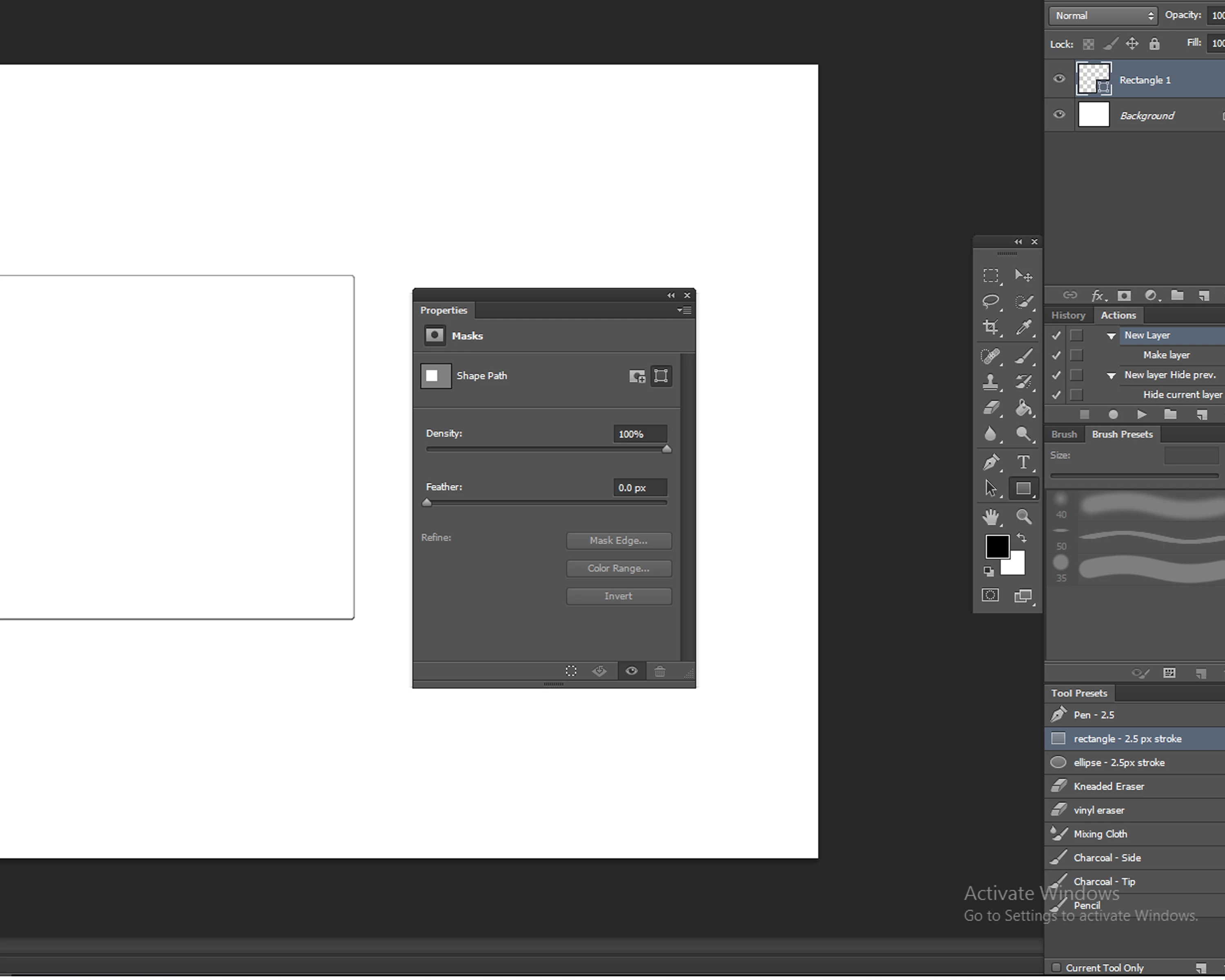
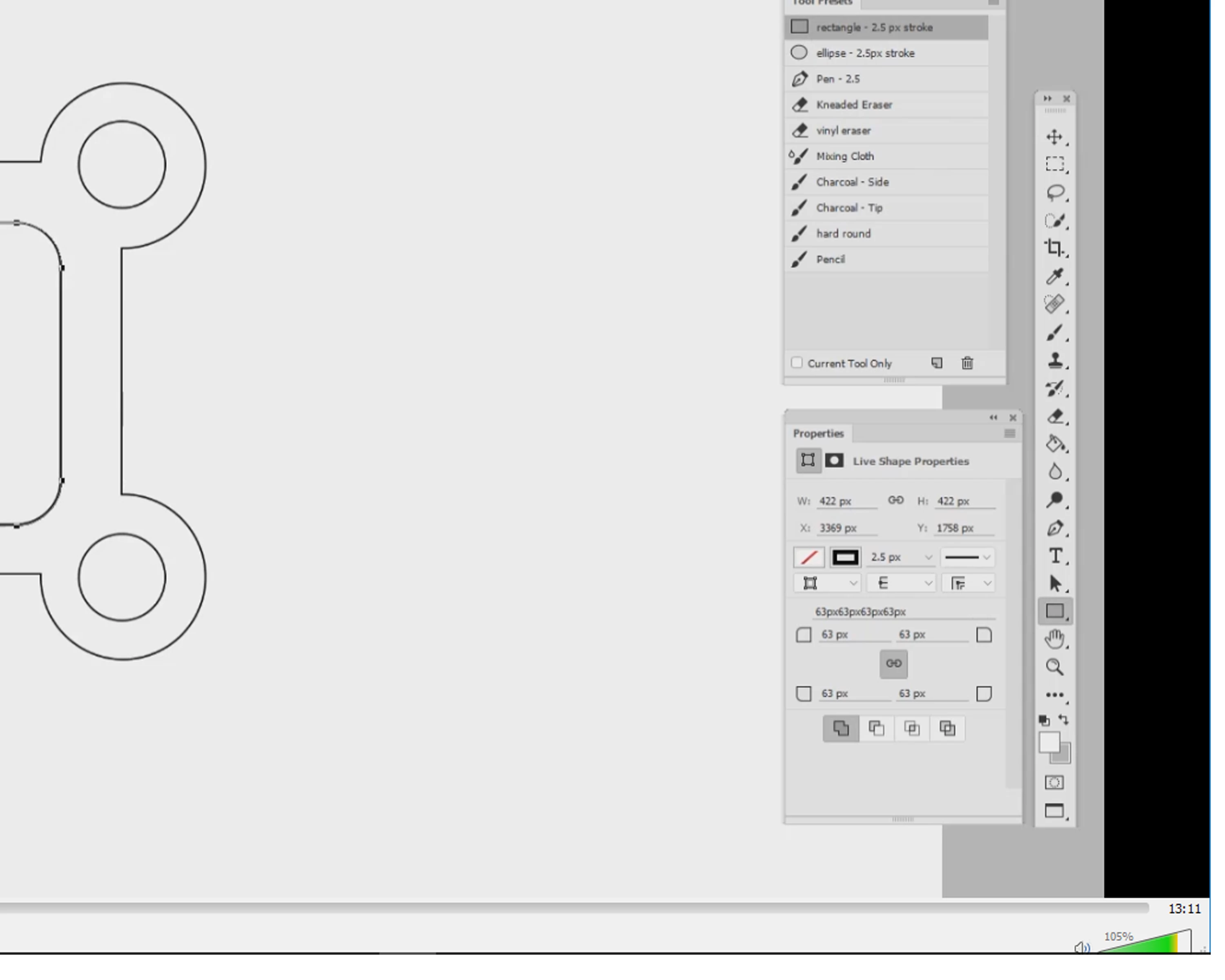
I have included screenshots of what I see vs what I would like to find.

Thanks for reading,

J

The shape properties window as it appears to me:
The controls I am looking for:
    This topic has been closed for replies.
    Correct answer davescm

    Those corner controls in the properties box were not in CS6.

    They were added later - not sure in which CC version they first appeared but they are in both CC2015.5 and CC2017.0.1 which I have running here.

    Dave

    1 reply

    JJMack
    Community Expert
    Community Expert
    February 28, 2017

    By any chance did they install a Photoshop script like corner edit?

    newer version of Photoshop have what are call live shapes.

    JJMack
    jdartcore
    jdartcoreAuthor
    Participant
    February 28, 2017

    No, thats not it,

    It is a standard copy of the program.

    While looking for an answer on google i saw demos for Photoshop CC that also showed it.

    thanks though!

    davescm
    Community Expert
    davescmCommunity ExpertCorrect answer
    Community Expert
    February 28, 2017

    Those corner controls in the properties box were not in CS6.

    They were added later - not sure in which CC version they first appeared but they are in both CC2015.5 and CC2017.0.1 which I have running here.

    Dave