
Undo keeps Enabling Layer Mask when it's Disabled
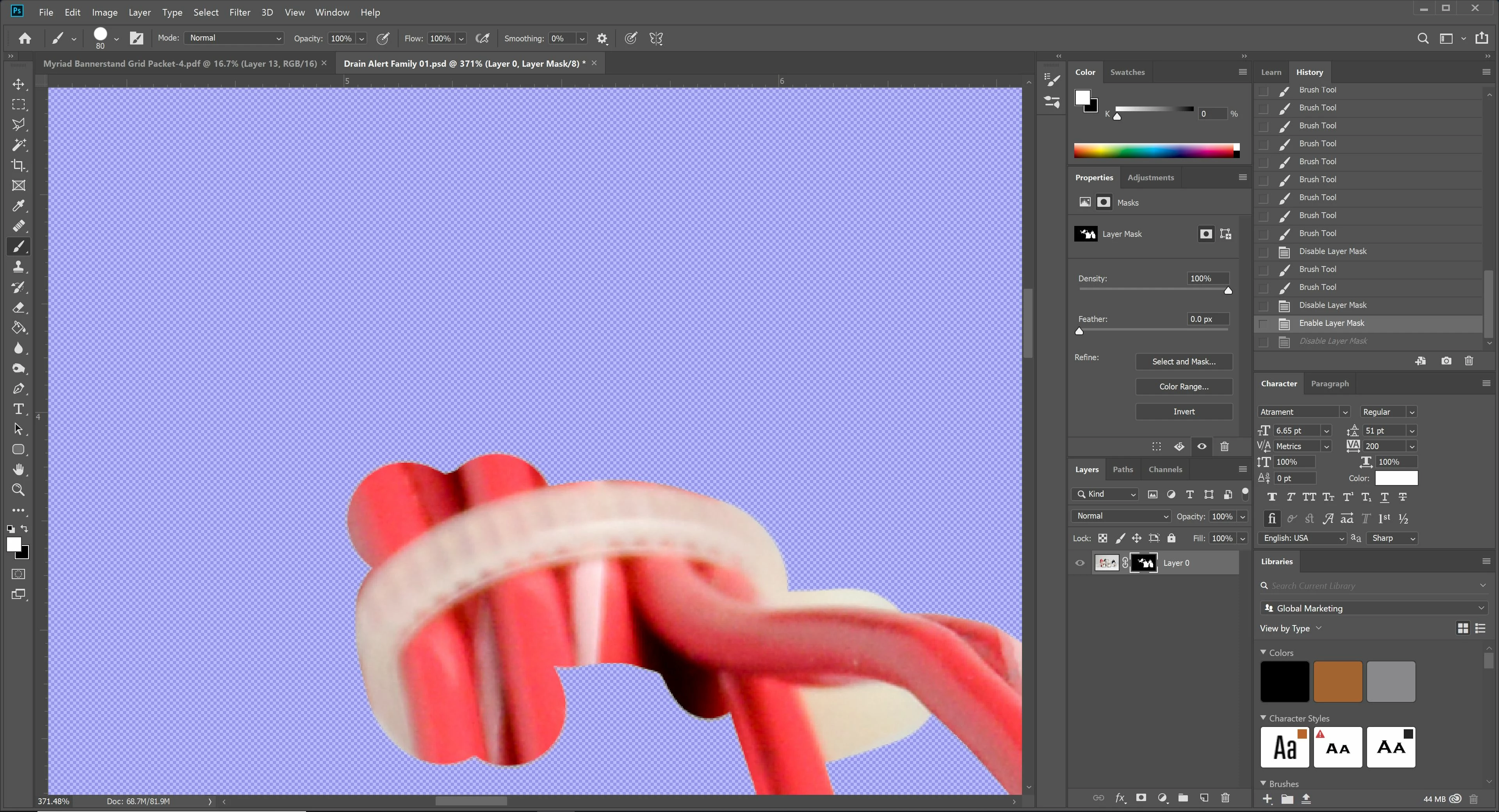
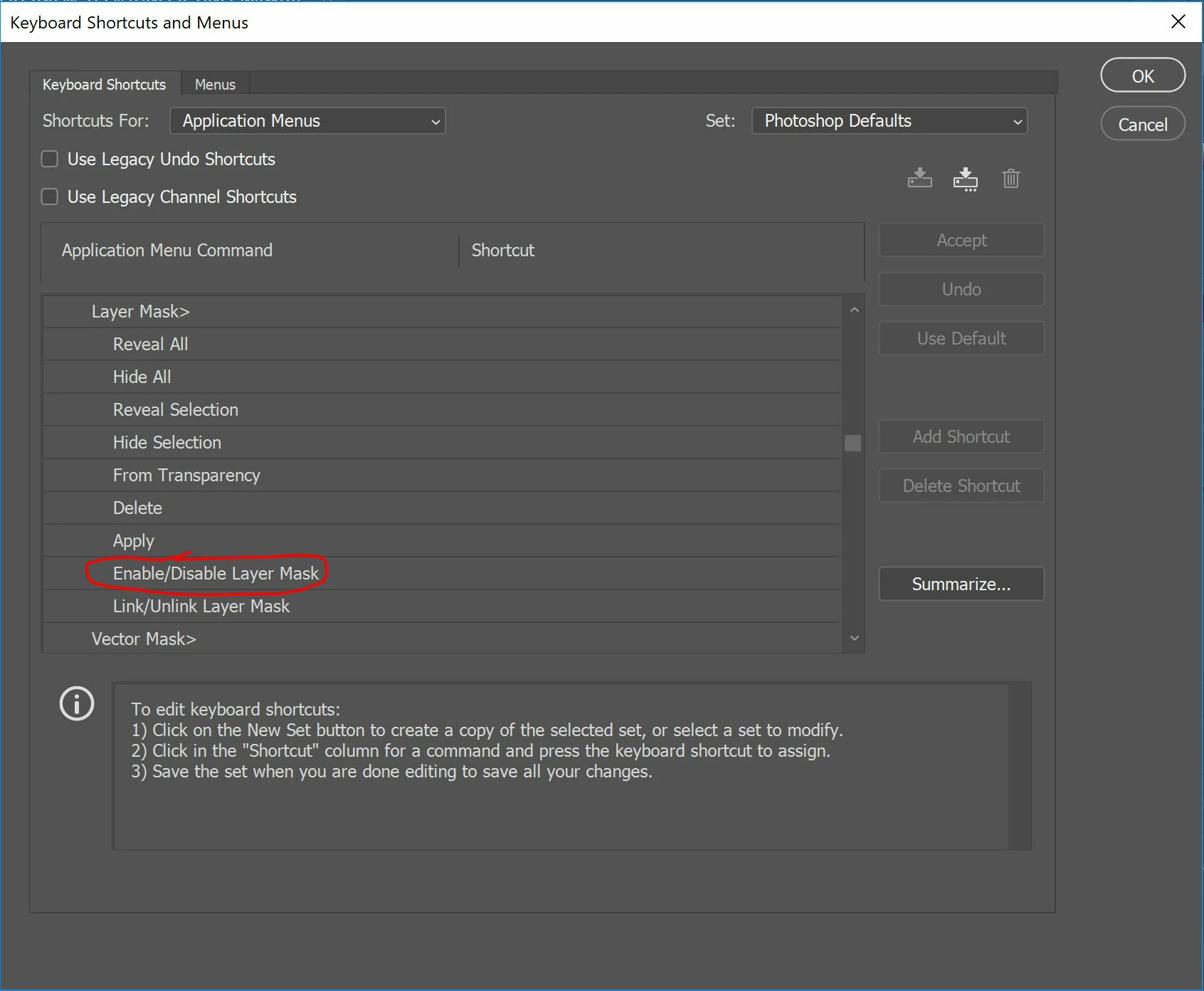
I "Disable" a layer mask and enable its highlight while I use a brush to paint on the mask layer. However, while I'm working like this and I hit the hotkey for Undo (Ctr X) the mask is "Enabled" and I loose the ability to see what I'm doing. I've attached screen shots of what is happening before/after the hotkey is hit. It happens when I select Undo from the Edit menu as well. I have used this working method for years and this has never happened before. I checked the Keyboard Shortcuts and Menus dialog box, there is no hotkey for "Enable/Disable Layer Mask". The mask is not "Enabled/Disable" between the actions in the History pane when it's been happening; even after using multiple tools, it's not just the brush. And if the mask has been Enabled for a few actions, hitting Undo does not make the mask Disabled... so the problem is only occurring when the mask is Disabled to begin with.
If I hit Undo again (two times in a row), the mask returns to being Disabled. But that means I have to Undo two steps at a time to have the mask back at what I need it to be. Is anyone else having this issue? I don't see any discussion on it.
It got frustrating having to go back to the Layers panel and Disable the mask again after any Undo's. Yes, I've made a hotkey for "Enable/Disable Layer Mask", but that's not keeping it from happening every time I Undo anything. If this is a glitch caused by the most recent update, I'm hoping it will be fixed on the next update.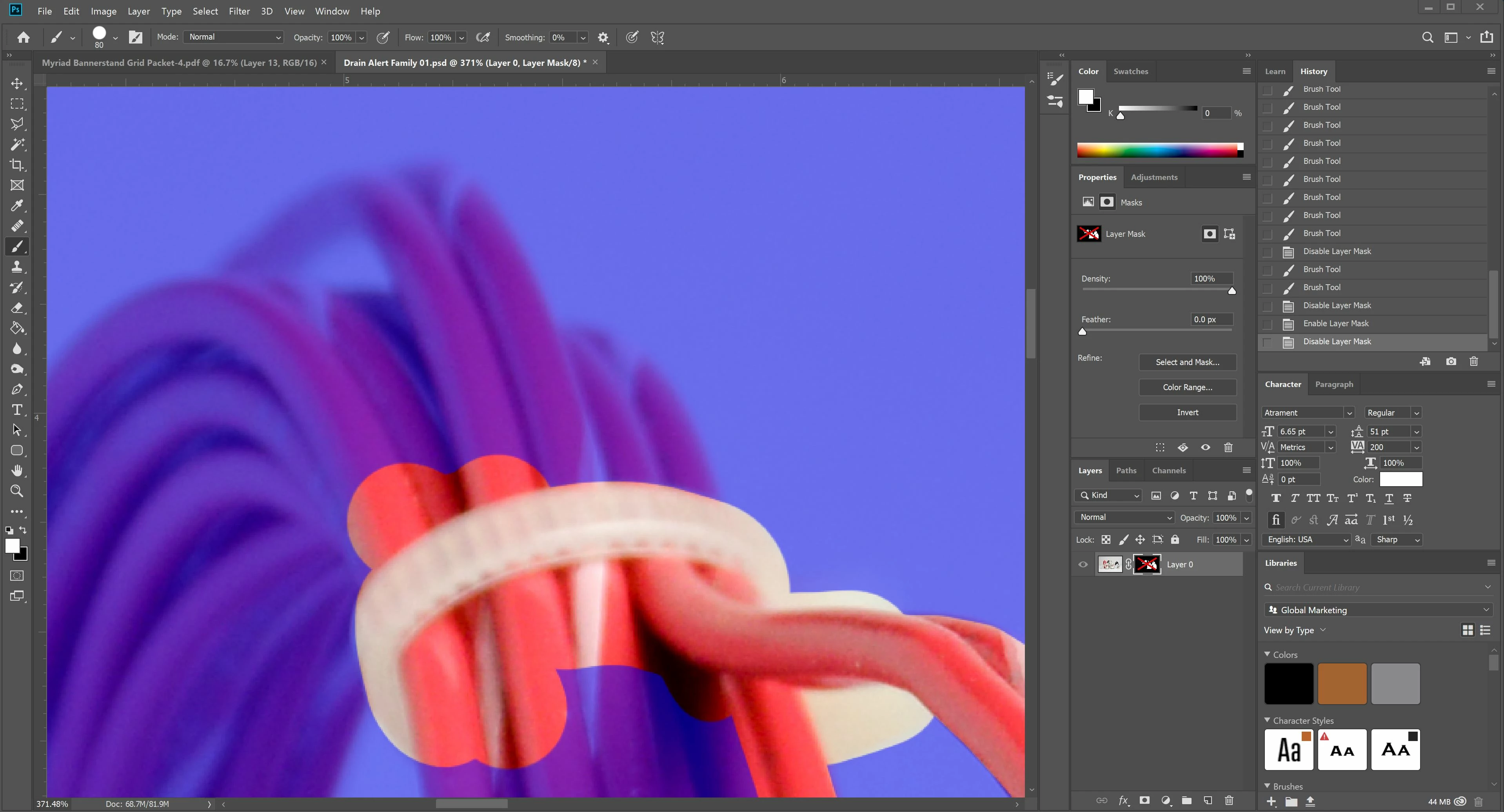
 AdChoices