
Izumin
Participant
June 16, 2017
Answered

Why are all layers cropped while I only crop one?

  • June 16, 2017
  • 3 replies
  • 13088 views

I have 2 layers. When I crop the one, the other one is cropped, too. I don't know why this happens. I tried restarting my computer and reinstalling Pts but they don't work. Please help me!

Thank you so much!

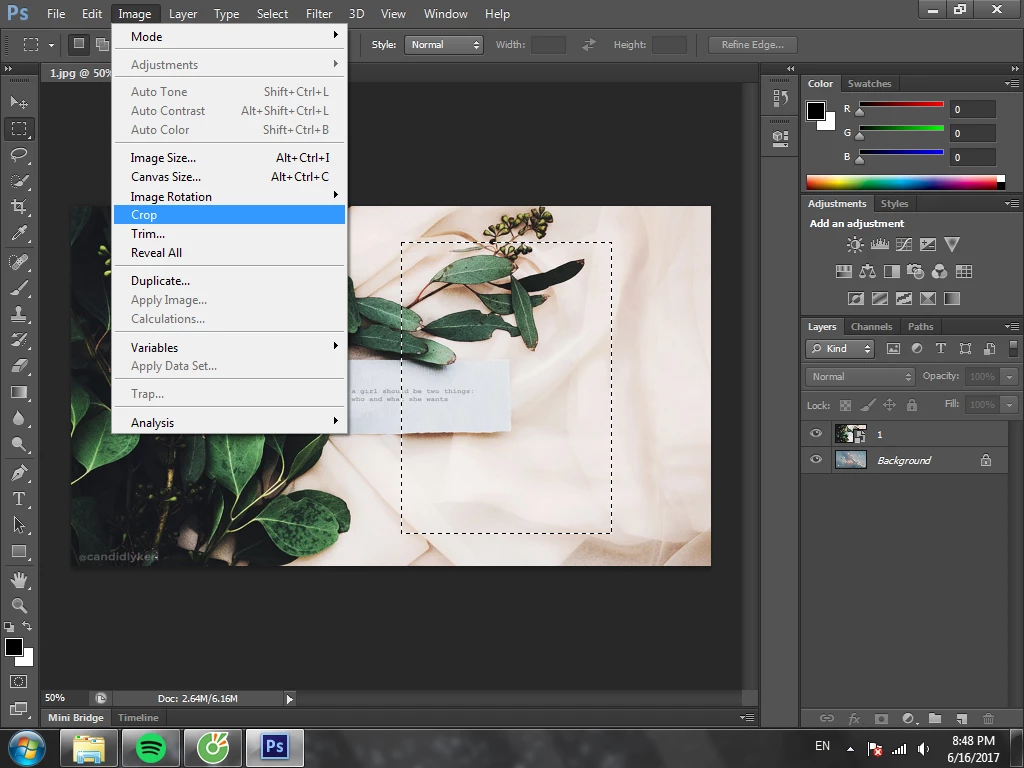
Here are the original layers

I crop one layer
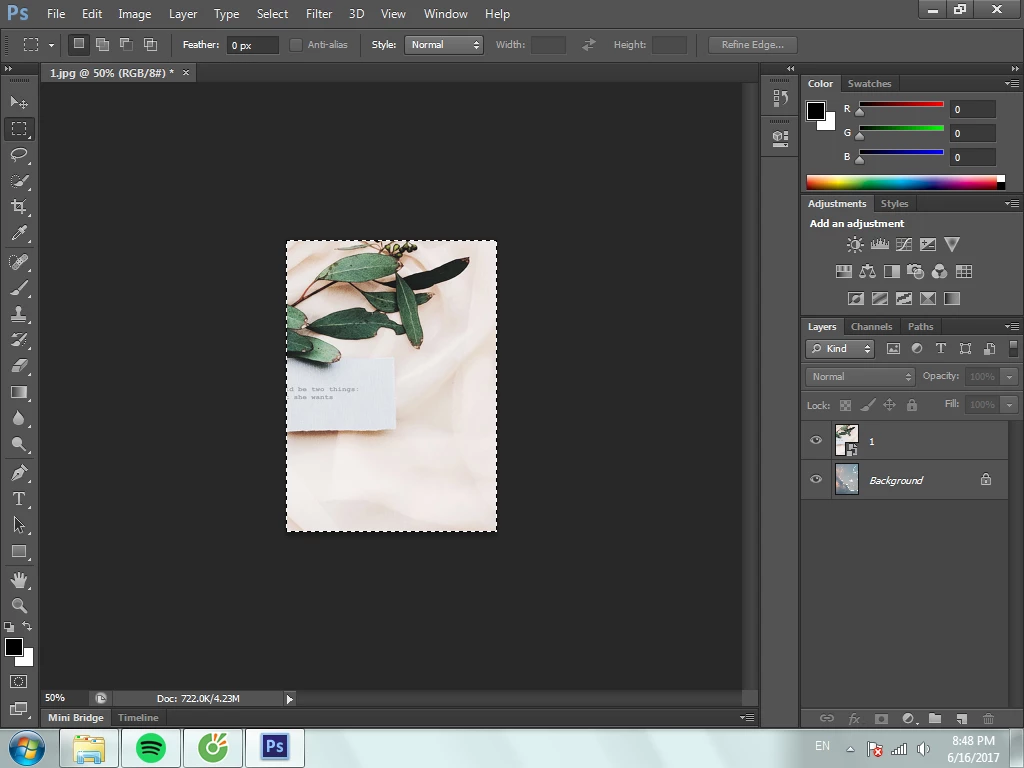
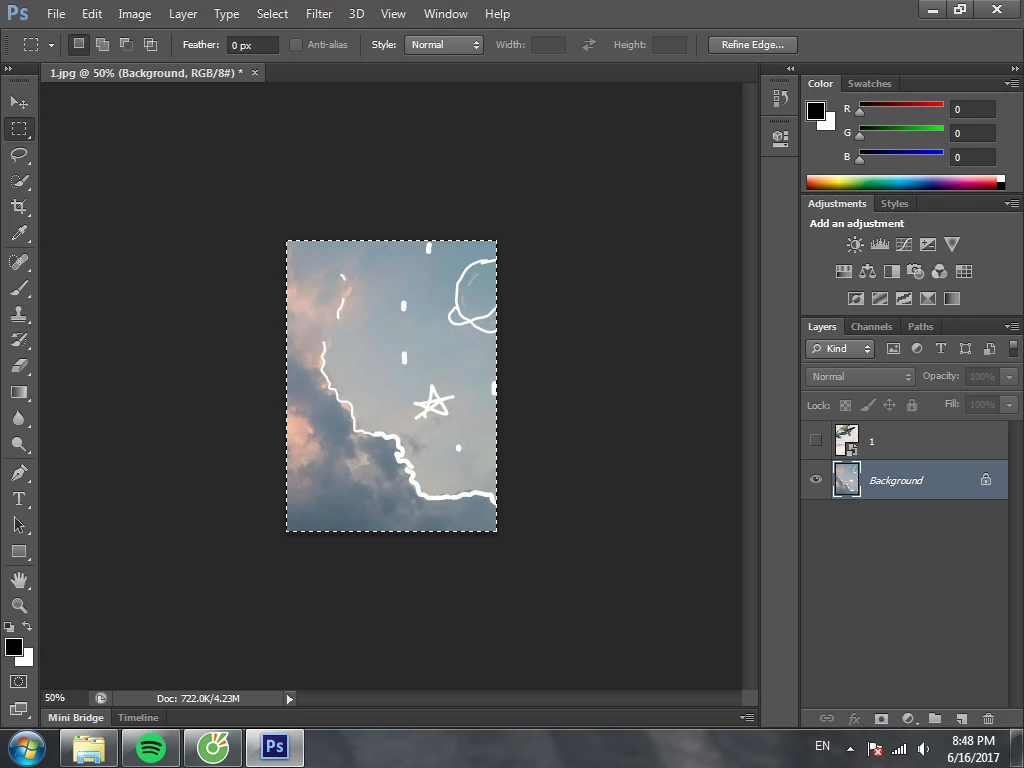
Result:


          The layer I cropped:
               The other one:
This topic has been closed for replies.
Correct answer davescm

Image Crop crops the image not just one layer

Try this

Make your selection then, with the layer you want to cut down selected in the layers panel , go to Layer - Layer Mask - Reveal Selection (or click this symbol at the bottom of the layers panel )

This will add a mask showing the layer in the area you selected but showing the layer(s) below elsewhere.

3 replies

davescm
Community Expert
davescmCommunity ExpertCorrect answer
Community Expert
June 16, 2017

Image Crop crops the image not just one layer

Try this

Make your selection then, with the layer you want to cut down selected in the layers panel , go to Layer - Layer Mask - Reveal Selection (or click this symbol at the bottom of the layers panel )

This will add a mask showing the layer in the area you selected but showing the layer(s) below elsewhere.

Izumin
IzuminAuthor
Participant
June 16, 2017

Thank you so much!

c.pfaffenbichler
Community Expert
Community Expert
June 16, 2017

As the Layer you seem to want to crop is a Smart Object deleting is not an option so apply the Selection as a Layer Mask (Layer > Layer Mask > Reveal Selection) instead.

Izumin
IzuminAuthor
Participant
June 16, 2017

It works. Thank you so much!

c.pfaffenbichler
Community Expert
Community Expert
June 16, 2017

Apparently you do not understand what Image > Crop is supposed to do.

If you do not want to crop the image but a Layer just apply a Layer Mask to the Layer or invert the Selection and delete (though that may leave content that is off-canvas).