
Known Participant
July 24, 2018
Answered

Why cant I add a stroke on text?

  • July 24, 2018
  • 1 reply
  • 5606 views

Hi guys,

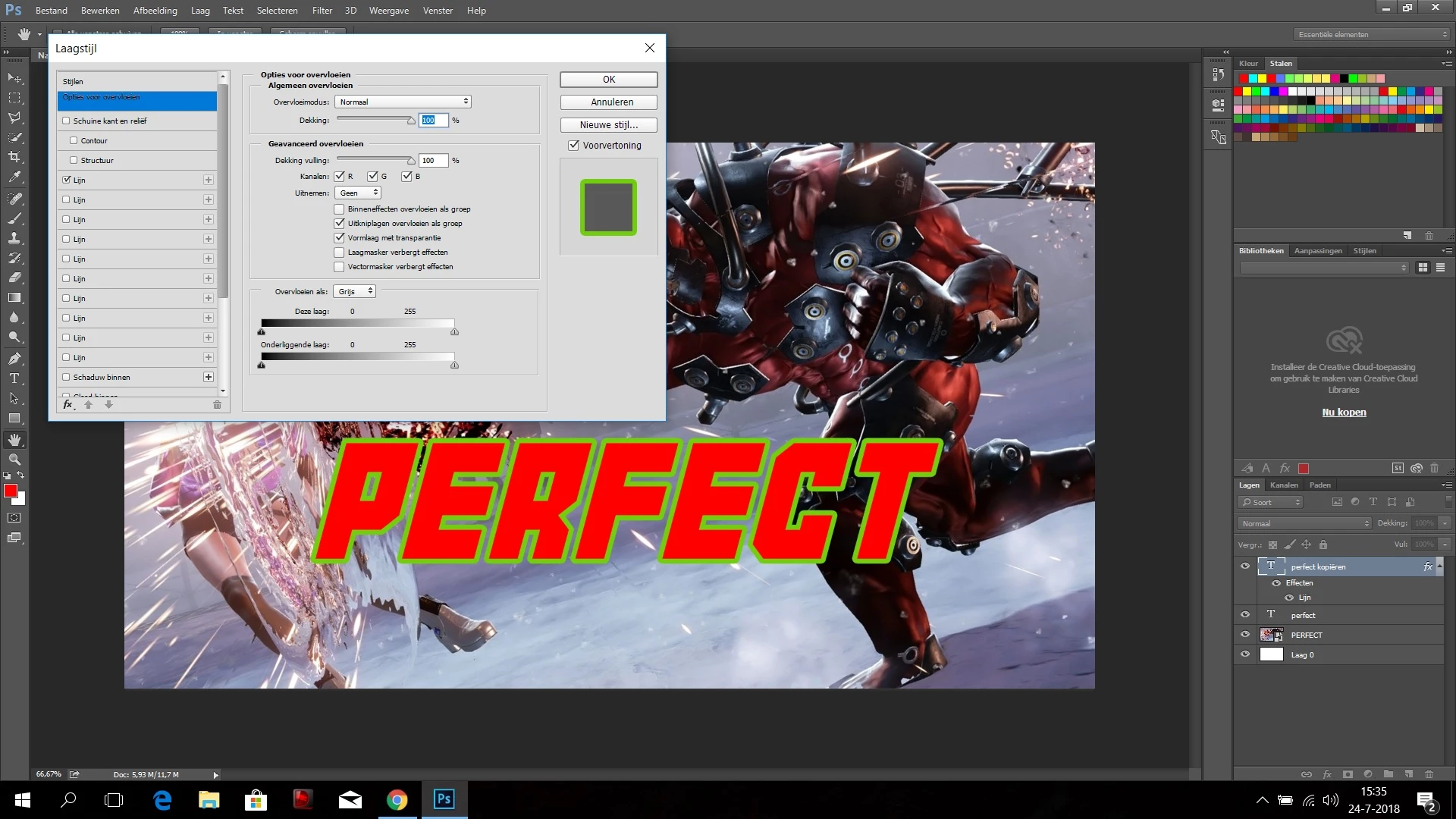
very strange but sometimes when I want to add a stroke to a text it only allows me to use the last color I used. I have dublicated the text, add extra layers but for some reason it wont allow to choose the color myself. Could you guys plz tell me what I do wrong. I have attached the Photoshop file.

thank you for your help.

Regards,
This topic has been closed for replies.
Correct answer Barb Binder

I'm trying to say that you need to click the word stroke to get the highlight behind it, and that will give you access to the color chip:

But, note how many times Stroke/Lign appears in the list? Use the trashcan to remove all but one. Then edit that one.

~Barb

1 reply

Barb Binder
Community Expert
Community Expert
July 24, 2018

Hi wartaalw17449574 :

The dialog box has a confusing interface. You have the checkmark on for Stroke, but you have Blending Options active (blue background). Click the word Stroke/Lign and you will be able to edit the color.

~Barb

~Barb at Rocky Mountain Training
Known Participant
July 24, 2018

barb thank you for the fast reply. But I think i was not precise enough. Even when I click on the box you mentioned. The interface of which i made the printscreen stays the same. Usually there should appear then a color box, so that I can choose my own color, but that doesnt appear. What am i doing wrong?

Barb Binder
Community Expert
Barb BinderCommunity ExpertCorrect answer
Community Expert
July 24, 2018

I'm trying to say that you need to click the word stroke to get the highlight behind it, and that will give you access to the color chip:

But, note how many times Stroke/Lign appears in the list? Use the trashcan to remove all but one. Then edit that one.

~Barb

~Barb at Rocky Mountain Training