


obrti01
Participating Frequently
March 8, 2024

PP Beta hangs when exporting MP4

  • March 8, 2024
  • 20 replies
  • 1045 views

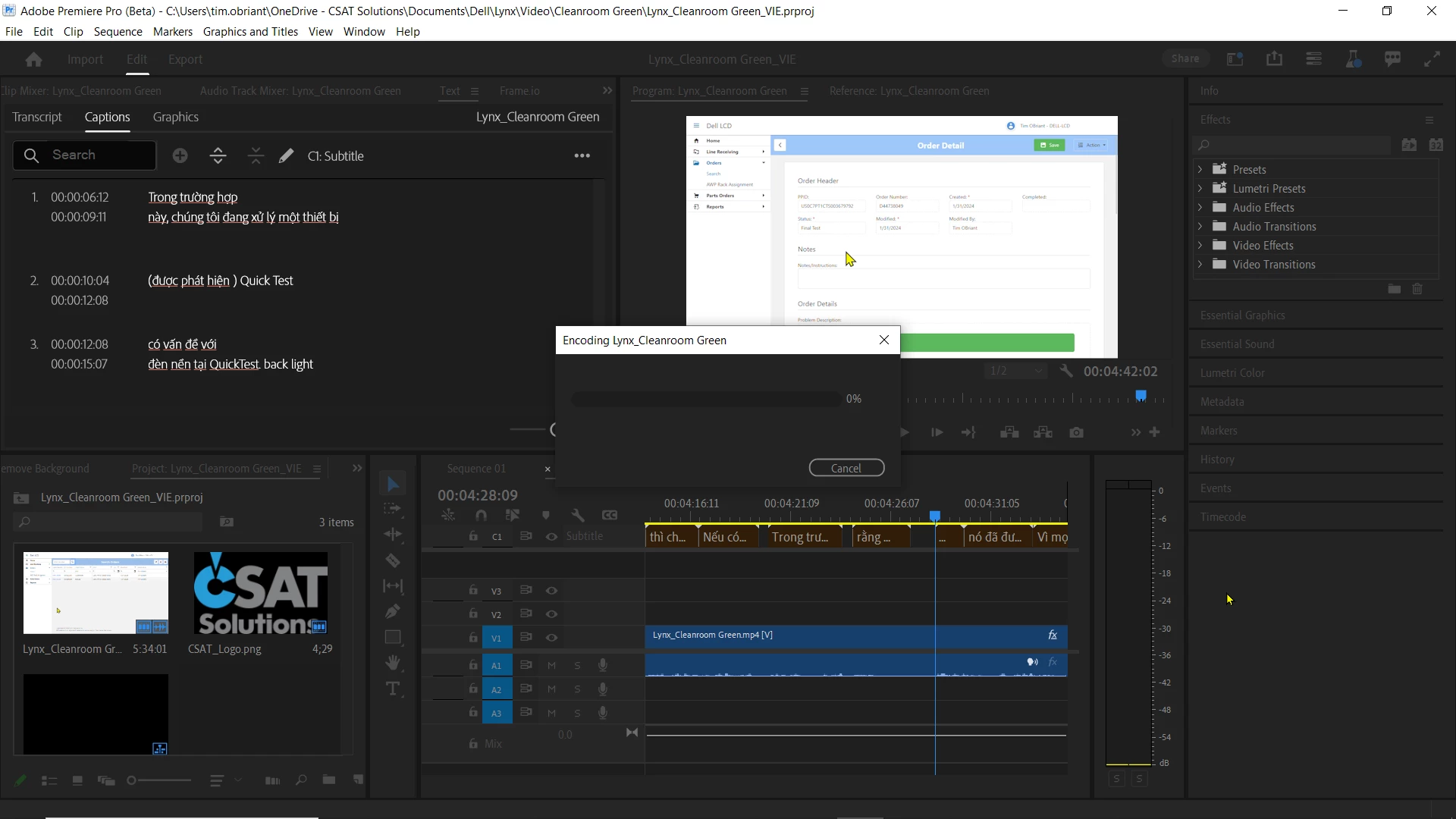
PP Beta hangs when exporting to MP4. Popup windows shows "Encoding <filename" at 0%. It never progresses.

Version 24.4.0 BETA (Build 11)

Dell Precision workstation using Windows 11
 

    This topic has been closed for replies.

    20 replies

    Stan Jones
    Community Expert
    Community Expert
    April 21, 2024

    Update for 24.5.0 Build 16. I used the same testing process as above:

    https://community.adobe.com/t5/premiere-pro-beta-bugs/pp-beta-hangs-when-exporting-mp4/idc-p/14489142#M2354


    Export 2 still fails immediately, but now shows a simple exclamation error "Premiere Pro Beta" with OK button. Click OK, error and dialogue window behind it close. PR does not close. (I think this means the error has been trapped but not fixed yet.)


    I did not test 608 or Text panel srt export.


    I did test queuing to AME. As often happens to me AME fails to open. I'll post in the AME Beta forum on that. Once I sorted that, I exported with sidecar, queued to AME, checked the setting (sidecar), and exported successfully.


    Stan


    obrti01
    obrti01Author
    Participating Frequently
    April 19, 2024

    I am now up to V24.5.0.14 and this still does not work.

    Bruce Bullis
    Community Manager
    Community Manager
    March 19, 2024

    I'll check...

    Participating Frequently
    March 19, 2024

    Hi Bruce!

    Still no export possible. Did you need any further informations?


    Ben

    Stan Jones
    Community Expert
    Community Expert
    March 14, 2024

    Confirm the bug.


    On Build 14. I see Build 17 is now available, but have not updated.


    Cleared cache, reset preferences, and created new project when I updated to Build 14. Import clip (Kerstin interview - mp4, 1280x720, stereo track), transcribe, create sequence, create captions (default subtitle format).


    Export with Ctrl+M, H.264, Adaptive High Bitrare with defaults other than setting Captions to Burn-in for Export 1 and to Sidecar for Export 2.


    Export 1 completes with no issue. Export 2 immediately hangs with no progress (shows the zero percent number). Waited several minutes. Cancel button works.


    Exporting srt from text panel works. Changed caption track to 608; hung on export with sidecar.


    System info
        Application: Premiere Pro (Beta) v24.4.0.14
        OS: Windows v10.0.19045, RAM: 63.80 GB GB, CPUs (logical): 16


    Stan


    Bruce Bullis
    Community Manager
    Community Manager
    March 13, 2024

    Now that's a lead! Will test further...

    obrti01
    obrti01Author
    Participating Frequently
    March 13, 2024

    For me, I am using captions. If I burn the captions into the MP4, it works. If I tell it to create a sidecar file, it does not.


    Participating Frequently
    March 13, 2024

    Update: The export now works without making any changes to the Beta program or the PC. A mystery.

    Bruce Bullis
    Community Manager
    Community Manager
    March 13, 2024

    Good info, thanks!

    Participating Frequently
    March 13, 2024

    Well, the Beta version proved to be extremely reliable and finally had the features and settings that I had missed in the regular version. Yes, the directory is always the same. The export generally fails. Whether a single small video sequence or an edited  film. However, the export only failed since the update on Sunday March 10th. After the last update it worked again and with today's update it doesn't work again. I have attached the export settings as a screenshot. They haven't changed since testing Beta.
