



Auto Color in Basic Corrections Lumetri Panel
I’m pleased to introduce a newer, fresher version of the “Auto” button in the Basic Corrections section of the Lumetri color panel. Now called “Auto Color,” it provides a fast track for intelligent color correction.
Note: this was originally introduced as "Auto Tone" and has now been renamed to "Auto Color"
We sat down with an exclusive set of users to test the new version of Auto Color, from novices to color experts. We learned that everyone (even the experts) need a jumping off point for color. Auto Color accelerates the first phase of correcting and enhancing color, while allowing you to tweak the parameters to reflect your personal style.
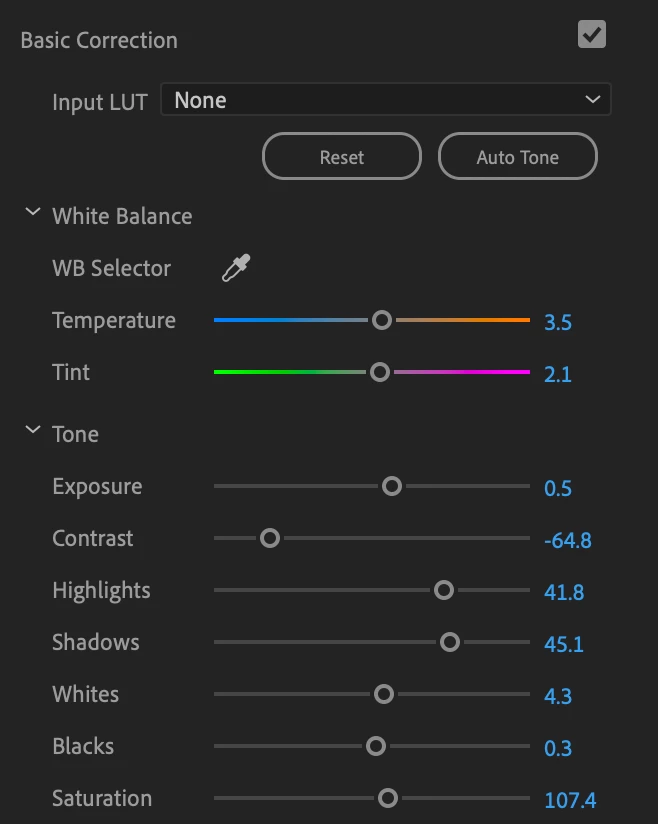
If you are a new user, the Basic Corrections panel is a great place to start. Hit “Auto Color” and start adjusting the sliders to get to know:
- Temperature
- Tint
- Exposure
- Contrast
- Highlights
- Shadows
- Whites
- Blacks
- Saturation
 AdChoices