



Discuss: New way to control how label colors and clip names are displayed in the timeline
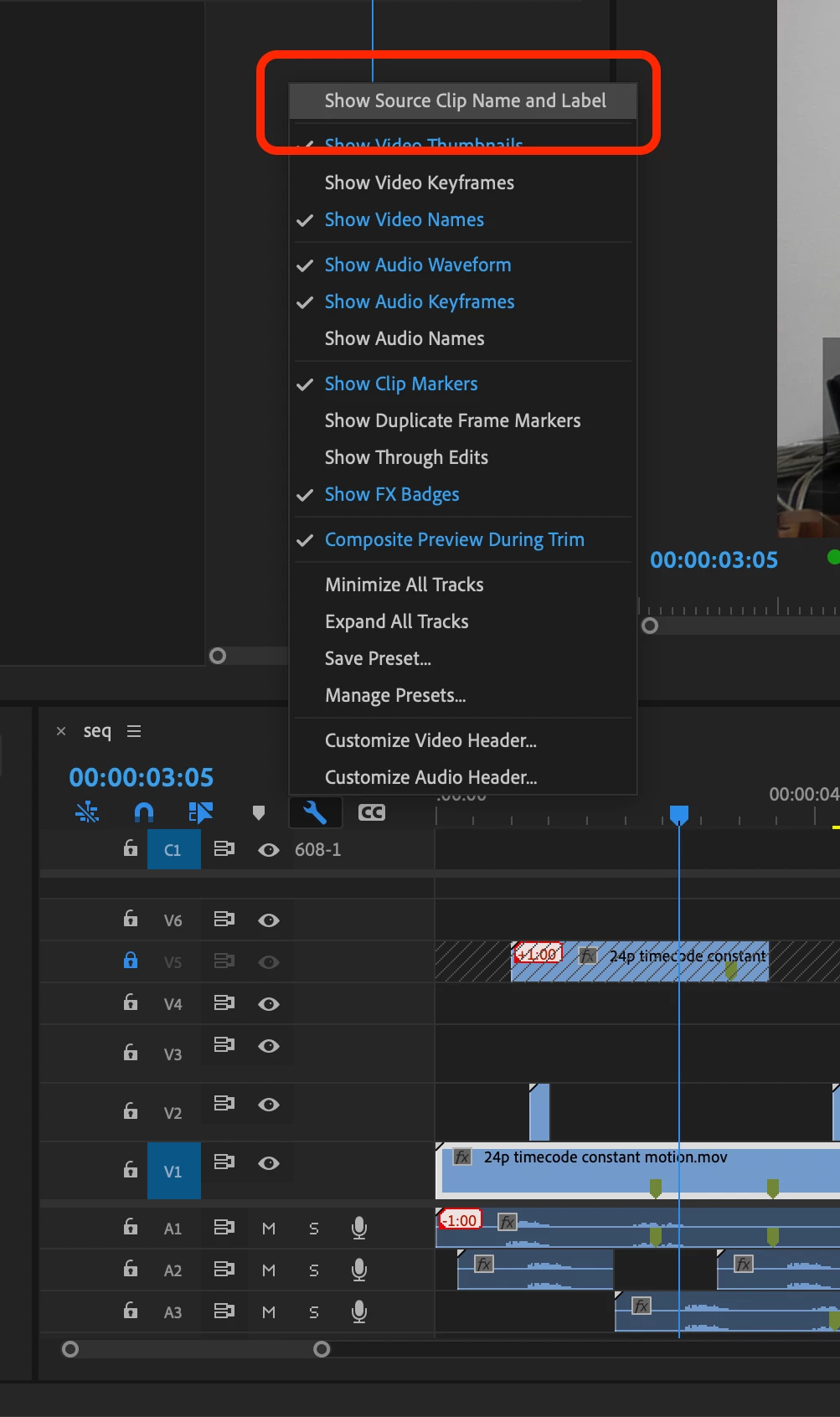
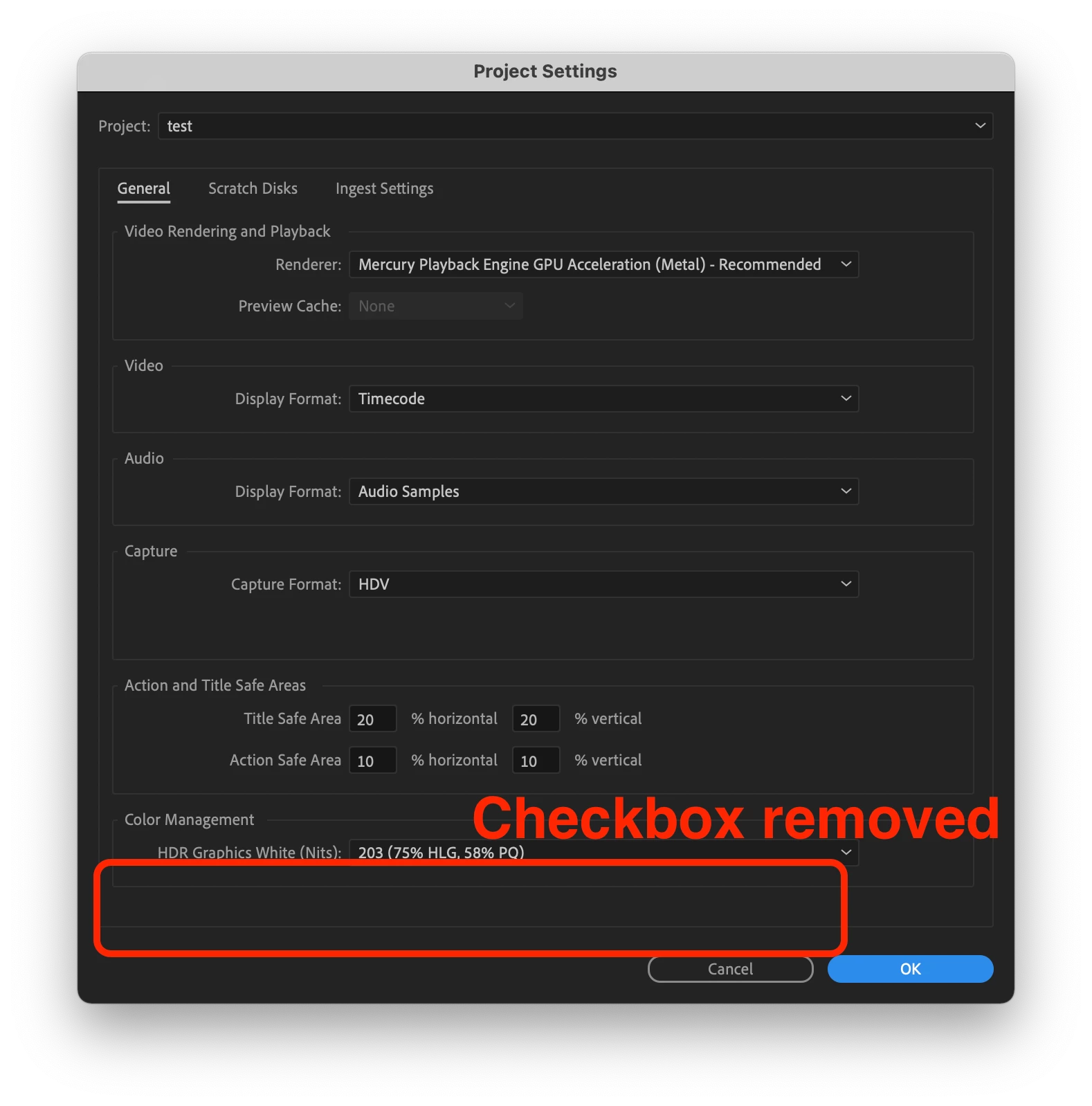
New in Premiere Pro Beta 15.2 (Build 9) is a refined workflow for controlling how label colors and clip names are displayed in the timeline. Previously you could use a checkbox in the Project settings called “Display the project item name and label color for all instances” to control if your timeline clips used their own independent name and label color or matched the source clip in the Project panel. Now, this option has been removed from the Project Settings and can be found as a view option in the wrench menu in the Timeline panel called “Show Source Clip Name and Label”.
This change means you can easily toggle this view setting via a keyboard shortcut. Additionally, if you are working in a Production you now have a way to control this setting and decide if you want your clip name and label colors to be unique to the timeline, or reflect the source clips.
Let us know how this feature is working for you!
 AdChoices