Ann Bens
Community Expert
Community Expert
April 17, 2022
Question

Export Page

  • April 17, 2022
  • 5 replies
  • 2432 views

As there is no way to answer a post in Idea.

I am posting this here;


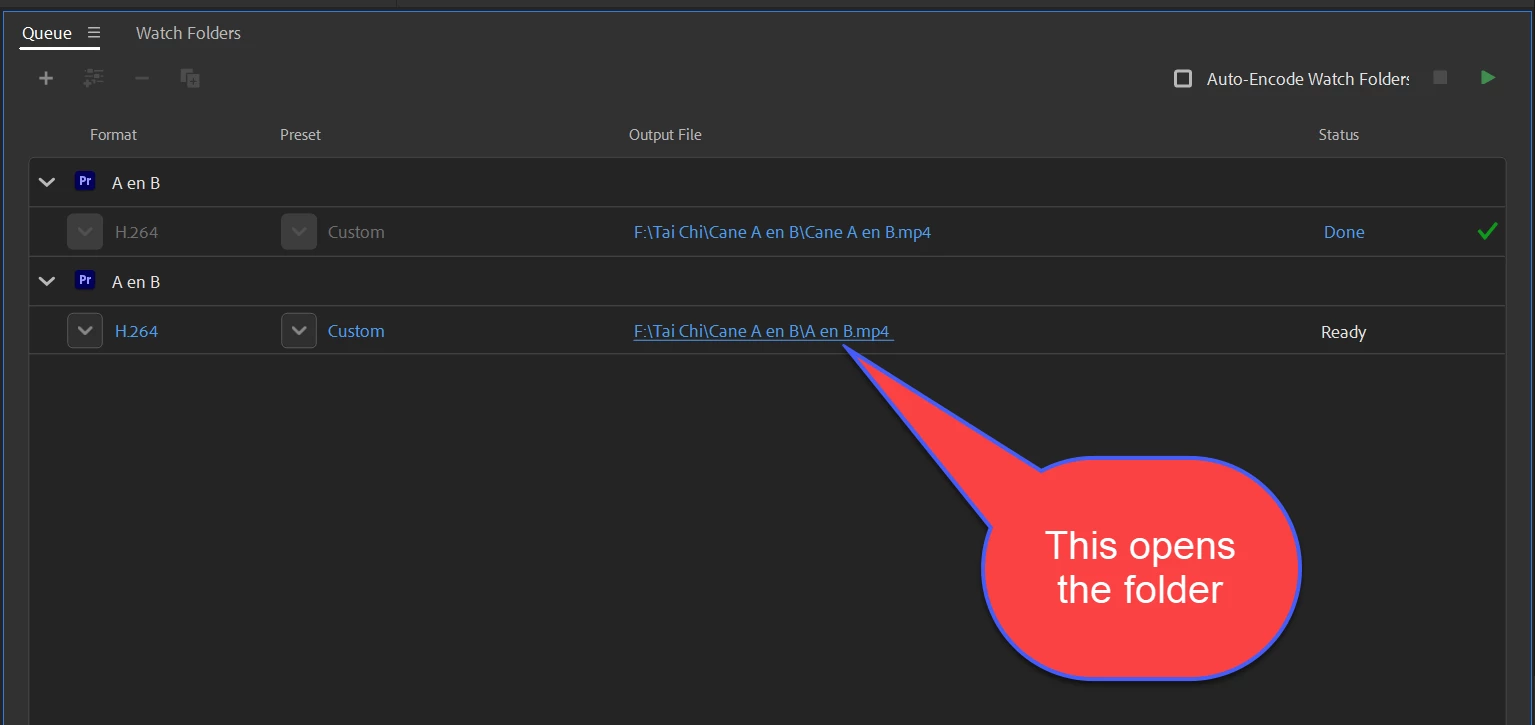
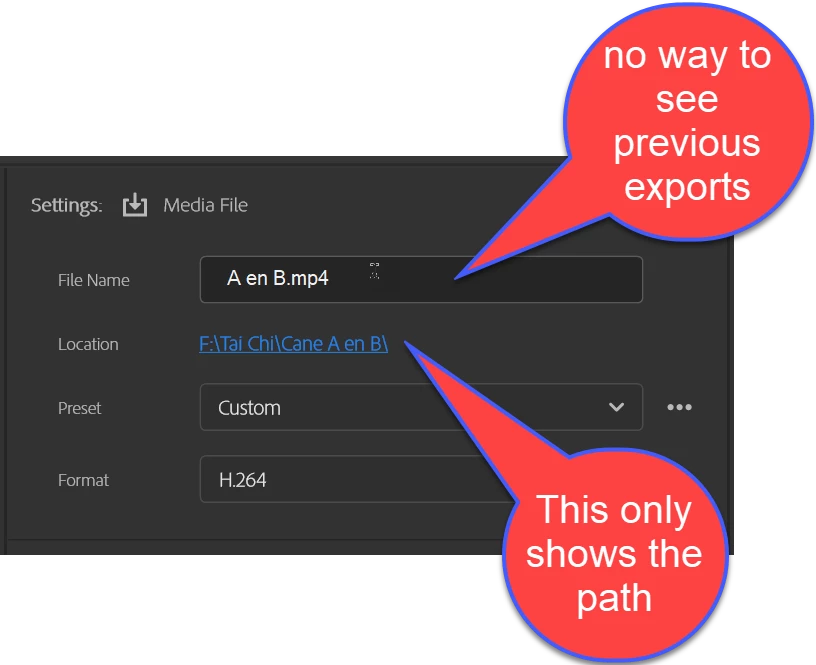
No way to see previous exports.


This topic has been closed for replies.

5 replies

Heathenlamb
Known Participant
May 2, 2022

The new Export window has simply runied my enjoyment of Premiere Pro. It is a clunky, counter intuitive interface.

R Neil Haugen
Legend
May 2, 2022

Understood, so ... don't use it.


Send to MediaEncoder. Same exports with the old dialog and without stopping Premiere while the export is done.


Neil

Everyone's mileage always varies ...
Heathenlamb
Known Participant
May 2, 2022

Or maybe they just improve the export window rather than make it worse and not create a situation where I have to now load a 2nd app to do the work I was doing perfectly fine before 😉


Inspiring
April 25, 2022

I think the new export page is more frustrating than helpful. 


Here are the parts that I find frustrating: 


  • Aforementioned issue where we have lost the ability ot see files and can only select a folder. 
    • On Windows I think this has a side effect of not populating the file you just exported into the "recent files" section of windows explorer. I had grow accustomed to using that area to quickly open the file for QC and sharting ETC. This is frustrating. 
  • All presets are grouped into one big dropdown regardless of export codec. This gets very confusing fast when you have adobe supplied h.265 and h.264 presets with basically the same name. Also when I have a format selected like .wav and go to the presets why would I want to see a bunch of irrelevant video presets. This change makes almost no sense to me. At least group them or show what format they belong to in the dropdown somehow? 
    • Example of very similar adobe preset names but some are h.264 some are h.265 but no way to tell. 

  • Useful settings buried under too many clicks. 
    • This was brought up a lot in beta but ignored. BITRATE / GPU -on/off / maximum depth / maximum quality / are all things I change on a nearly export to export basis. Why is bitrate buried so far down the list. 
  • Use previews still not working for anything other than a smart render. 
  • Overall the export page is a downgrade in functionality and ease of use. Many requests in the beta forum were dismissed. 
WizWorldLIVE
Inspiring
April 26, 2022
  • Overall the export page is a downgrade in functionality and ease of use. Many requests in the beta forum were dismissed. 

I truly cannot stand the new export page. I rolled back.


I don't understand why they added so many clicks. So much new UX friction.

Inspiring
May 15, 2022

I would perhaps use Media Encoder, except I use dynamic link a lot and Media Encoder has exported things incorreclty one too many times, causing QC headaches. I've lost all trust in that program. Sometimes audio is off too for no reason. I prefer to export out of Premiere unless I have a huge amount of versioning I need to do then I always boil it down to a master video file from Premiere before I export en masse from Media Encoder.


Basically export settings were pefectly fine before this version. They put on a new coat of paint with some good ideas (preset manager on paper sounds decent, but why not just copy the more organized one from media encoder) and a lot of bad ones.  I'm hoping they can get it sorted out.


The more I use this new export page day to day the more infuriating it becomes. Burn the new export window with fire, and we might not even cry as our 600$+ a year per seat were boondoggled on this mess and not on something actually useful, like batch synching dual system sound with timecode. Or instant auto save, or being able to see waveforms as you drag them, or any of the other things that make a modern NLE professional and, well modern. 


Inspiring
April 20, 2022

Yeah this has been the common (and fair) complaint on the new Export module.


While it might not be a fully sufficient replacement, the Quick Export function at least still maintains the combined File Name + Destination picker, which does let you see existing files. For exports that can adopt a preset "as is" this should work.


That said, I'd be all for Adobe bringing in that combined picker into the new Export module. I'd have to imagine that could be done in some way or another.

Inspiring
April 20, 2022

To add, if the Adobe folks happen to be digging this deep in the comments to begin with, one way I could see approaching this if the [Save As] button suggestion Ann made doesn't work for some technical reason:


  • The top level "Media File" destination in the new Export Module uses the combined "File Name + Destination" picker (same as in Quick Export) which lets users see existing files and set their name and directory at the same time.
  • All other destinations (including new "Media File" destinations users add to the left toolbar) use a seperated File Name field, and Location picker. 


This way, I think you get the best of both worlds. Users who want to reference that information can do so by default, but it still allows users to save predefined directories as destinations on the leftside toolbar.

R Neil Haugen
Legend
April 18, 2022

SO totally agreed.


I don't understand why it was even 'built' for first looking at on scratch paper without having the ability to see previous exports. Checking naming of prior exports, at times choosing to over-write one ... all typical parts of the process.


Neil

Everyone's mileage always varies ...
Community Expert
April 19, 2022

There are similar issues with the 'new project' page, I don't understand why they changed a perfectly standard Windows dialogue for this new version.

Stan Jones
Community Expert
Community Expert
April 19, 2022

Richard, check me on this. I assumed the same, since I am so annoyed every time I name my "test" project with an update. I thought it must have changed for new projects with version 15. But the oldest CC I have is 2019 and it is the same. And CS6.... the same!


The "new" method is pick a directory (from a standard windows dialogue, but directories only visible) and type a filename in a text box (in the case of export, the sequence name as the starting text).


Stan


Ann Bens
Community Expert
Ann BensCommunity ExpertAuthor
Community Expert
April 18, 2022