Exit
  • Global community
    • Language:
      • Deutsch
      • English
      • Español
      • Français
      • Português
  • 日本語コミュニティ
  • 한국 커뮤니티
1

New UI in Beta 24.4 (Build 20) is missing crucial information on audio tracks when collapsed

Contributor ,
Mar 19, 2024 Mar 19, 2024

In the new UI present in Beta 24.4.0 (Build 20), when an audio track is collapsed to a certain height the FX badge, crossfade slider and name of track do not show. Here are tracks that are identical heights in 24.1 vs. the Beta 24.4
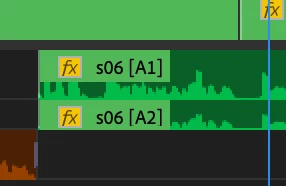

Screenshot 2024-03-19 at 1.29.27 PM.png

Screenshot 2024-03-19 at 1.29.35 PM.png


You can see how when the tracks are small I am able to see the track names, additionally by the changed color of the FX badge I also know the volume of the track has been modified. I can do this by eye without having to expand tracks in order to get that info. For those of us working on large projects with lots of tracks, we cannot afford to have giant audio tracks just to see track names, that info needs to always be visible if we want it to be. You can easily map Show Audio Track names to a shortcut key if you want to disable seeing them.

536
Translate
Report
Community guidelines
Be kind and respectful, give credit to the original source of content, and search for duplicates before posting. Learn more
community guidelines

correct answers 1 Correct answer

Adobe Employee , Mar 19, 2024 Mar 19, 2024

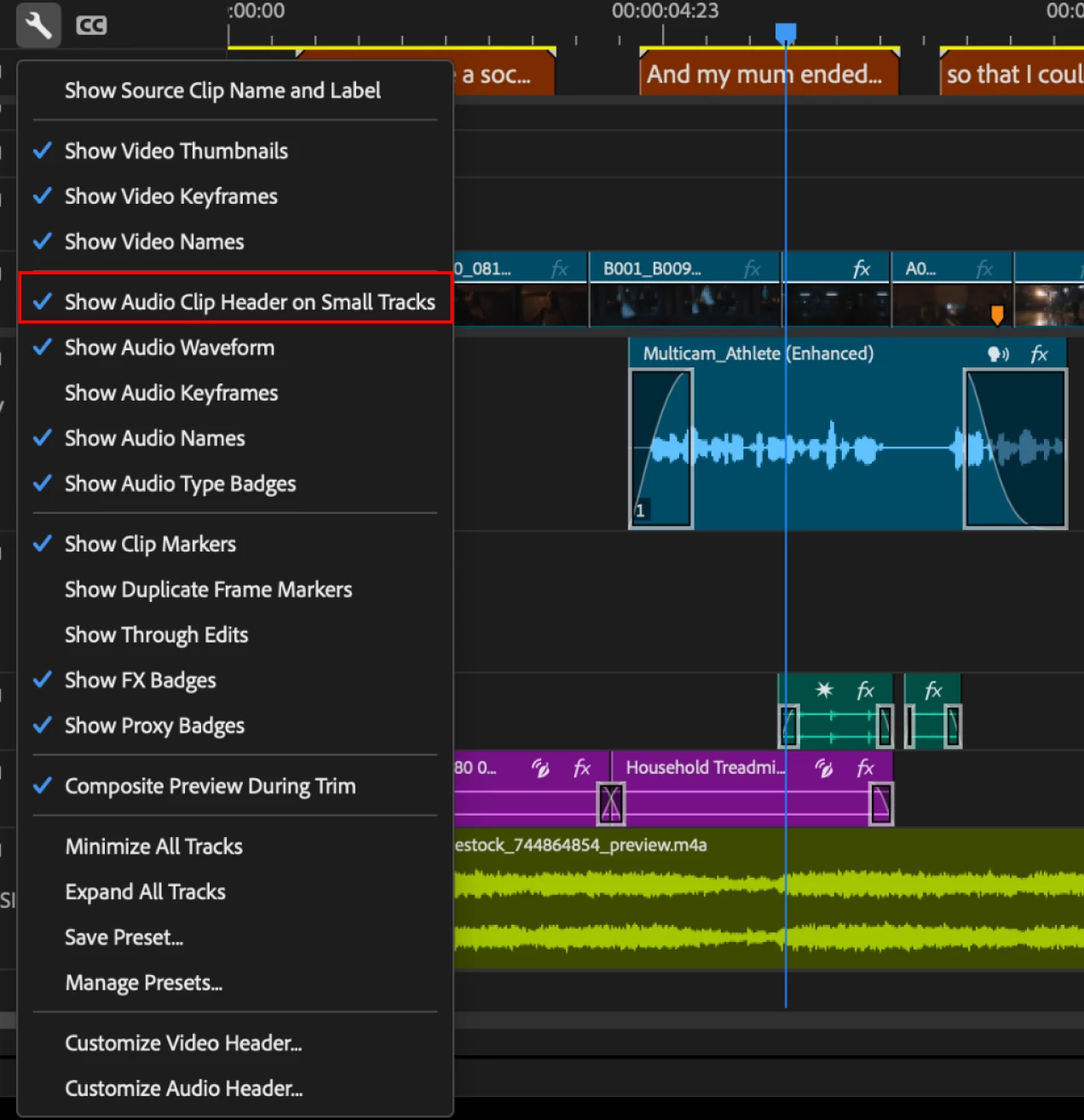
Hi Brian! This is Adolfo from Adobe. In the latest Beta, you have a preference that will allow you to show you the name and badges at small track heights. It is called " Show Clip header at small track". If you enable it you should be able to get into that mode without any issues.
Now, the fade handle that allows you to create on-clip transitions, will show even on the smallest tracks if the preference is off. The reason why is because the clip itself cannot fit the header, name and handles all

...
Translate
LEGEND ,
Mar 19, 2024 Mar 19, 2024

There's an icon in the upper right corner of the beta apps, a little bubble-cloud with three dots?


Click on that, and you go right to the public beta forum. Please post this over there if a mod doesn't move it.

Translate
Report
Community guidelines
Be kind and respectful, give credit to the original source of content, and search for duplicates before posting. Learn more
community guidelines
Contributor ,
Mar 19, 2024 Mar 19, 2024

Ah thanks! I clicked the wrong spot!

Translate
Report
Community guidelines
Be kind and respectful, give credit to the original source of content, and search for duplicates before posting. Learn more
community guidelines
Adobe Employee ,
Mar 19, 2024 Mar 19, 2024

Hi Brian! This is Adolfo from Adobe. In the latest Beta, you have a preference that will allow you to show you the name and badges at small track heights. It is called " Show Clip header at small track". If you enable it you should be able to get into that mode without any issues.
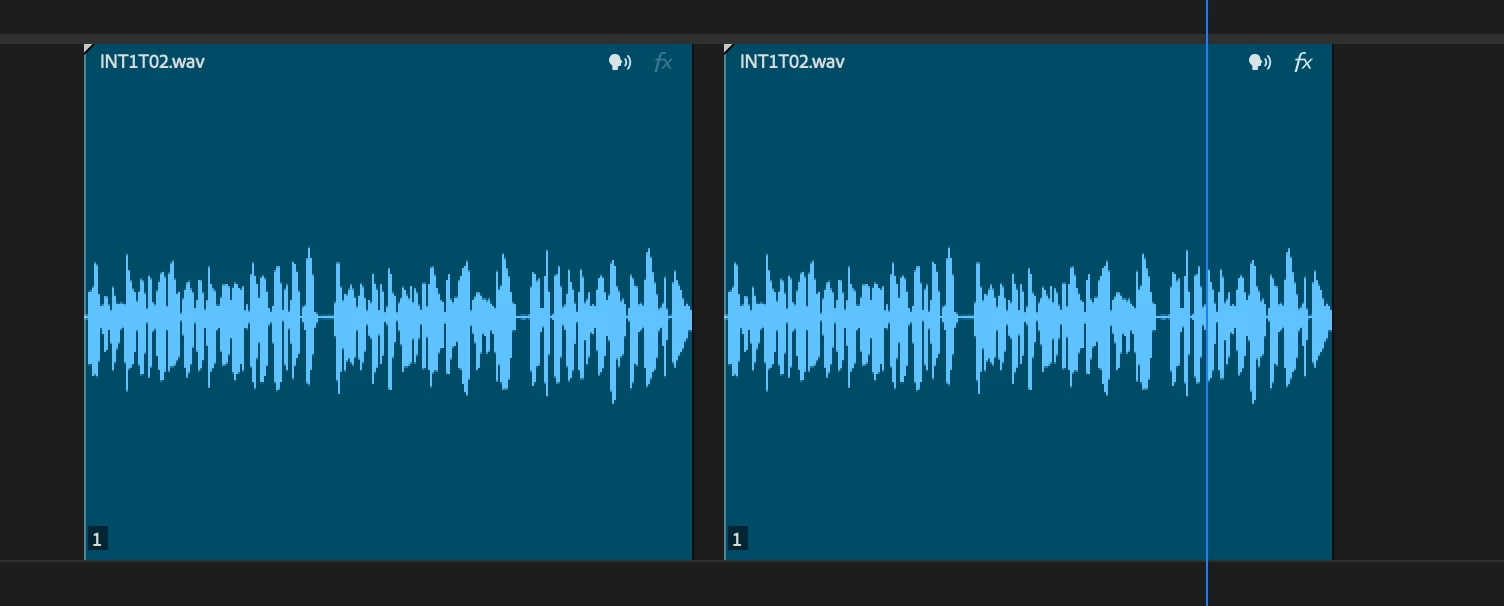
Now, the fade handle that allows you to create on-clip transitions, will show even on the smallest tracks if the preference is off. The reason why is because the clip itself cannot fit the header, name and handles all in one. Once the header mode is off, you get a full view of the waveform and the handles. The moment you expand the track will will progressively disclose the rest of the infromation. If you want to create transitions at the smallest track height with the preference on, you can still do it by keyboard shortcuts or adding it through the effects panel.

Now as for the color of the badge, when a clip doesn't have volume change, the FX badge will show as disable, meaning it hasn't been modified. Once you do a change the badge will be highlighted. 

Let me know if you have any other questions.

Adolfo5C9A_2-1710881811491.png


Adolfo5C9A_1-1710881629081.png


Adolfo5C9A_0-1710881476865.png


Translate
Report
Community guidelines
Be kind and respectful, give credit to the original source of content, and search for duplicates before posting. Learn more
community guidelines
Contributor ,
Mar 19, 2024 Mar 19, 2024

Yeah this is great, thank you! Should've read the release notes, have been bouncing between main app and Beta lately and wasn't paying attention. Thanks for the great detailed reply.

Translate
Report
Community guidelines
Be kind and respectful, give credit to the original source of content, and search for duplicates before posting. Learn more
community guidelines
Adobe Employee ,
Mar 19, 2024 Mar 19, 2024
LATEST

Brian! no worries at all! I'm here to help so if you have any other questions let me know. Thanks for posting!

Translate
Report
Community guidelines
Be kind and respectful, give credit to the original source of content, and search for duplicates before posting. Learn more
community guidelines