



Now in Beta: Enable Log Color Management with a Single Click
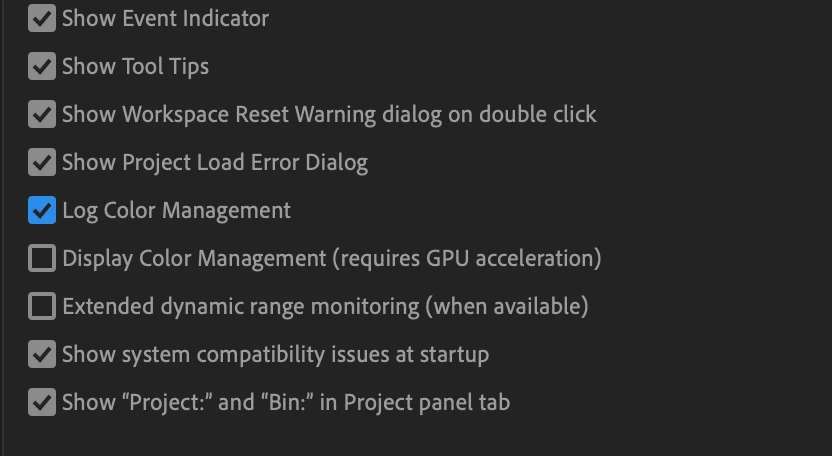
Premiere Pro disables automatic log color management for Sony XAVC Slog clips as a default in this latest beta. It now has a new preference setting for easy enabling of the feature.
This is a change from the previous behavior where automatic log space detection and color management for Sony XAVC Slog video was enabled as a default, and imported XAVC clips were color managed.
For Premiere users that did not want their XAVC Slog clips color managed, they had to manually override color management and set each clip to Rec 709.
In this beta, the behavior has changed -- automatic detection and color management of XAVC Slog clips will not be the default behavior. Premiere users will have to “opt in” to use it.
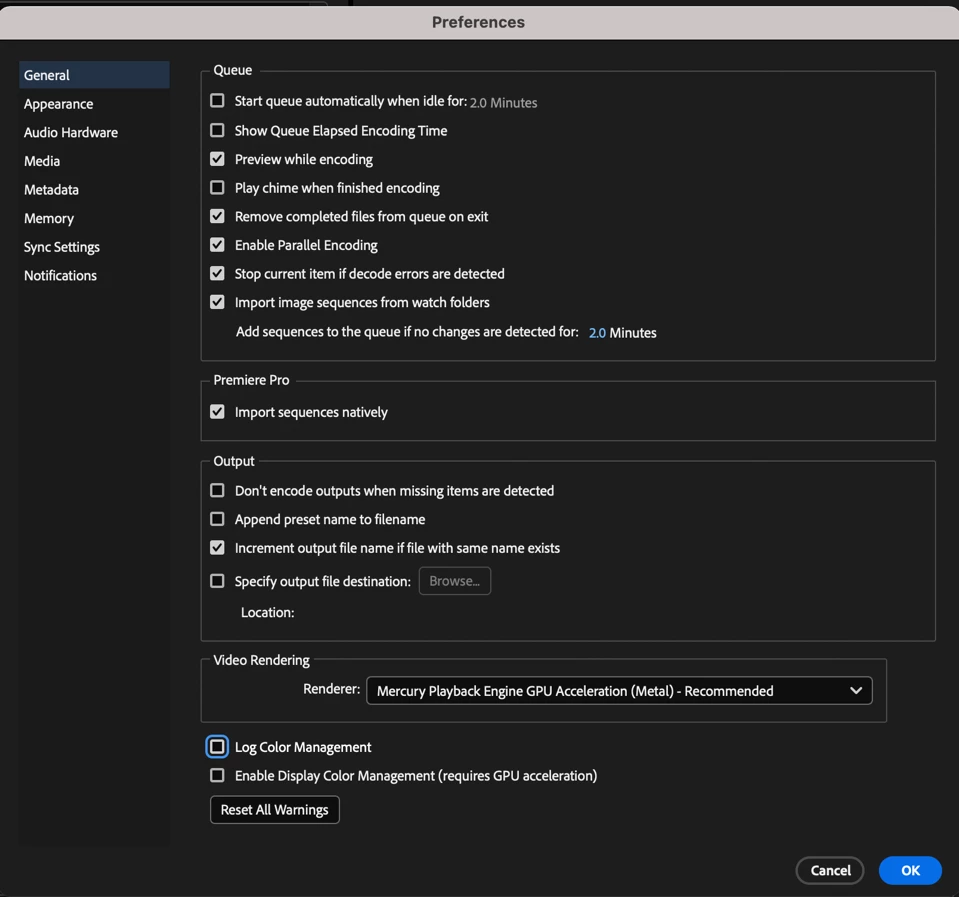
Premiere Pro users can decide if they want automatic detection of Sony XAVC Slog clips, and color management by enabling the new “Log Color Management” setting in the preferences panel, by going to File > Preferences > General and checking “Log Color Management”
FOR LEGACY PROJECTS WITH XAVC CLIPS INTERPRETED AS SLOG
If you have legacy projects with XAVC SLog color managed clips, and you want to keep working with this workflow, you’ll have to enable the Log Color Management preference after you open your project. Clips that were automatically detected and interpreted into log color space will only be color managed if Log Color Management is enabled.
ADOBE MEDIA ENCODER
The Log Color Management preference is also in AME so Premiere users can enable and disable automatic Sony XAVC Slog detection and color management on export.
COLOR MANAGEMENT GOING FORWARD
Sony XAVC Slog is currently supported for automatic detection and color management with this new feature, support for Panasonic and Canon Log formats are coming soon.
Automatic detection and color management for log video formats is one part of a larger color management and tone mapping system in development for Premiere Pro that will be introduced and validated through the beta program.
Automatic detection and color management will always be opt-in for Premiere users, the Rec 709 and LUT-based color workflow will remain as the default.
We want to know what you think. Please join the conversation below.
 AdChoices