

Community Manager
October 27, 2025
Question

[Now Released] Video Transition Handles in Premiere Pro

  • October 27, 2025
  • 3 replies
  • 1495 views

The Premiere Pro Team is excited to introduce a new Beta feature: Video Transition Handles.
This update makes it faster and more intuitive to create and edit transitions directly on video clips, just like you already can with audio.

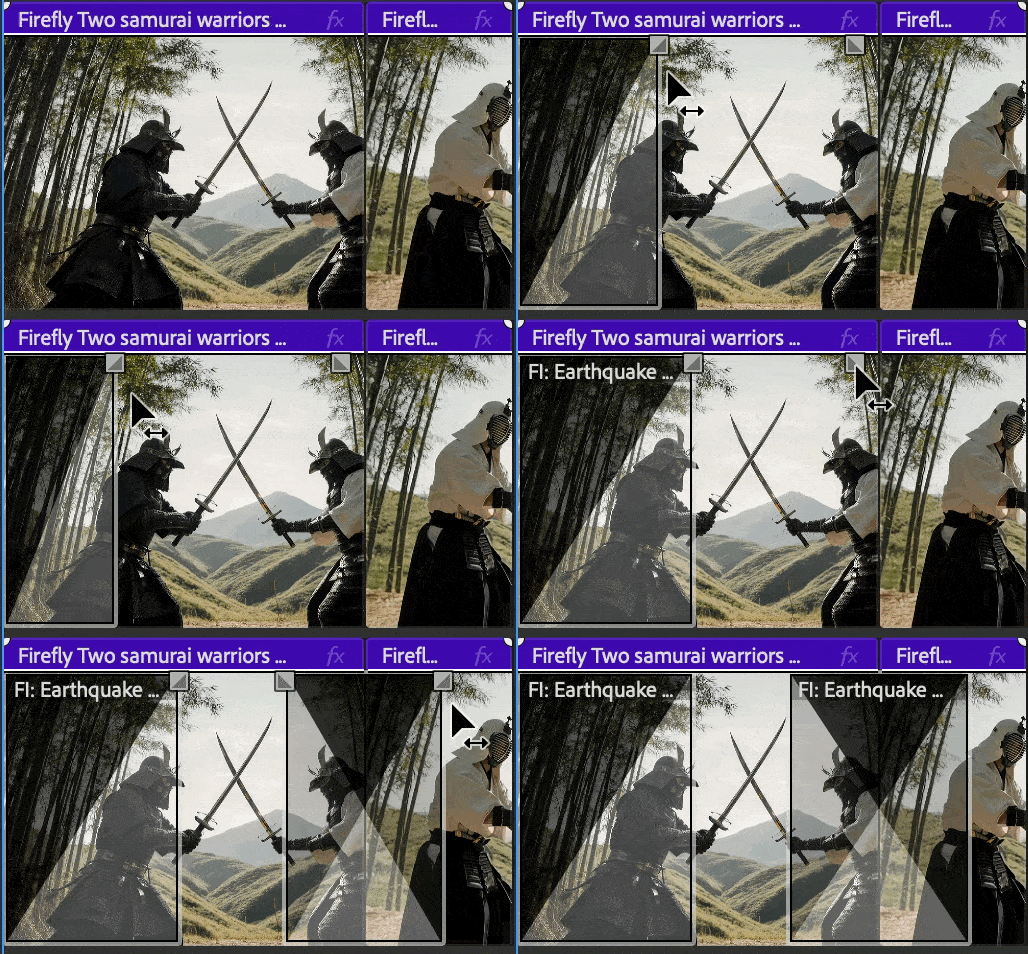
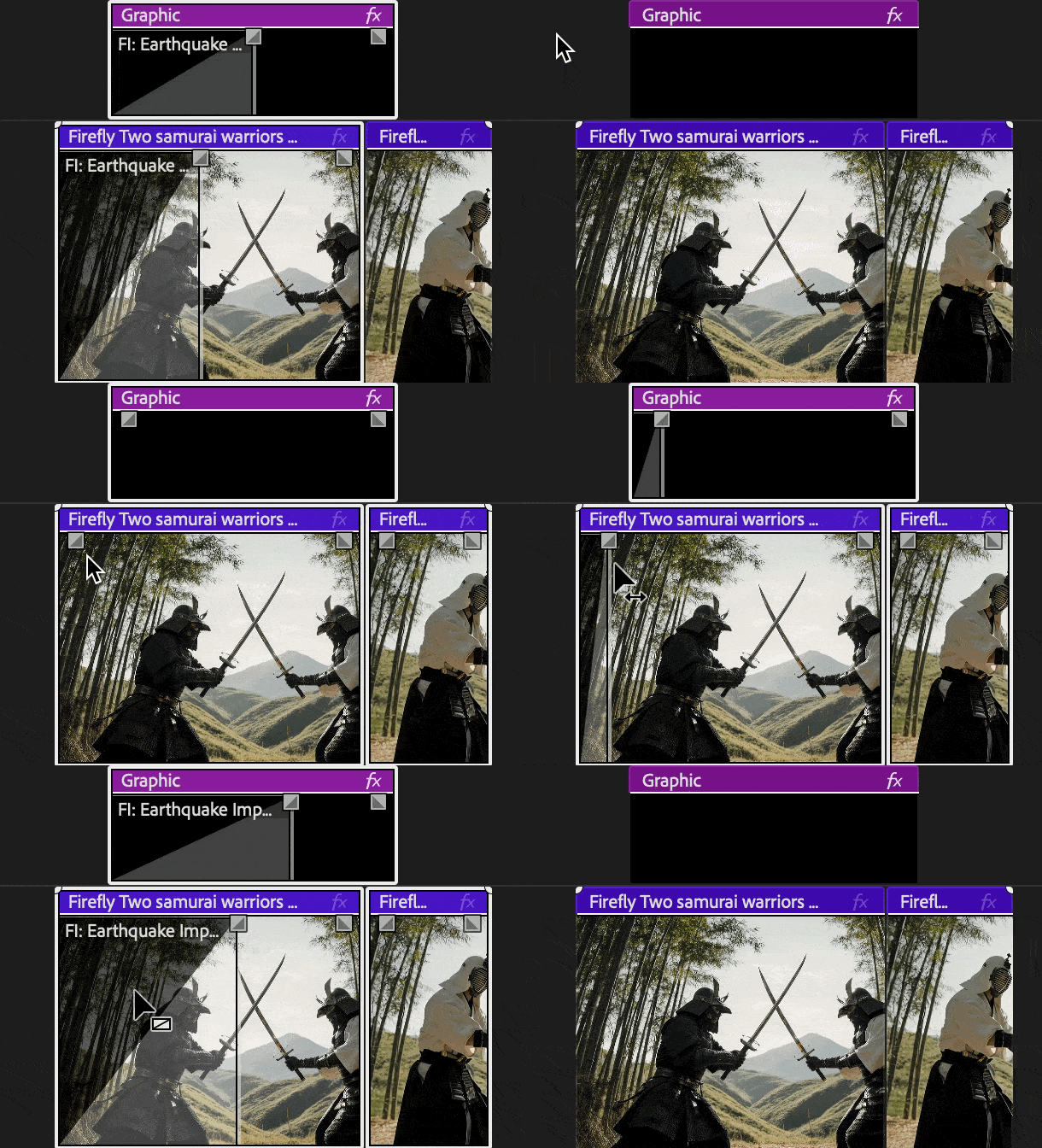
Video Fade Handles allow users to control the transition duration directly from the timeline, providing a way to create and modify the timing of transitions.


Key Enhancement

Drag the new handles at clip edges in the timeline to quickly fade video clips in or out. The handle appears directly on each clip, showing transition length instantly for one or multiple clips.


More Control with Transitions

Want to use your favorite transitions on the video fade handles? No problem.
Video Fade Handles respect your default transition defaults, meaning the transtion will automatically use the transition type and duration you’ve assigned as default, whether that’s a cross dissolve, dip to black, or one of the new Film Impact transitions.
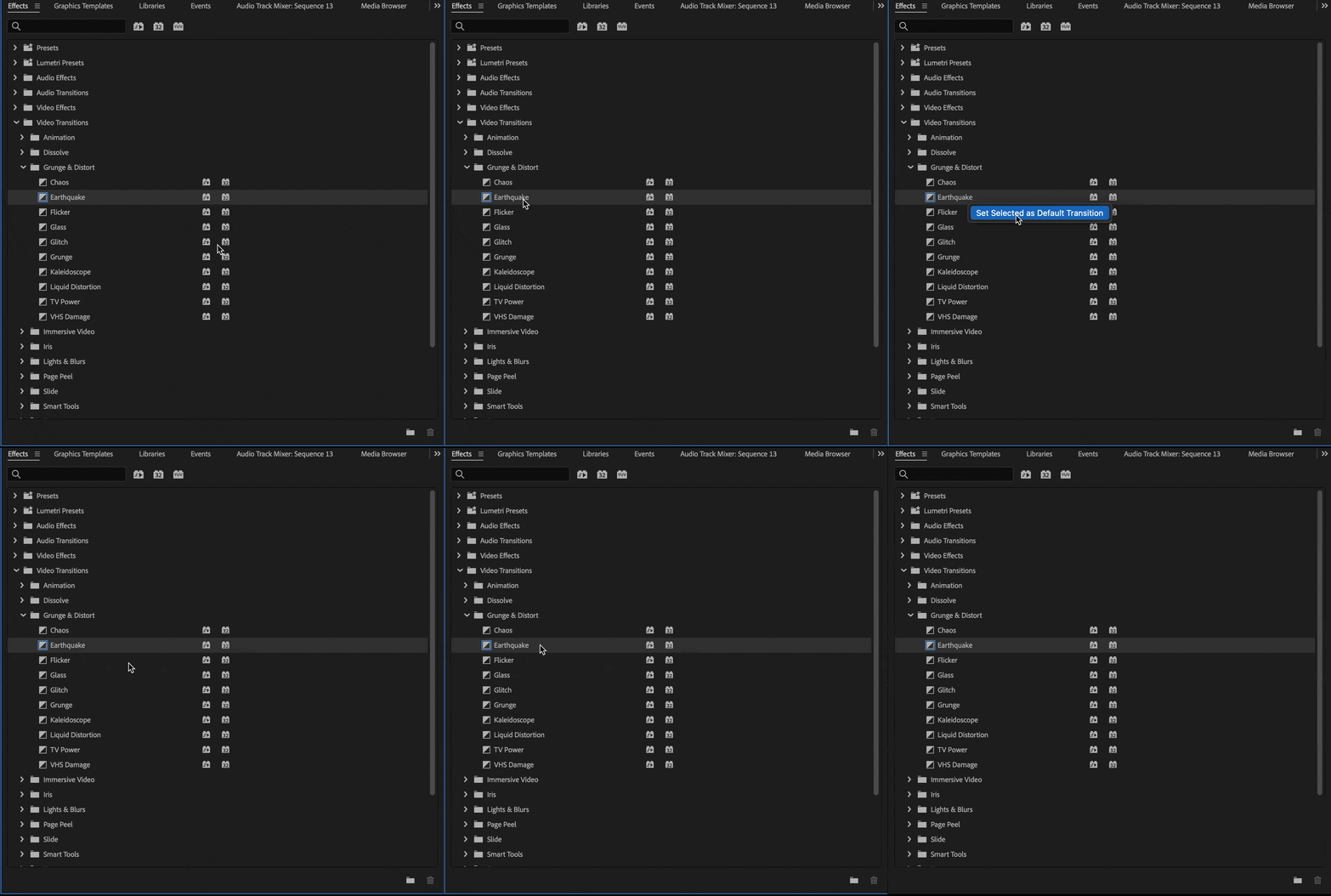
This gives you flexibility to decide the visual style you want for your transitions while keeping the workflow simple and consistent.


Why It Matters

  • Makes adding and adjusting transitions faster and more intuitive.
  • Works seamlessly with your default transitions or the new Film Impact transitions.
  • Reduces mouse mileage.
  • Speeds up finishing and creative timing adjustments.


Try It Out

This feature is available now in the latest Premiere Pro Beta build. Give it a try, test it across different clip types, and let us know how it fits your editing workflow.


Your feedback directly shapes how we improve transitions and timeline control in Premiere Pro.


Note: We’re still polishing some interactions, so expect to see improvements as we iterate.


Happy editing!


This topic has been closed for replies.

3 replies

Inspiring
November 10, 2025

No more digging through menus or wasting time setting up basic transitions. Just grab the handle, drag, done. It’s fast, it’s visual. Props to the team.

Participating Frequently
November 3, 2025

Hello is it possible to adjust the length of all transitions at the same time if i select all the clips?
in the demo it kinda looks like you can, but I can't get that working on my end.

Ron Rigler
Community Manager
Community Manager
November 3, 2025

@Alex _Phantom the implementation is currently restricted to vertical clip selection, similar to the audio workflow. We are investigating enhancing the feature but I can't offer any timelines. Thanks for your feedback.

Adolfo H.Community ManagerAuthor
Community Manager
November 6, 2025

Absolutely!
I use Transitions at a lot with my Graphic Captions, and the ability to change them all at once (duration and or effect properties) would be very helpful.

For example, given the update with Film Impact Effects/Transitions. A lot of the transitions are very useable towards caption animations or 'Text Transitions' in this case between Caption graphics.

Adjusting the timing of each transition dependent on clip length, or making effect properties changes would be all at once would be helpful.


@Alex _Phantom makes perfect sense. Thank you! We are also looking into a modifier using the marquee selection tool, so you can only select the transitions and then you can double click them to set a fixed duration. Right now you can press shift and click on each one individually to do a multi selection. After doing that you can double click on any of them and you can adjust the duration for all of them.

Ann Bens
Community Expert
Community Expert
October 28, 2025

B13 does not match the second screenshot.

Few odd effects in the dissolve folder.

Ron Rigler
Community Manager
Community Manager
October 28, 2025

Thanks for the feedback @Ann Bens . These changes are related to efforts underway to better intergrate the Film Impact effects.

Ann Bens
Community Expert
Community Expert
October 28, 2025

The legacy effect/transition are they going to be deleted any time soon?