TeresaDemel
Community Manager
Community Manager
Mar 30, 2023 7:05 PM UTC
Question

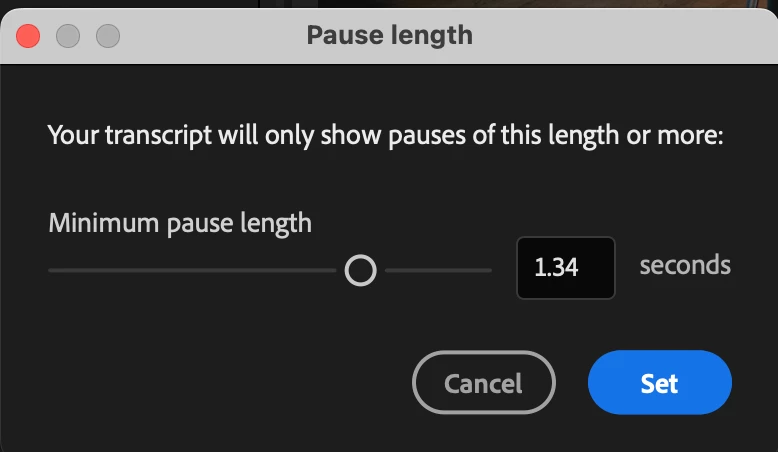
Text-Based Editing Update: Change the Length of Pauses

We got feedback from all of you that you want to change the length of pauses, since sometimes you just want to find the long moments of silence, and sometimes you want to find all the tiny little "umms" that someone says. (Thanks for all the survey feedback. If you haven't filled it out yet, it is here.)


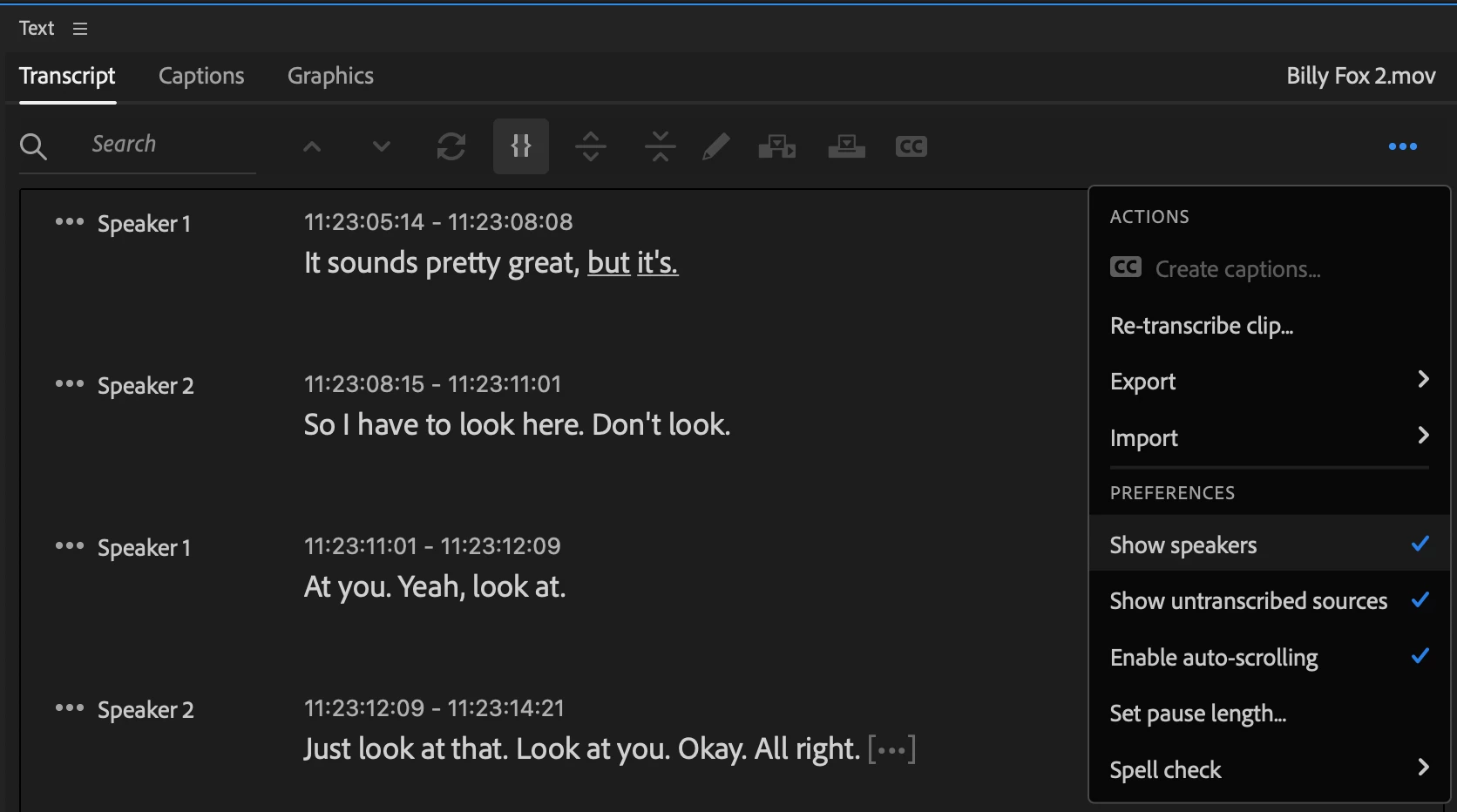
To change pause duration in the Transcript panel:

  • Open the overflow menu in the top-right corner
  • Select "Set pause length"
  • Pauses can be as short as 0.1s or as long as 2.5s


This topic is closed to new replies. Start a new post to keep the conversation going.

4 replies

Participating Frequently
Apr 18, 2023 2:40 PM UTC

It would be amazing to have 1 click-option to remove all pauses at once instead of having to do it manually one by one. 

This way we will edit a lot faster for Social Media and marketing shoots. 


Thanks!

Translate
Participant
Jul 23, 2023 1:38 AM UTC

Yes. I vote This! 

Translate
Inspiring
Apr 4, 2023 9:05 PM UTC

This is really cool. Nice to just be able to hit backspace on an "um!". I will say that sometimes afterwards that you need to touch up the edit point by about a frame or so some of the "um" still leaks into the next audio clip. Not sure what can be done about that might be just one of those things we will always have to clean up. 

Translate