
Rag and Bone
Community Expert
Community Expert
March 31, 2021
Answered

Is yesterday's beta and internal version?

  • March 31, 2021
  • 3 replies
  • 767 views

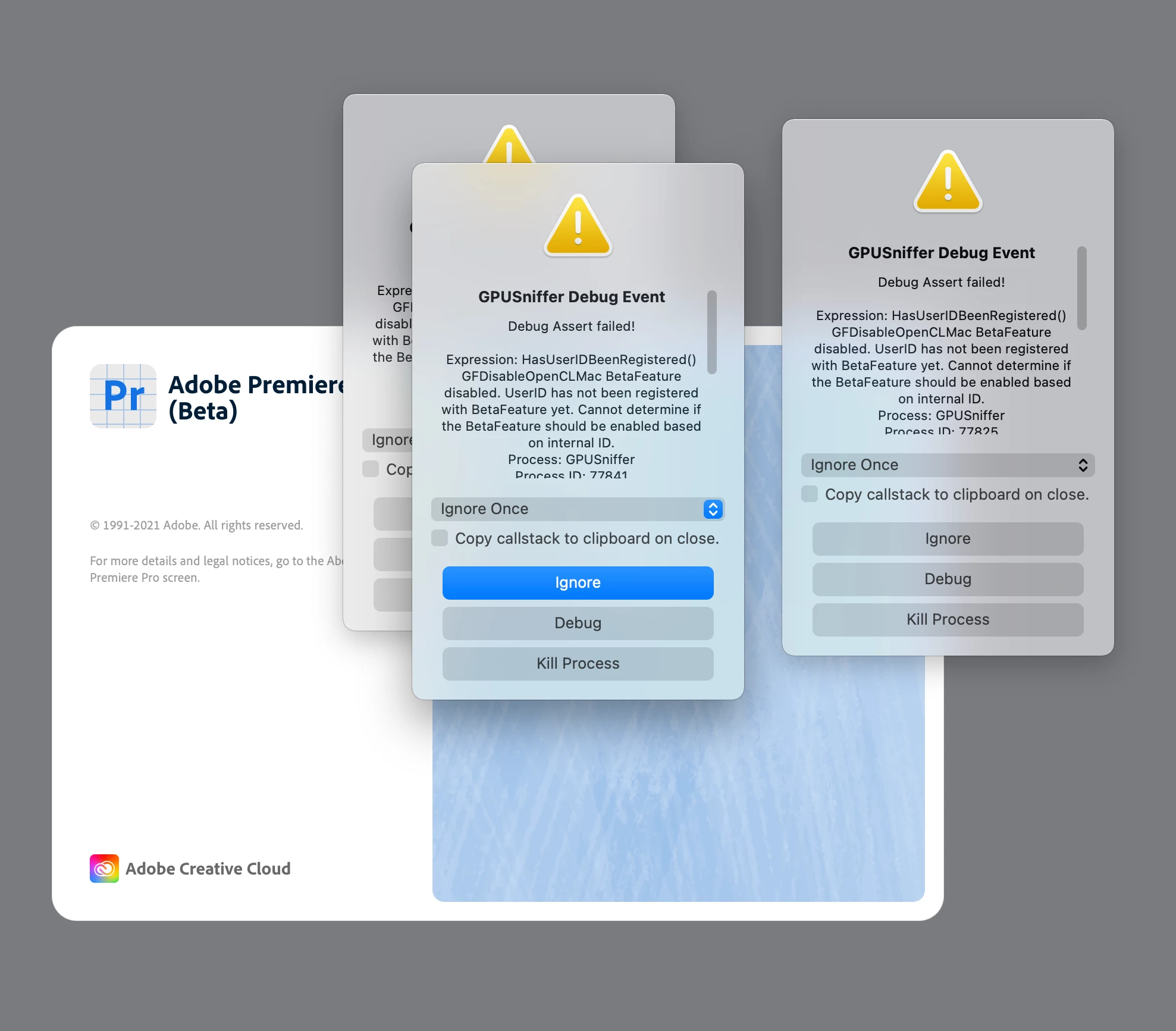
When launching yesterday's beta I get a constant stream of dialog boxes (see attached).


What's up? Hope this isn't because of my system!


(late 2015 iMac Quad Core i7, OS 11.2.3)
 

This topic has been closed for replies.
Correct answer Andy Edwards

Nothing is wrong with your computer. This happens during certain beta builds when the Adobe engineers are preparing to turn something on / off in the software. If you read the what's new in the top right beaker icon in Premiere there is a message of "Remove OpenCL as a rendering engine"


It will be fixed in a future beta update and the debug asserts won't pop up when launching Premiere.  Just keep clicking ignore and you will get to your project.



3 replies

mattchristensen
Community Manager
Community Manager
March 31, 2021

Sorry about that. Like Andy said, this can happen from time to time and is a normal part of the Beta process. Normally these type of messages are turned off for public Beta users but in this case a few got through. For future reference, you can choose "Disable Asserts" from the drop down menu and then click Ignore and that will make sure no more asserts happen during that launch of Premiere Pro.

Rag and Bone
Community Expert
Community Expert
March 31, 2021

Thanks for that...I never got all the way to the end o the dialogue boxes....I think I may have choose kill rather than ignore a few times, and the launch process seemed to stall.

Rag and Bone
Community Expert
Community Expert
March 31, 2021

All good with today's beta!

Andy EdwardsCorrect answer
Inspiring
March 31, 2021

Nothing is wrong with your computer. This happens during certain beta builds when the Adobe engineers are preparing to turn something on / off in the software. If you read the what's new in the top right beaker icon in Premiere there is a message of "Remove OpenCL as a rendering engine"


It will be fixed in a future beta update and the debug asserts won't pop up when launching Premiere.  Just keep clicking ignore and you will get to your project.


Kes Akalaonu
Inspiring
March 31, 2021

Thanks for the heads up Andy. Today's build seem to remove the dialogue boxes people were getting yesterday.
