Participant
June 2, 2024

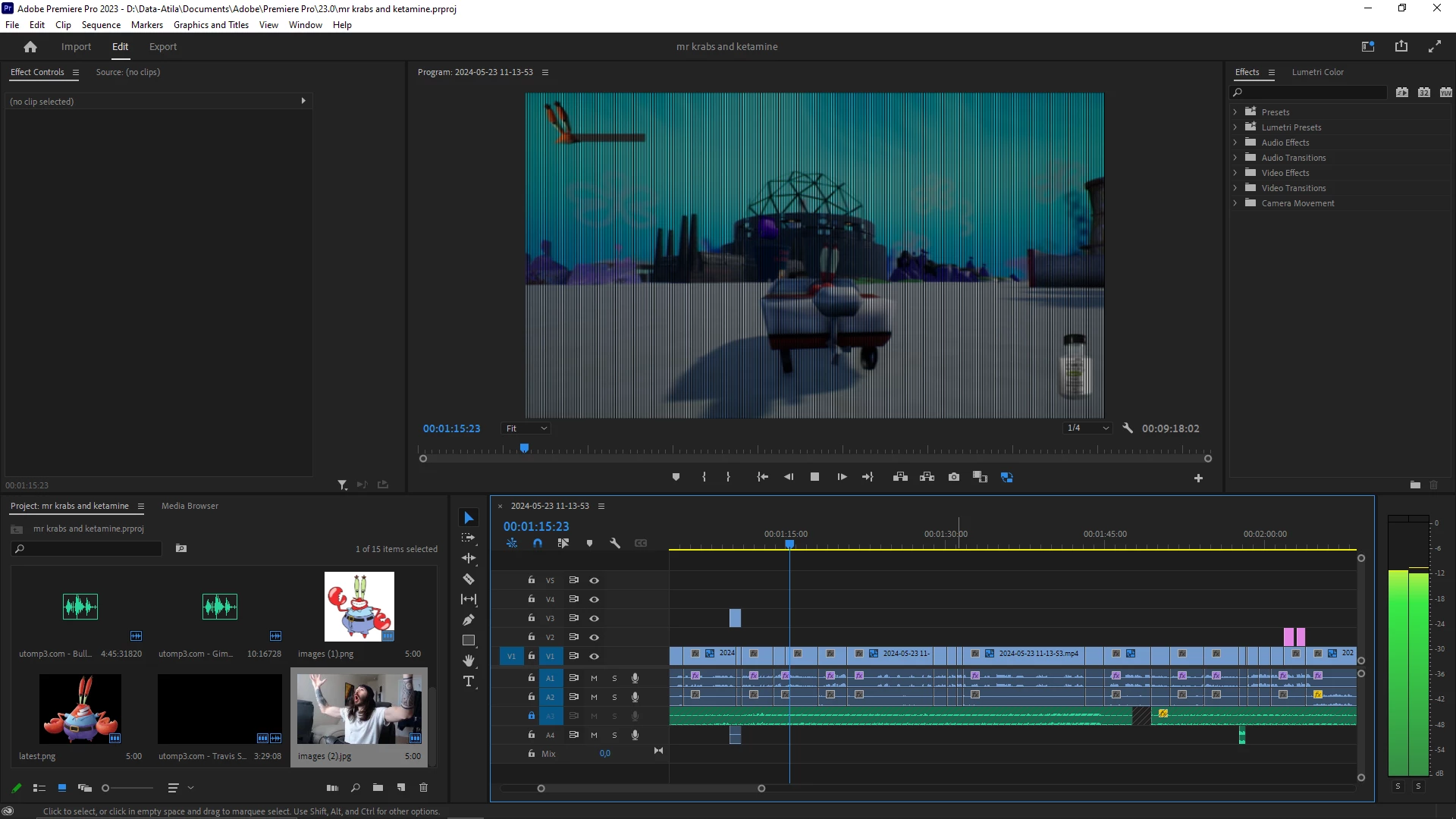
black bars pop up when playing the playback

  • June 2, 2024
  • 6 replies
  • 604 views


 here's what it looks like when unpaused and playing :
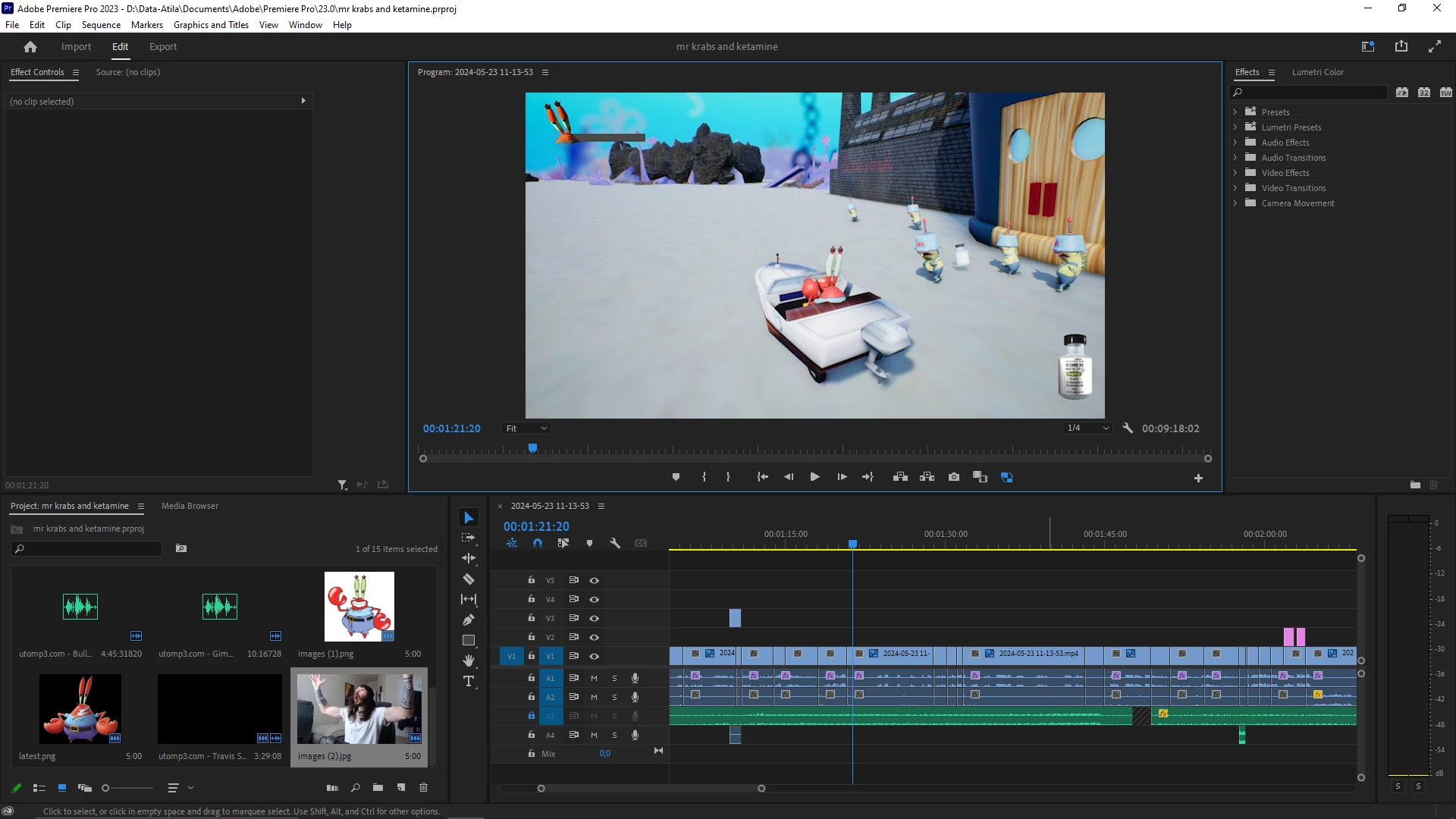
but it  gets clear when paused:


This topic has been closed for replies.

6 replies

Community Manager
July 18, 2024

Hi Humanz24807344pklq,

NVIDIA has recently released a new Studio driver (v560.70) with improvements around preview issues. Could you please try installing it to check if it fixes the preview issue? Let us know if it helps.


Thanks,

Sumeet

Community Manager
June 14, 2024

Hi Humanz24807344pklq,

We're sorry about your poor experience. Did you try installing the Studio driver prior to version 555.85 to check if it works properly? Also, please let us know the exact version of Premiere Pro that you are using.

Thanks,
Sumeet

Participant
June 4, 2024

the black bars are just in higher quality now

Participating Frequently
June 3, 2024

Premiere Pro versions 23.1 through 24.0.3 have garbage in Source and Program Monitor previews when Nvidia Driver 555.85 is used. But not all Nvidia cards that support this driver will have this problem. I am reproducing this with an Nvidia GeForce RTX 3080 but finding this driver not to fail with a Nvidia GeForce GTX 1080 Ti for example. And also note that the following file formats preview with this issue:

  • PrRes 422, 422 Proxy/ LT/ HQ
  • QuickTime DNxHR/DNxHD
  • QuickTime P2 1080i/p 50Hz/60Hz DVCProHD
  • QuickTime DV
  • Microsoft DV
  • Microsoft Uncompressed UYVY 422 8bit
  • DNxHR/DNxHD .MXF


Note: The default sequence render preview file format is ProRes 422 so you may only see this issue in the rendered previews. 


Solutions to this Problem:

  • Install the Nvidia driver prior to version 555.85.

OR

  • Continue to use Nvidia driver version 555.85 and update Premiere Pro to version 24.1 or newer.


Ann Bens
Community Expert
Community Expert
June 2, 2024

If you are using a Nvidia card make sure you have the most current Studio driver installed.

Community Expert
June 2, 2024

What happens if you set the playback resolution to 'full' instead of 1/4?