
Corrupted UI elements in Premiere Pro 24
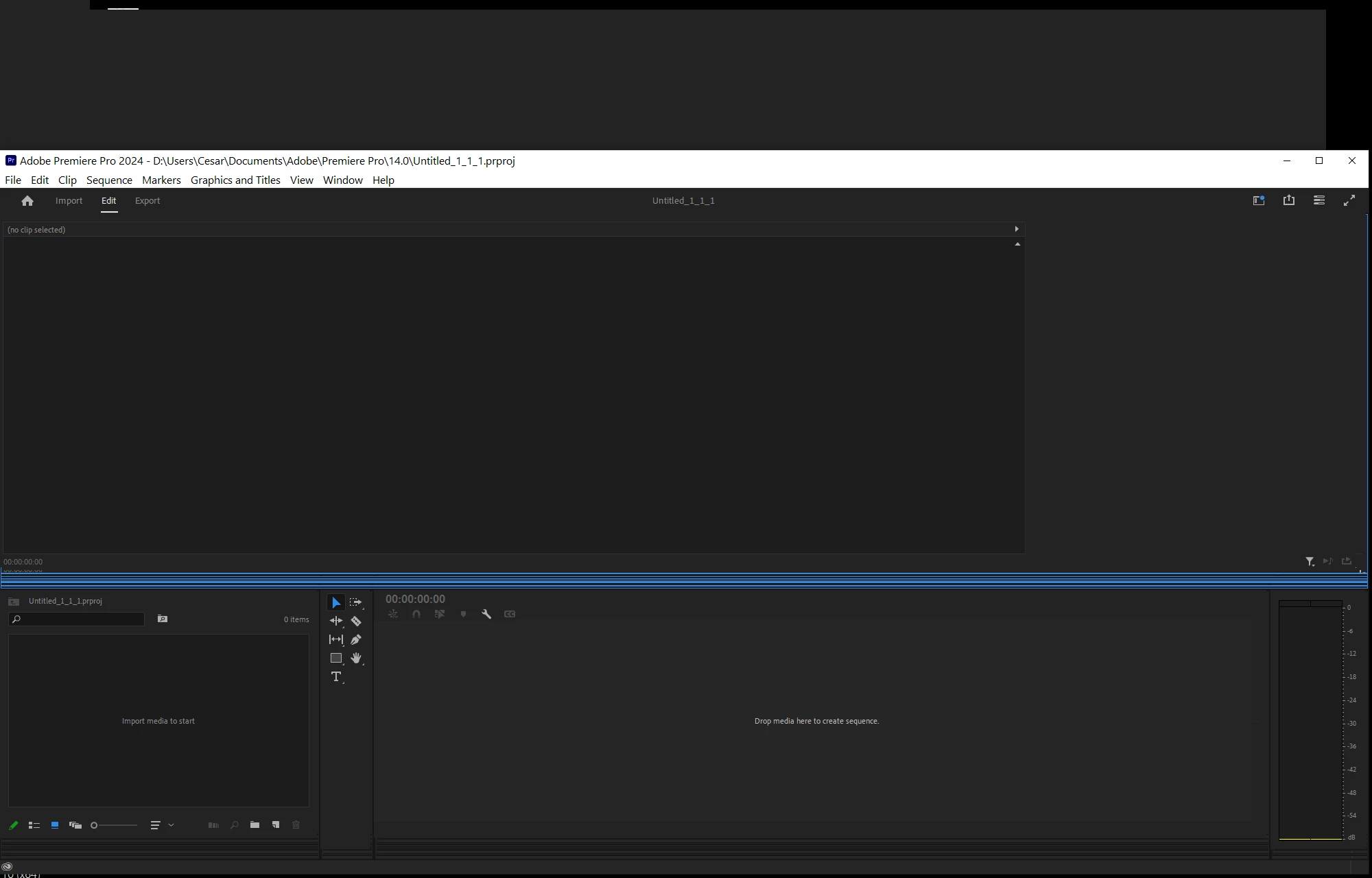
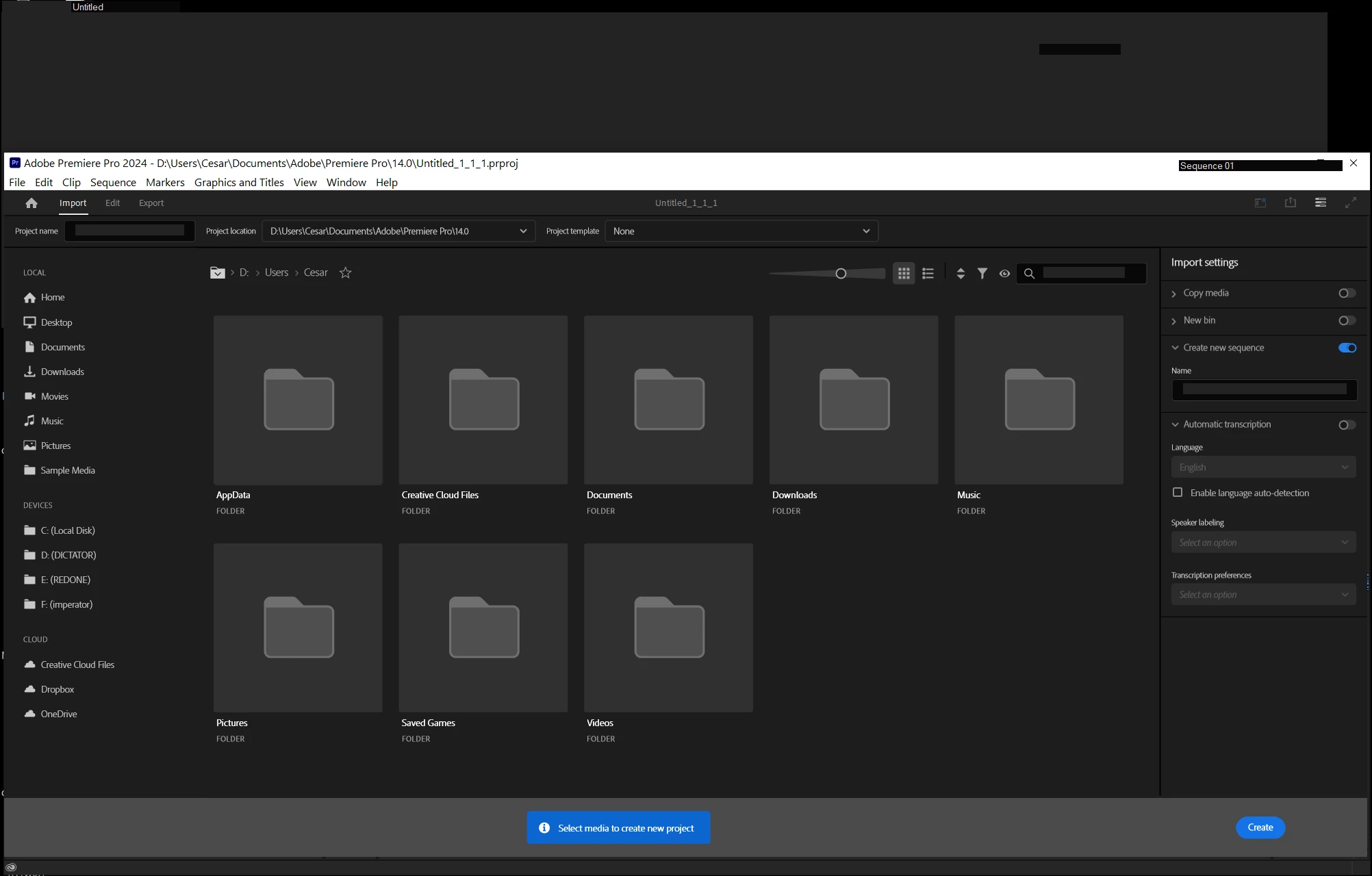
On startup, Premiere renders this strange large grey rectangle at the top left of my desktop that can't be interacted with but covers large parts of my desktop nevertheless. When I mouse over it the cursor turns into a resize cursor but clicking and dragging does nothing. The rectangle's interactive area is far larger than what is rendered it makes large parts of the UI underneath it unclickable, including parts of Premiere's visible UI. The window shows corrupted artifacts when I resize it. Text inputs render in the wrong place, often far above and to the left of where they should be, and they don't accept any keyboard input. This is severely impacting the usability of this product and I have two days to decide if I want to keep paying for it or get dinged for another 12 months that I don't even know I can use. I've attempted to restart the computer, reset all preferences and ran a quick virus scan just in case, and nothing fixes this. Nothing in the Windows Application log shows any error from my video driver.
 AdChoices