
Getting the spinning wheel whenever I move a clip, cut it or delete empty space in my timeline
I'm working in a 1920x1080p sequence. Whenever I drag a clip, delete a clip or delete the empty space between clips I get the "spinning wheel of death". I have to wait for like 3 seconds and then the action is executed. Although it's only 3 seconds, I need to make thousands of movements and deletions in my timeline, so it's not ideal.
I've already tried commonly recommended solutions such as: restarting my computer, updating PremierePro to the latest version, deleting media cache, copying and pasting the clips onto a new sequence, etc. Strangely, this lag only occurs in this specific sequence. I tried performing the cutting/deleting/moving actions on another sequence and it ran smoothly.
These are my specs:
Computer: 16 inch MacBook Pro
OS: Sonoma 14.4.1
Processor: 2.3 GHz 8-Core Intel Core i9
Graphics 1: AMD Radeon Pro 5500M 4 GB
Graphics 2: Intel UHD Graphics 630 1536 MB
RAM: 16 GB 2667 MHz DDR4
Sotrage: 1 TB (267 GB available)
PremierePro version: 24.4.1 (Build 2)
These are my sequence settings:
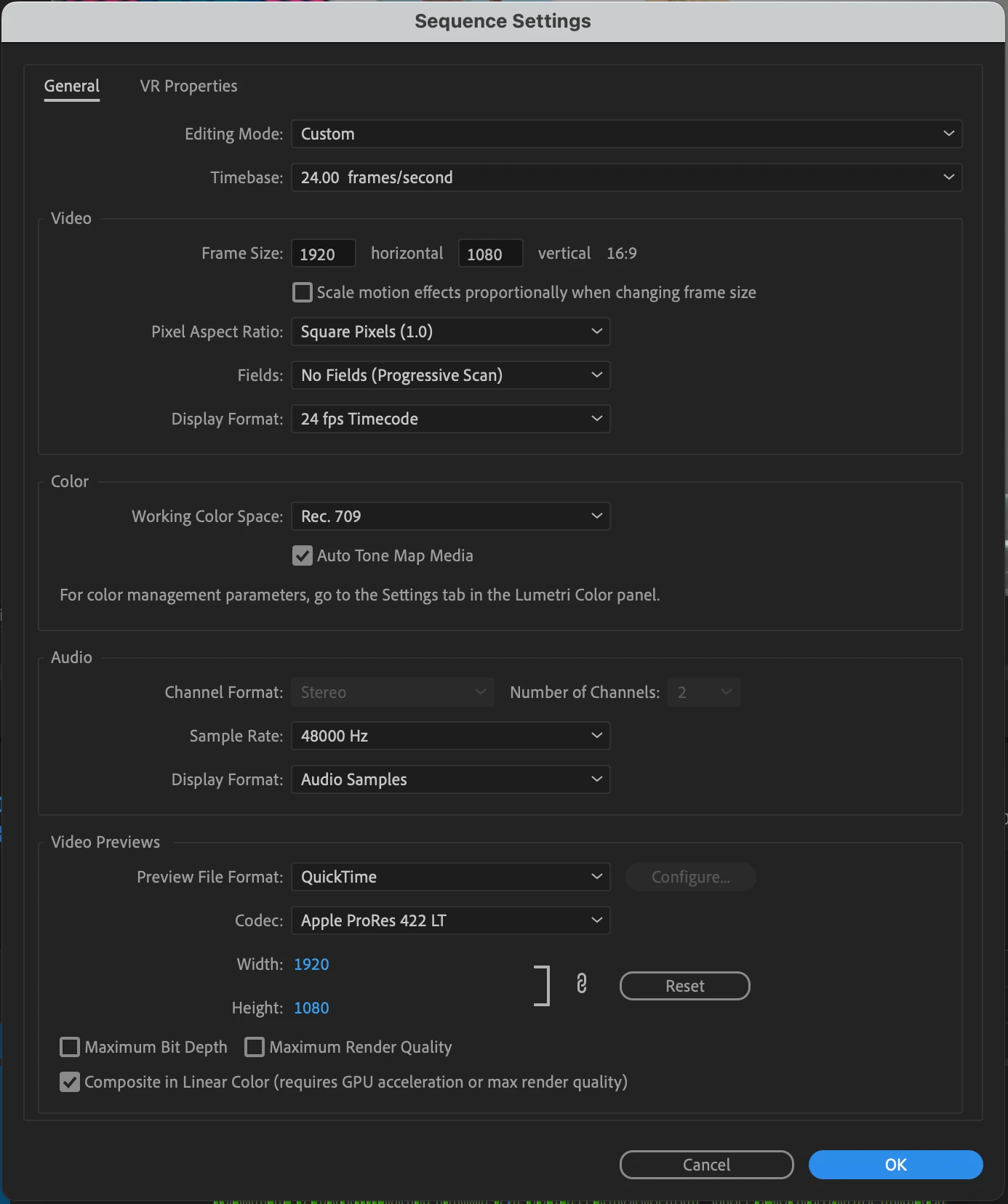
The video I'm working with has the following properties:
Type: MPEG Movie File
Size: 1.61 GB
Image Size: 1920 x 1080
Frame Rate: 24.00
Source Audio Format: 48000 Hz - Compressed - Stereo
Project Audio Format: 48000 Hz - 32 bit floating point - Stereo
Total Duration: 00:13:38:20
Pixel Aspect Ratio: 1.0
Alpha: None
Color Space: Rec. 709
Color Space Override: Off
Input LUT: None
Video Codec Type: MP4/MOV H.264 4:2:0
 AdChoices